

JPG vs JPEG: Is There Actually a Difference Between the Two?

By Uttam Kumar Dash
April 21, 2026
Last Modified: July 27, 2026


JPG and JPEG are the exact same image format. The only difference is the file extension length. This split happened because older Windows systems only allowed three-letter file extensions.
If you have ever paused before saving an image and wondered whether to pick .jpg or .jpeg, you are not alone. The confusion shows up everywhere, from Reddit threads to design forums.
So why do both extensions still exist? And does your choice between them matter in practice?
In this blog, we will walk through the history behind the two names, what the JPEG format is, when each extension shows up, and what the real-world implications are for everyday users and web teams.
TL;DR
- JPG and JPEG refer to the same image format created by the Joint Photographic Experts Group in 1992
- The .jpg extension was created because older Windows systems only supported three-character file extensions
- Mac and Linux systems had no such limit and kept using .jpeg
- Renaming a .jpg file to .jpeg changes nothing about the image itself
- Neither extension is better, newer, or higher quality than the other
What is the JPEG format?
JPEG stands for Joint Photographic Experts Group, the ISO subcommittee that developed the standard in 1992. The format uses lossy compression, which means it permanently removes some image data to reduce file size. The trade-off is remarkably practical: a raw photo that might weigh 25 MB can drop below 3 MB, and most people cannot tell the visual difference.
As of early 2025, JPEG is present on over 74% of all websites according to W3Techs. That number reflects decades of built-in device support. Digital cameras, smartphones, email clients, and social platforms all default to JPEG because of its reliable balance between size and quality.
The format supports 24-bit color depth, which allows over 16 million colors. It handles photographs and complex gradients especially well. Where it struggles is with sharp lines, text overlays, and images that require a transparent background, since JPEG has no transparency support.
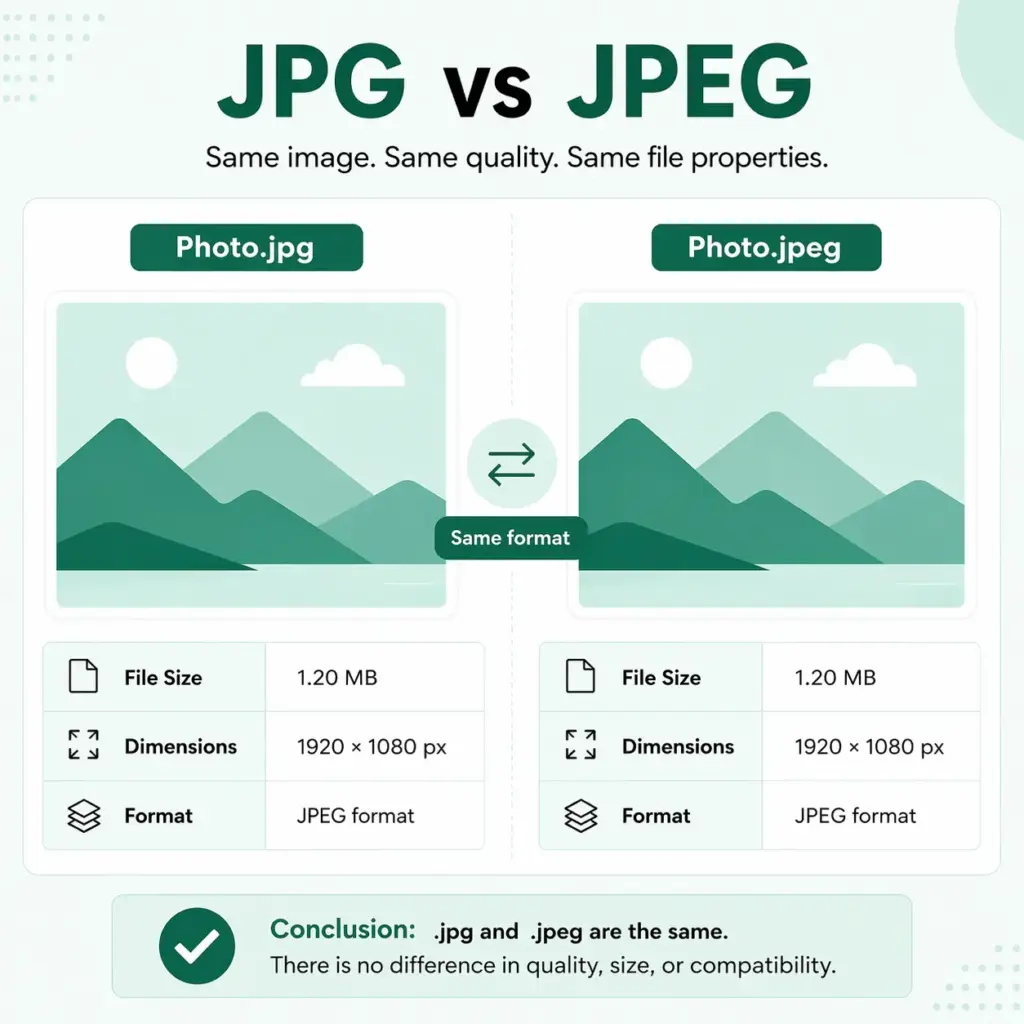
JPG vs JPEG table comparison
A JPG and a JPEG are the same image format. The only difference between them is the file extension, created due to older Windows naming limits.
| Aspect | JPG | JPEG |
|---|---|---|
| Full form | Shortened version | Joint Photographic Experts Group |
| Origin (1992) | Same format | Same format |
| Why it exists | Created for old Windows/DOS systems (3-letter limit) | Original extension used in Mac/Unix |
| System limitation | 8.3 filename rule forced .jpg | No limitation → kept .jpeg |
| File format | JPEG format | JPEG format |
| Image quality | Identical | Identical |
| File size | Identical | Identical |
| Compression | Same lossy compression | Same lossy compression |
| Compatibility today | Fully supported everywhere | Fully supported everywhere |
| SEO impact | No difference | No difference |
| Rename impact | Can rename to .jpeg safely | Can rename to .jpg safely |
| Modern usage | More common (default in cameras/tools) | Less common but still valid |
| Best use case | Consistency + compatibility | Same (depends on preference) |
Why do JPG and JPEG both exist?
This is the part most people actually want to know. When JPEG was developed, it was primarily designed for Mac and Unix-based systems, which had no restrictions on how long a file extension could be. These systems used the full .jpeg extension without any issues.
The problem appeared when Microsoft’s MS-DOS and early Windows versions entered the picture. These systems used a file architecture that imposed what developers called the 8.3 naming convention: eight characters maximum for the filename, and only three characters for the extension. A four-letter extension like .jpeg simply did not fit within that rule. To stay compatible, it had to be shortened to .jpg.
This is also why you see .htm instead of .html, and .tif instead of .tiff on older files. The same naming constraint forced the abbreviation.
Windows 95 eventually dropped the three-character limit. But by that point, .jpg was already the default in major image editors, digital cameras, and file systems built on FAT storage (which is still used in SD cards today). Habits had formed, software defaults were set, and the shortened version never went away.
So the two extensions are not competing standards. One is the original. The other is a workaround that became permanent.
Are JPG and JPEG technically identical?
Yes, completely. The underlying compression algorithm, color depth, metadata structure, and rendering behavior are all exactly the same. If you take a .jpg file and rename it to .jpeg, the image opens identically in every browser, image editor, and operating system. Nothing about the actual image data changes.
JPEG uses a lossy compression method, meaning some data is lost in the process, but it results in significantly smaller file sizes. That applies equally whether the file ends in .jpg or .jpeg. The extension is a label for the operating system. It does not influence how any software processes the pixels inside.
Adobe Photoshop, GIMP, and most professional image editors default to saving with .jpg on both Windows and Mac, specifically to reduce confusion when files move between systems. That default choice reflects convention and backward compatibility, not any technical preference.
Does the extension choice actually affect anything?
For the vast majority of users, no. Modern browsers render both identically. Search engines index both the same way. SEO performance is unaffected by which extension you choose. Image quality is unaffected. File size is unaffected.
There are two narrow situations where the extension label can create friction.
First, some legacy systems or older content management tools filter file uploads by extension. A system set to accept only .jpg might reject a .jpeg upload even though the files are functionally the same. This is a quirk of how the upload validation was written, not a genuine format incompatibility.
Second, batch processing scripts sometimes filter by extension string. If a script is written to loop through all .jpg files in a folder, it will skip .jpeg files. This is worth checking when setting up automated workflows.
Outside of those edge cases, the extension you choose has no practical impact on how the image looks, loads, or performs.
Which one should you use?
Neither is wrong. The practical answer depends on your context.
Use .jpg if you want maximum compatibility with older systems, shorter filenames, or if your team has an existing convention around it. Most digital cameras produce .jpg files by default, so working with that extension keeps file naming consistent across your workflow.
Use .jpeg if you are working in a Mac or Linux environment, or if your organization or style guide prefers the complete acronym spelling.
The most sensible approach for teams and websites is to pick one and stick with it. Consistency in naming simplifies file management and makes automated workflows more predictable. Beyond that, there is no technical reason to spend more time on this decision.
If you are running a WordPress-based operation and managing large volumes of support requests or product images, having clean and consistent file conventions matters more in the context of overall site performance and customer-facing assets. Tools that handle image organization and customer communication efficiently tend to reduce the kind of small operational friction that builds up over time.
What about JPEG 2000?
JPEG 2000 is a separate standard developed in 2000 as a proposed upgrade to the original JPEG format. It supports both lossy and lossless compression, offers higher compression ratios, and handles transparency. On paper, it is technically superior.
In practice, it never achieved widespread adoption. It is not universally supported across browsers (historically limited to Safari only), is incompatible with standard JPEG files, and requires more processing power to encode. Most workflows have moved toward WebP and AVIF as modern alternatives instead. JPEG 2000 is largely a footnote today.
Wrapping up
JPG and JPEG are the same thing. The split in naming traces back to a Windows file system limitation from the early 1990s that required three-character extensions, while Mac and Unix systems kept using the original four-character version. When that limitation was removed, both names stayed in use out of habit and backward compatibility.
There is no quality difference, no size difference, and no performance difference. Renaming one to the other changes nothing about the image. Pick the extension that fits your workflow or team convention, and move on.
FAQ
Can I rename a .jpg file to .jpeg without damaging it?
Yes. Changing the file extension does not alter the image data in any way. The file will open and display identically under either name.
Do search engines treat .jpg and .jpeg differently?
No. Search engines index both extensions the same way. There is no SEO advantage or disadvantage to either choice.
Why do some websites only accept .jpg and not .jpeg?
This usually comes down to how the file upload validation was coded on that specific platform. It is a software limitation, not a format incompatibility. Renaming the file from .jpeg to .jpg before uploading typically resolves it.
Related Articles
Fluent Support 2.4.7: Ticket Filters, 5x Faster Tickets and Smart Customer Search
Fluent Support 2.4.7 brings a Ticket Filters sidebar…Customer Success Best Practices for Small Teams
In this blog, we’ve discussed customer success in…







Add your first comment to this post