

10 Best Intercom Alternatives for Customer Support in 2026

By Md. Sajid Sadman
April 13, 2026
Last Modified: April 13, 2026


Intercom built a strong reputation as a customer messaging platform. But in 2026, a growing number of support teams are looking for something different.
The core issue is pricing predictability. Intercom’s Fin AI Agent charges $0.99 per resolved conversation on top of seat fees that start at $29 per agent per month. For teams handling high support volumes, those per-resolution charges compound fast. A team resolving 2,000 conversations monthly through Fin faces an additional $1,980 in AI costs alone, before any add-ons.
Beyond pricing, users consistently raise concerns about a complex user interface, slow technical support response times, and frequent bugs that take too long to resolve.
If any of that sounds familiar, this guide is for you. We have covered 10 solid Intercom alternatives, divided into WordPress helpdesk plugins and cloud-based solutions, so you can find the right fit for your team and budget.
TL;DR
Why are teams moving away from Intercom?
Because the trade-off no longer makes sense. What starts as a powerful support tool often turns into a mix of rising costs, complex setup, slow support, and recurring issues. At scale, these aren’t small inconveniences.
They directly impact response time, team efficiency, and overall support quality.
What are teams actually looking for instead?
Not just a cheaper tool. A system that is easier to run every day. That means faster onboarding, cleaner workflows, better performance, and fewer moving parts that break under pressure.
What kinds of alternatives exist?
Two clear paths. WordPress helpdesk plugins and cloud-based platforms. WordPress tools give you control, lower long-term cost, and a focused support setup. Cloud tools offer broader channel support and are better for larger, distributed teams.
What does this guide cover?
10 Intercom alternatives across both categories. From WordPress tools like Fluent Support, SupportCandy, and Awesome Support To cloud platforms like Zendesk, Freshdesk, Zoho Desk, HubSpot Service Hub, and Help Scout. Each one solves a different level of complexity.
How do you choose the right one?
Start with your environment. If you run on WordPress, staying inside that ecosystem will simplify everything. If you manage support across multiple channels or teams, a cloud platform makes more sense. Then match the tool to your support volume, workflow complexity, and automation needs.
What separates a good tool from the right one?
Usability in real situations. Not feature lists. Not marketing claims. The right tool is the one your team can use fast, trust daily, and scale without friction.
What is the real goal of switching?
To remove friction from your support operation. A better tool should make your team faster, your workflows simpler, and your system more reliable. If it doesn’t do that, it’s just another replacement waiting to happen.
4 Reasons Teams Look for Intercom Alternatives
1. Unpredictable Pricing
Intercom’s base plans appear straightforward at first glance. The complexity comes when you factor in Fin AI’s per-resolution fee of $0.99, Copilot at $35 per agent per month, Proactive Support Plus at $99 per month, and separate channel fees for WhatsApp and SMS.
Teams regularly report their actual bills running three to four times the advertised seat price. Budgeting becomes difficult when costs scale with the effectiveness of your own automation.
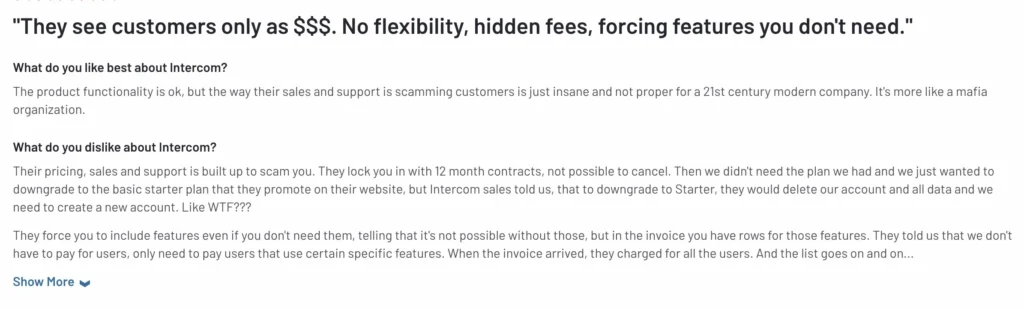
2. Complex User Interface
Intercom offers a wide range of features, but new users consistently report a steep learning curve. The platform requires significant time to set up effectively, and customization options come with notable limitations. Teams expecting a tool they can deploy quickly often find themselves spending weeks on configuration.
3. Poor Customer Support
It is a widely noted irony that Intercom, a customer support platform, receives consistent criticism for the quality of its own customer service. Support response times are frequently flagged in user reviews, and technical issues sometimes go unresolved for extended periods. For teams running mission-critical support operations, that reliability gap is a real concern.
A large number of users consistently voicing dissatisfaction about their customer service teams. Let’s look at a screenshot of that we context collected from G2.
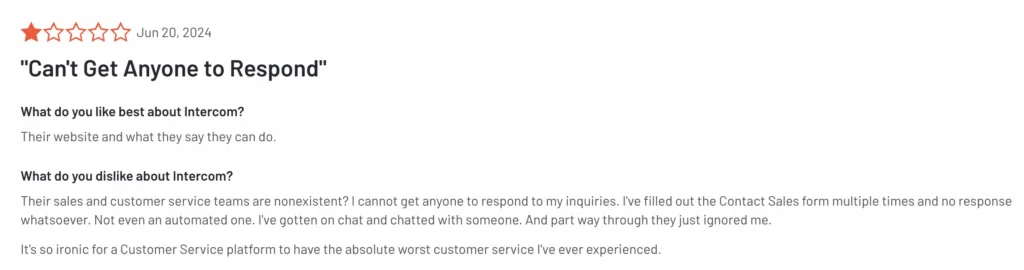
Ironically, many customer service analysts call it as-
“Great customer support software with poor customer support.”
4. Frequent Bugs and Technical Issues
Bugs and glitches are part of any software product, but the frequency and response time matter. Intercom users have reported recurring technical issues across multiple review platforms, with engineering response times that do not match the urgency of production problems. For support teams, a support tool that is unreliable undermines the entire operation.
The goal when switching from Intercom is not just to find something cheaper. It is to find something that gives your team a better, more stable, and more predictable platform to build on.
Quick Comparison: 10 Intercom Alternatives at a Glance
| Tool | Best For | Starting Price | Free Plan |
| Fluent Support | WordPress sites needing a full-featured helpdesk | $129/year | Yes (WP) |
| SupportCandy | WordPress teams wanting flexible ticketing | $79/year | Yes (WP) |
| Awesome Support | WordPress teams needing a feature-rich toolkit | $149/year | Yes (WP) |
| JS Help Desk | Budget-conscious WordPress users | Free + add-ons from $69/year | Yes (WP) |
| Heroic Inbox | WordPress teams managing shared email inboxes | $199.50/year | No |
| Zendesk | Mid-market to enterprise teams | $55/agent/month | No |
| Freshdesk | Growing teams needing AI automation | $18/agent/month | Yes |
| Zoho Desk | Budget-conscious teams in the Zoho ecosystem | $14/agent/month | Yes (3 agents) |
| HubSpot Service Hub | Teams already using HubSpot CRM | $15/seat/month | Yes |
| Help Scout | Teams prioritizing email-first, human-feel support | $20/user/month | Yes (5 users) |
WordPress Helpdesk Plugins as Intercom Alternatives
If your business runs on WordPress, these plugins give you a self-hosted, cost-effective alternative to Intercom without the per-resolution pricing model or seat-based billing surprises.
Fluent Support
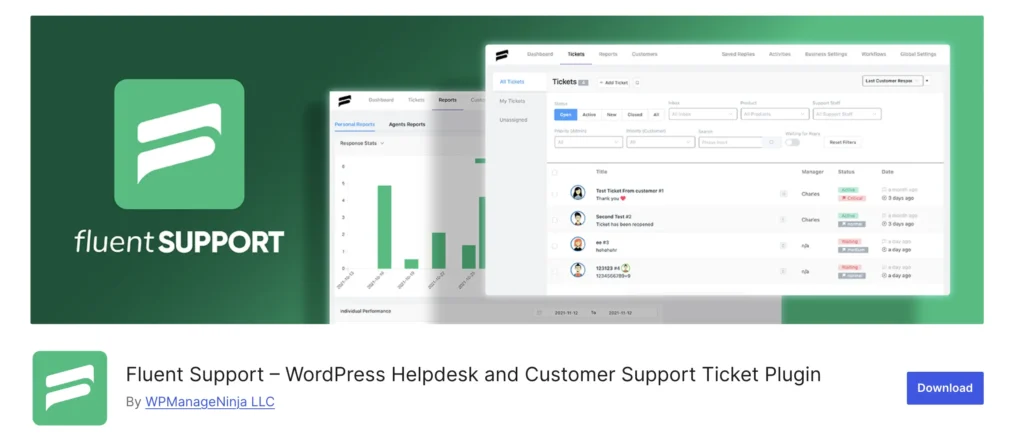
Let’s lead off the list with an powerful yet affordable WordPress helpdesk plugin, Fluent Support. In 2024, it has become a central focus for customer support head and support agents who are in the WordPress environment. And, now, it’s leadng the industrry on WordPress support category.
It’s getting popularity day by day as the best WordPress ticketing system. Just consider the number, Fluent Support is now assisting over 10,000+ businesses with its effective customer support solutions.
The team at Fluent Support engineered the product to make your customer support activity fast, fun, and fluent. It’s jam-packed with all the essential features that your customer support team needs.
To keep you more organized with your support tickets, it has a user-friendly dashboard that is far easier to navigate than you might think.
Plus, you don’t need a learning curve to use the product, as it is simple and intuitive. The set-up process is also easier, taking less than five minutes.
From beginners to expert support reps, it can be a prominent tool for customer support solutions.
What’s even better is that the technical support team behind Fluent Support is always within your reach to respond to any kind of issue that arises regarding the product.
Best For: WordPress-based businesses looking for a full-featured helpdesk with transparent, flat-rate pricing.
All notable features of Fluent Support
- Unlimited support tickets
- Unlimited support agents
- Unlimited customers
- AI-powered reply suggestions via OpenAI integration
- Workflow automation with triggers, conditions, and actions
- Collision detection to prevent duplicate agent responses
- Email piping to create and reply to tickets via email
- Saved replies for faster agent responses
- Internal notes for private agent-to-agent communication
- Advanced ticket filtering and sorting
- Custom fields for tickets and customer profiles
- Priority management with custom priority levels
- Product-based ticket routing and agent assignment
- Auto agent assignment rules
- Response delay tracking
- Performance reports per agent and per team
- Calendar heatmap for ticket activity visualization
- Advanced reporting and analytics dashboard
- Bulk actions for ticket management
- Activity log for full audit trail
- Guest ticket submission without login
- Reply via Slack, Telegram, Discord, and WhatsApp
- Outgoing and incoming webhooks
- REST API for custom integrations
- 20+ integrations including WooCommerce, FluentCRM, Tutor LMS, and more
- Ticket merging for duplicate queries
- Customer portal with full ticket history
- Ticket migration from Freshdesk, Zendesk, and Help Scout
- Mobile-responsive admin interface with RTL language support
Pricing
Fluent Support is often acknowledged for its transparent and budget-friendly pricing. Plus, you can enjoy a 14-day unconditional moneyback guarantee.
A free version is also available in the WordPress repository that includes multiple necessary features.
Now let’s look at the pro version pricing plan.
Single Site License: $129/year for 1 domain.
Agency License: $249/year for 5 domains.
50 Sites License: $399/year for 50 domains.
One Thing to Note: Built for WordPress only. Not a fit for teams outside the WordPress ecosystem.
save you money?
SupportCandy
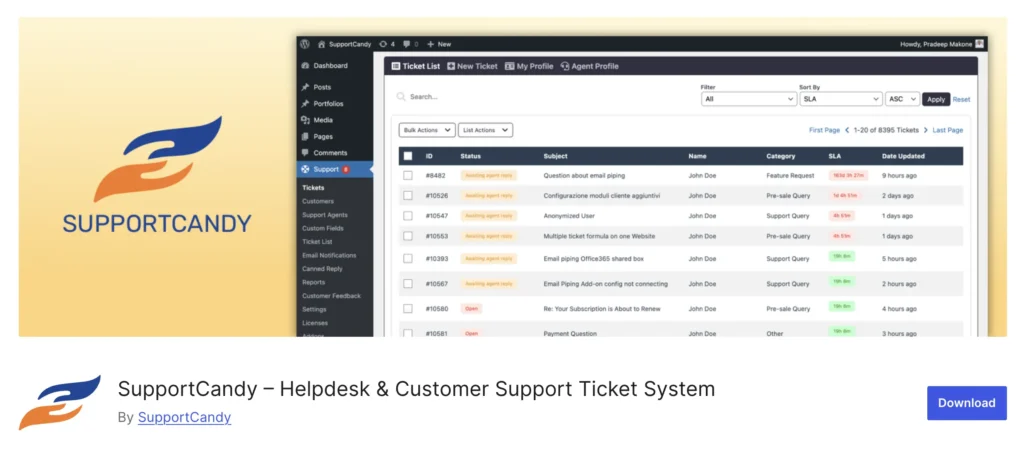
SupportCandy, another strong contender to be in the list of Intercom alternatives. This Intercom alternatives for customer support is serving its users since 2014.
SupportCandy is the oldest customer support ticketing system available in the WordPress repository. It currently has over 10,000 active installations, and the team is consistently striving to improve it.
It’s simple, secure, and loaded with all the essential features. Its user-friendly interface and powerful functionality let you effortlessly engage with your customers and resolve customer issues.
Everything you get from it for your customer support without making your wallet sad. It’s super affordable.
Plus, just like Fluent Support, the SupportCandy technical support team is dedicated to its customers when any queries or issues arise.
Best For: WordPress teams that need a proven, stable helpdesk without a steep learning curve.
All notable features of SupportCandy
- Unlimited tickets
- Unlimited support agents
- Unlimited customers
- Unlimited tags, categories, and custom statuses
- Email piping via Basic IMAP, Gmail, and Microsoft Exchange
- WooCommerce integration with order context inside tickets
- Easy Digital Downloads (EDD) integration
- Gravity Forms integration for custom ticket forms
- 16+ custom field types including text, dropdown, date, file upload, and more
- Agent-only fields for internal ticket data
- Customer fields with visibility and edit control
- Canned replies for faster agent responses
- AI assistant for ticket summaries and reply polishing
- Workflow automation with condition-based rules
- SLA management with due date tracking and reminders
- Auto agent assignment based on rules and workload
- Agent groups and user groups for team management
- Satisfaction surveys with optional feedback
- Automatic ticket closure after inactivity with warning emails
- Guest ticket submission without account creation
- Private internal notes visible only to agents and admins
- Slack integration for real-time ticket notifications
- Webhooks for real-time event notifications
- Reports add-on with graphical ticket overviews
- Time tracking with timer widget per ticket
- Export tickets to CSV
- Print ticket functionality with custom templates
- Email marketing integrations with Mailchimp, GetResponse, and Brevo
- LMS integrations for educational support environments
- GDPR-compatible with data retention and deletion options
Pricing
SupportCandy offers a free plan for its customers with multiple essential features. To access all their feature, you need to choose a premium pricing plan. SupportCandy also allows 14 days money-back guarantee for risk-free customer experience.
Personal: $79/ year for 1 site.
Professional: $149/ year for 5 sites.
Agency: $299/ year for 20 sites.
You can also explore SupportCandy’s lifetime plan if you ever need it.
One Thing to Note: Fewer advanced automation options compared to newer alternatives.
Awesome Support
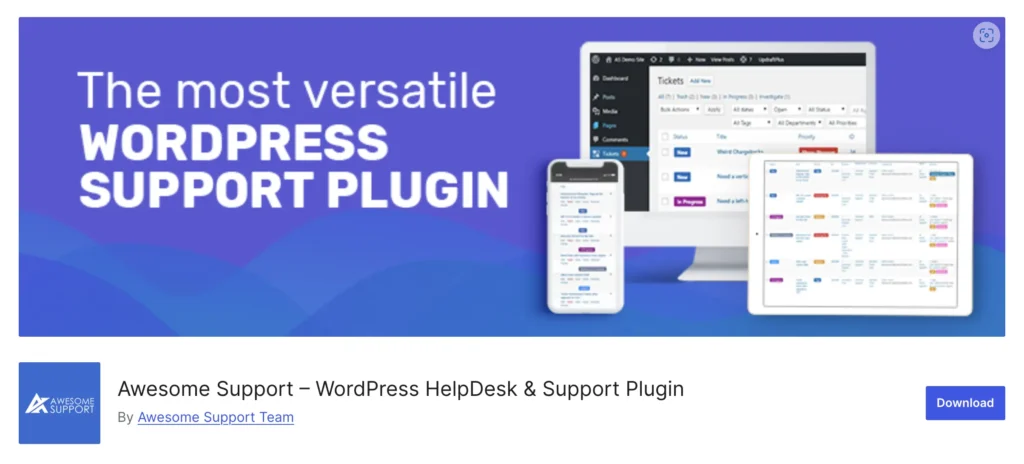
Finally, here is the third one in the rundown: Awesome Support, a WordPress helpdesk plugin. When looking for Intercom alternatives for customer support, it will be wise to add Awesome Support as a potential option.
This WordPress ticketing system has been delivering excellence since 2016. Over the years, it has built a solid reputation for trust. Currently, 10,000+ businesses use Awesome Support for their customer support operations.
It’s like a toolbox with everything you need for customer support. This ticketing system, with its versatile functionality, simplicity, and reliability, could make your customer support process a breeze.
While the functionality is mostly reliable, some users find the dashboard interface a bit dated.
Awesome Support’s setup process is also as easy as Fluent Support’s. You can set it up within five minutes.
It’s evident that this plugin could multiply your support efficiency if you have a first-class customer support team. But the dashboard of Awesome Support sucks.
The dashboard design is a bit outdated. As a result, some of your support agents might find the dashboard interface really frustrating.
Other than that, it’s an excellent plugin for conducting your customer support and a considerable alternative to Intercom.
Best For: WordPress teams with complex support workflows that need a broad feature set.
All notable features of Awesome Support
- Unlimited tickets, agents, and users
- Unlimited file attachments with upload scheduling and file type controls
- Multi-product support for businesses managing multiple offerings
- Canned responses for repetitive reply scenarios
- Email piping to create and reply via email
- Customizable email notifications for agents and customers
- Custom ticket submission form with field customization
- Agent collaboration tools for team-based ticket resolution
- Ticket categorization with custom labels
- Automatic agent assignment rules
- Auto-close tickets after inactivity
- Time tracking for agent productivity monitoring
- Satisfaction survey for post-resolution feedback
- Complete ticket history and audit log
- Internal notes for private agent communication
- Role-based access control for security and permission management
- Ticket-importing system for migrating from other platforms
- Chat widget for real-time customer interaction
- Multiple language support
- Private correspondence between client and agent
- Custom fields for ticket customization
- Easy setup with a startup wizard
- Documentation and knowledge base support
- SLA tracking and priority management
- Ticket tagging and search functionality
- Activity log for full support audit trail
- GDPR-compatible data management
- Front-end ticket submission for customers
- Guest ticket submission without account registration
Pricing
Awesome Support offers a free version with limited features. Its premium pricing plan is a bit more pricey and complex than Fluent Support and SupportCandy.
Let’s overview the pricing plan.
Standard: $149/year for 1 site, $199/year for 2 – 5 sites, $249/year for unlimited sites.
PRO: $229/year for 1 site, $299/year for 2 – 5 sites, $399/year for unlimited sites.
ENTERPRISE: $289/year for 1 site, $399/year for 2 – 5 sites, $549/year for unlimited sites, $549/year for unlimited sites without technical support rights.
AGENCY: $409/year for 1 site, $799/year for 2 – 5 sites, $999/year for unlimited sites, $799/year for unlimited sites without technical support rights.
You can also purchase its individual add-ons according to your need.
One Thing to Note: The dashboard design is dated and can feel frustrating for agents used to modern interfaces.
4. JS Help Desk

JS Help Desk is the most accessible entry point in the WordPress helpdesk category. The core plugin is completely free and includes a surprisingly comprehensive set of features: unlimited tickets, unlimited agents, front-end submission, guest tickets, AI-powered reply suggestions, GDPR compliance, and email piping.
For small businesses or teams just getting started with structured support, it provides immediate value without any upfront cost. The paid add-on model means you can expand functionality as needed, starting from $69 per year for individual add-ons.
It has over 7,000 active installations and maintains an active development cycle with regular security and feature updates.
Best For: Budget-conscious WordPress teams that need a solid foundation without upfront costs.
All notable features of JS Help Desk
- Unlimited tickets and support agents
- Unlimited departments for workflow organisation
- Front-end ticket submission for customers
- Guest and visitor ticket submission without account creation
- AI-powered reply suggestions for faster agent responses
- Email piping to create and reply to tickets via email
- Email notifications for new tickets, replies, and status changes
- 12+ custom field types including text, dropdown, checkbox, date, and file upload
- Priority management with custom color-coded priorities
- Internal notes visible only to agents and admins
- Agent auto-assignment based on rule-based routing
- Multiple ticket forms per department
- Ticket merging for combining duplicate queries
- SLA deadline tracking and ticket overdue alerts
- Custom SMTP configuration for reliable email delivery
- Ban email functionality to block specific users or domains
- WooCommerce integration for linking support to customer orders
- Private credentials storage with auto-delete for sensitive data
- Email CC to keep stakeholders updated on ticket progress
- Export ticket data and history to CSV
- Desktop browser notifications for real-time alerts
- Full ticket history and activity log
- Rich HTML editor for ticket descriptions and replies
- Multiple file attachment support with admin-controlled size limits
- GDPR-ready with data erasure and anonymization tools
- Google reCAPTCHA and built-in captcha for spam protection
- Terms and conditions agreement before ticket submission
- 7 colour themes to match your brand
- Fully responsive design for mobile and desktop
Pricing
The core JS Help Desk plugin is completely free and includes all essential features. Premium add-ons are available to extend functionality as your team grows.
Core Plugin: Free. Available on WordPress.org with no feature restrictions on core functionality.
Individual Add-ons: Starting from $69/year per add-on for a single site.
Bundle Packages: Bundle packages are available that group multiple add-ons together at a reduced combined price.
One Thing to Note: Advanced features require purchasing separate add-ons, which can add up if you need several.
5. Heroic Inbox
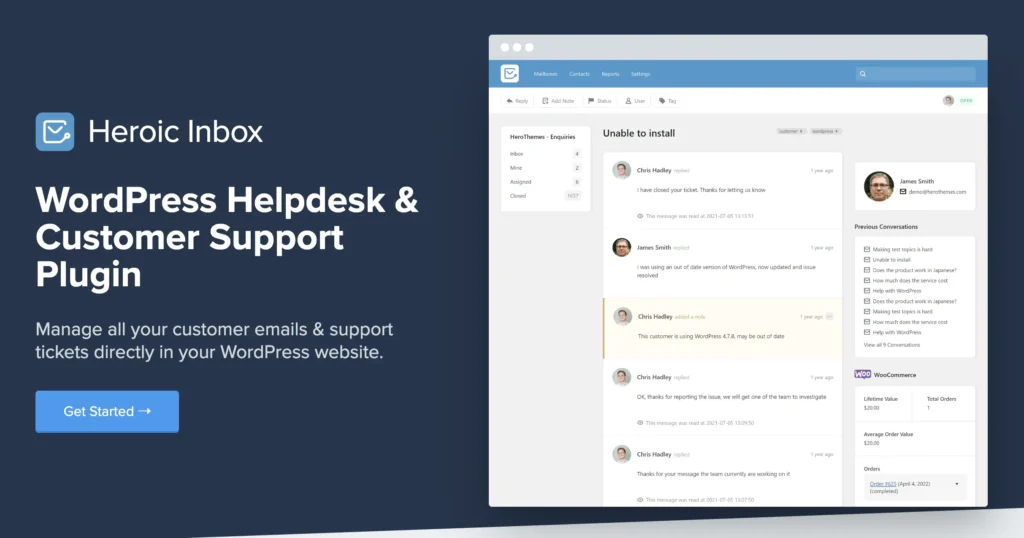
Heroic Inbox takes a different approach from traditional ticketing plugins. Instead of a ticket-based system, it brings shared email inboxes directly into the WordPress dashboard. This makes it a natural fit for teams whose primary support channel is email rather than a web-based ticket form.
Developed by HeroThemes, which serves over 26,000 customers including Airbnb and Newegg, Heroic Inbox connects with Gmail and Google Workspace via OAuth and supports WooCommerce order context alongside conversations. The flat annual fee with no per-user charges makes it predictable at scale.
Best For: WordPress teams that primarily support customers over email and want a unified inbox inside the WordPress dashboard.
All notable features of Heroic Inbox
- Shared inbox management for multiple email addresses from one dashboard
- Unlimited tickets with no volume restrictions
- Unlimited users and agents with no per-seat fees
- Gmail and Google Workspace OAuth one-click connection
- Outlook and IMAP/SMTP email integration
- WooCommerce integration for order details alongside support conversations
- Easy Digital Downloads integration for digital product support context
- GiveWP integration for donation-related support
- Customer profile creation with full conversation history
- Collision detection to prevent duplicate agent responses
- Internal notes for private team communication within conversations
- Email assignment to specific team members
- Conversation tagging and status management
- Automation rules for routing and auto-responses
- Pre-written response templates for common queries
- Agent signatures for personalised email replies
- Conversation history tracking per customer
- Advanced insights and analytics on support performance
- 40% faster response times through workflow efficiency features
- Role-based permissions for inbox and message access
- One-click email importer for migrating existing emails
- Built-in setup wizard for fast configuration
- Fully responsive within the WordPress admin dashboard
- Data stays on your WordPress server with no cloud dependency
Pricing
Heroic Inbox is a premium-only plugin with no free version. Pricing is a flat annual fee with no per-user charges, making costs predictable regardless of team size.
Single Site: $199.50/year for 1 site, including all features, unlimited tickets, and unlimited users.
Up to 3 Sites: Higher tier plan available. Visit herothemes.com for current multi-site pricing.
Heroic Bundle: Combines Heroic Inbox with Heroic KB knowledge base plugin. Pricing ranges from $299.50 to $849.50/year.
A 14-day money-back guarantee is included on all plans.
One Thing to Note: Premium-only with no free version. Basic plan lacks some features like collision detection.
Cloud-Based Solutions as Intercom Alternatives
For teams that are not on WordPress or need a platform that scales beyond a single site, these cloud-based solutions cover a wide range of team sizes, budgets, and feature requirements.
Zendesk
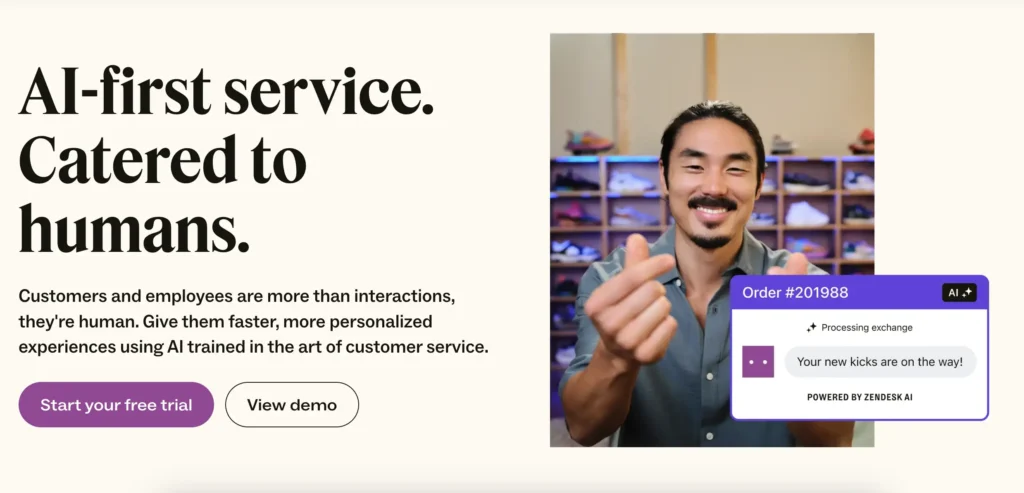
Zendesk is a renowned brand in customer support. It was founded in 2007 in Copenhagen, Denmark, and later established its headquarters in San Francisco, California.
Zendesk has achieved huge success in the customer support sector and is currently the most adopted tool. With over 6,000 employees, it’s now trusted by more than 160 million paid customers in 160 countries.
Assuming the hype of Zendesk in the customer support field? You are!
And it’s a far better alternative to Intercom in the SaaS category.
Like Intercom, it has got AI-powered customer support system. Its AI-first customer service will make your customer interactions faster and more personalized.
Moreover, its wide range of features, customizable options, and flawless integration capabilities make Zendesk a compelling tool for customer support management.
As a versatile customer support platform, Zendesk provides a suite of tools for both B2B and B2C customer service. So, whether you are involved in any of these parties, Zendesk could be handy for you to cater to your needs.
Just like Fluent Support, Zendesk’s setup process is easy, and the user experience is effortless.
Best For: Mid-market to enterprise teams with complex, high-volume support needs and budget for premium tooling.
All notable features of Zendesk
- Omnichannel ticketing across email, chat, voice, SMS, and social media
- Live chat with AI-powered chatbot capabilities
- Voice support with IVR and call routing
- Knowledge base with multilingual content support
- Workforce engagement management tools
- Workflow automation with triggers and macros
- SLA management with automatic escalation rules
- CSAT surveys with real-time satisfaction tracking
- Custom ticket forms for different request types
- Self-service customer portal
- 1,000+ app integrations via Zendesk Marketplace
- Advanced reporting and analytics dashboards
- Real-time email notifications for agents and customers
- Bulk actions for efficient ticket management
- Pre-defined responses and macros for common queries
- Custom agent roles and permission management
- Multi-brand support with separate help centres
- Collaboration tools for cross-team ticket resolution
- Sandbox environment for testing before deployment
- GDPR compliance and data protection tools
- Mobile-responsive interface for agents on the go
- Data and file storage with security compliance
- API access for custom integrations and development
- Premium add-ons for expanded functionality
- Social and business channel messaging integrations
- Voicemail support with call recording
- Custom reporting with advanced metric tracking
Pricing
Zendesk offers individual pricing plans for service and sales. Since this blog focuses on customer support, we will look at Zendesk’s service pricing plan.
Let’s look at Zendesk’s suite plans.
Suite Team: $55 per agent/month billed annually
Suite Growth: $89 per agent/month billed annually
Suite Professional: $115 per agent/month billed annually (It’s Zendesk’s most popular plan)
Suite Enterprise: For this pricing plan, you need to talk to the team. Zendesk mentioned that the team will provide you with a comprehensive solution to meet all your needs.
Also, you can enjoy a 14-day free trial to test the service and assess Zendesk for your customer support.
One Thing to Note: Higher cost and longer implementation time than most alternatives. Can be over-featured for smaller teams.
Freshdesk
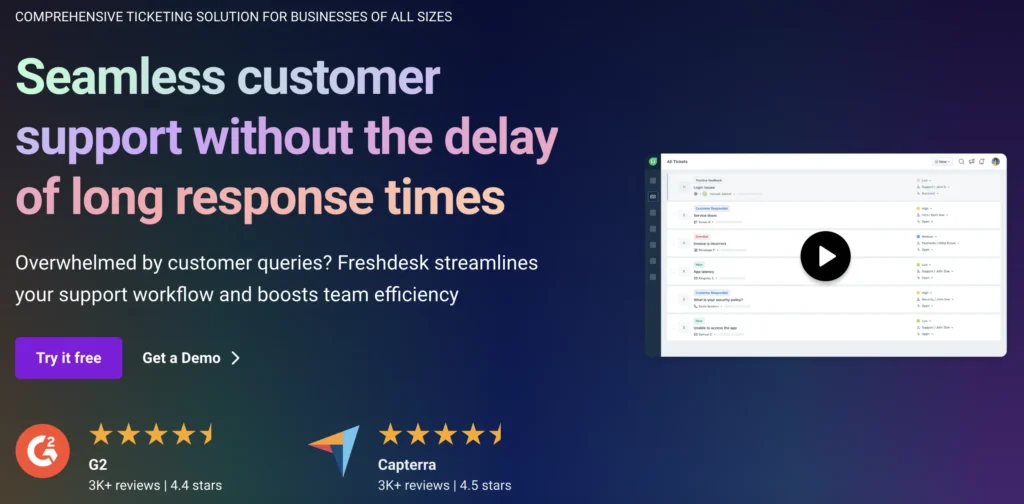
Freshdesk is a cloud-based customer support solution and a fitting option to be an Intercom alternative. It almost covers all the essential features that a customer support team needs.
This software is a prominent choice for many businesses that are seeking efficient communication with customers for support management. Till now, Freshdesk has reached the milestone of 60,000+ customers.
This advanced ticketing system will help you to streamline your support operations with efficient ticket management and personalized customer assistance.
Freshdesk is often louded for its AI powered automation and workflows. It works amazingly well. So, you can make your customer support operation faster and can save your time for other relevant activities.
Moreover, it’s a super platform for effective team collaboration. If your customer quiries are more complex and you need effective teamwork, then you will be benefited by Intercom, for sure.
When you start exploring Freshdesk, you may find it a compelling alternative to Intercom. In some cases, it can also be considered a direct competitor to Intecom.
Best For: Growing teams that need a capable platform with AI features without enterprise-level complexity or pricing.
All notable features of Freshdesk
- Omnichannel ticketing across email, chat, phone, and social media
- Freddy AI for automated responses and reply suggestions
- AI-powered ticket dispatch and smart routing
- Team inbox with collaborative ticket management
- Agent collision detection to prevent duplicate responses
- Canned responses for repetitive reply scenarios
- Thank-you detector to automatically close resolved tickets
- Email piping with custom email server support
- Knowledge base with multilingual support
- Parent-child ticketing for complex multi-step issues
- Linked tickets for tracking related issues together
- Ticket trend reports for volume and performance analysis
- Custom ticket views, fields, and status labels
- Custom SSL for branded customer portal
- SLA management with automated escalation rules
- Time-triggered automation for scheduled actions
- Help widget for in-app or on-site support access
- Community forums for peer-to-peer customer support
- Canned forms for structured customer input
- Average handling time (AHT) tracking
- Custom metrics and reporting dashboards
- Audit log for compliance and activity tracking
- Sandbox environment for safe testing
- 1,000+ marketplace app integrations
- GDPR compliance and data security controls
- Mobile app for iOS and Android
- Multi-product support for diverse business portfolios
Pricing
Fresh includes both free and subscription-based versions. Currently, the are offering three packages for customer service. Let’s look into them.
Growth: $18/agent/month (Intuitive, industry-leading support for growing businesses).
Pro: $59/agent/month (Advanced automation for high performance).
Enterprise: $95/agent/month (Fully featured with bots for enterprise-level support).
Also, you can get Freshdesk’s add-ons to enhance your support experience.
One Thing to Note: Some advanced features like skill-based routing and custom analytics require higher-tier plans.
3. Zoho Desk
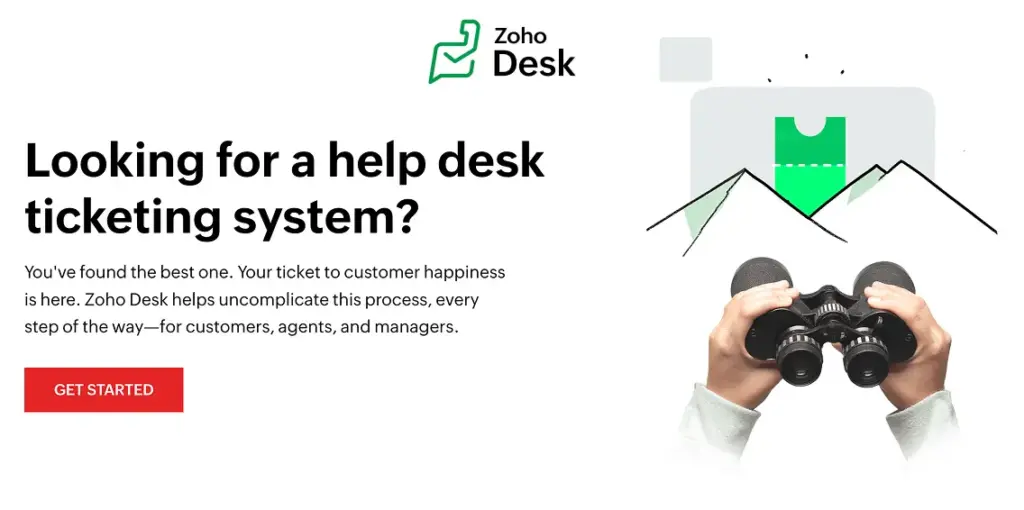
Zoho Desk is the most affordable cloud-based option in this list without compromising on core functionality. Trusted by over 100,000 businesses, it includes a free plan for up to three agents and paid plans starting at just $14 per agent per month. Its AI assistant, Zia, handles response suggestions, sentiment analysis, and ticket routing.
For teams already using other Zoho products like Zoho CRM, the native integration adds significant operational value. The main limitations are the mobile app, which is less feature-complete than the desktop experience, and the initial setup process, which requires more configuration time than more modern alternatives.
Best For: Cost-conscious teams or those already in the Zoho ecosystem looking for a capable, scalable helpdesk.
All notable features of Zoho Desk
- Multichannel ticketing across email, social media, live chat, telephony, and web forms
- Zia AI assistant for smart response suggestions and sentiment analysis
- Context-aware AI for predictive ticket routing and tagging
- SLA management with automated escalation policies
- Advanced workflow automation with blueprints for process control
- Round-robin and skill-based ticket assignment
- Multi-department ticketing with separate workflows per team
- Knowledge base with community forums and multilingual support
- Custom help centre themes and branding
- Customer self-service portal
- CSAT and NPS survey tools
- Live dashboards for real-time ticket volume and agent performance tracking
- Custom reports with granular metric control
- Ticket templates and canned replies
- Time tracking for agent productivity
- Private internal notes for team communication
- Agent collision detection
- Role-based access control and custom agent permissions
- 40+ Zoho product integrations including Zoho CRM and Zoho Analytics
- Third-party integrations with Slack, Salesforce, and more
- REST API for custom development
- Mobile app for iOS and Android
- GDPR compliance and data security features
- Multi-brand support with separate portals
- Community forum for peer-to-peer support
Pricing
Zoho Desk offers a free plan for up to 3 agents with essential features. All paid plans are billed annually per agent.
Free: Up to 3 agents. Core email ticketing features.
Express: $7/agent/month billed annually.
Standard: $14/agent/month billed annually.
Professional: $23/agent/month billed annually.
Enterprise: $40/agent/month billed annually. Full AI and advanced customization.
One Thing to Note: Mobile app is less feature-complete than the desktop version. Initial setup can be complex.
4. HubSpot Service Hub
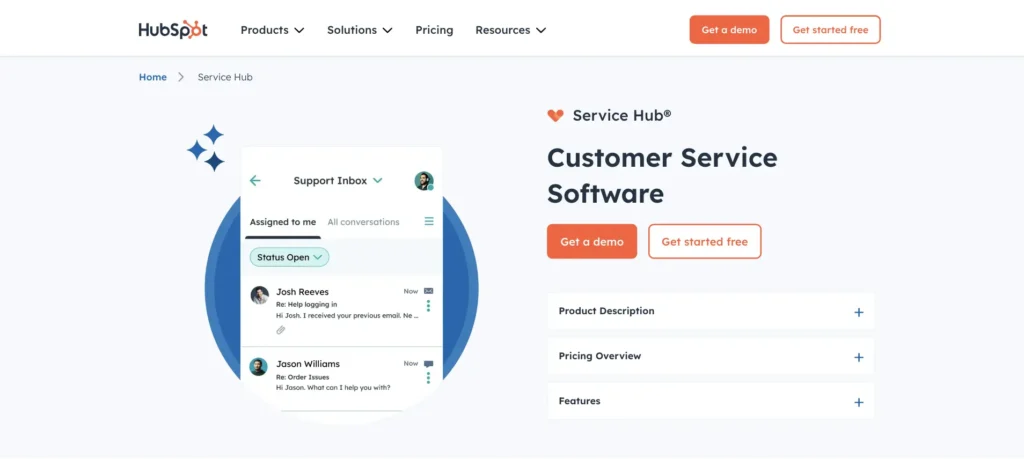
HubSpot Service Hub is the strongest option for teams already using HubSpot for sales or marketing. Because everything runs on the same platform, customer context flows between departments without manual syncing. A support agent can see a customer’s full history including sales interactions, marketing touchpoints, and past tickets all in one view.
The free plan is genuinely functional and includes shared inbox, live chat, and basic CRM for up to two users. The jump from Starter to Professional is significant in price, so it is worth mapping out feature requirements carefully before committing.
Best For: Teams already using HubSpot for CRM, marketing, or sales who want full-context support without switching platforms.
All notable features of HubSpot Service Hub
- Shared inbox for managing email, chat, and social messages in one place
- Live chat and chatbot builder for 24/7 customer interaction
- Ticketing system natively connected to HubSpot CRM
- Customer portal for self-service ticket tracking
- Knowledge base with built-in SEO recommendations
- CSAT, NPS, and custom survey tools
- SLA management and automatic escalation policies
- Omni-channel routing based on availability, priority, and skill set
- Workflow automation for ticket routing and follow-ups
- Customer success workspace with health scoring
- Unified customer lifecycle view across sales, marketing, and support
- Playbooks for guided agent support conversations
- Conversation intelligence for call recording and analysis
- Custom ticket pipelines and views
- Reporting dashboards with team performance metrics
- Email templates and sequences for follow-up automation
- Contact management with full activity history
- Meeting scheduling integration
- 2,000+ app integrations via HubSpot Marketplace
- Native integration with HubSpot Marketing Hub and Sales Hub
- AI-powered reply drafts and ticket summaries
- Mobile app for iOS and Android
- GDPR compliance tools and data privacy controls
- Role-based user permissions and team management
- Sandbox environment for Enterprise plan testing
Pricing
HubSpot Service Hub offers a free plan with core features. Paid plans are billed annually per seat.
Free: Up to 2 seats. Includes shared inbox, live chat, and basic CRM.
Starter: $15/seat/month billed annually. Simple ticket automation and live chat.
Professional: $90/seat/month billed annually. Advanced automation, knowledge base, and customer portal.
Enterprise: $150/seat/month billed annually. Custom objects, advanced permissions, and full reporting.
One Thing to Note: Significant price jump from Starter to Professional. Feature-rich design can feel heavy for teams that only need support.
5. Help Scout
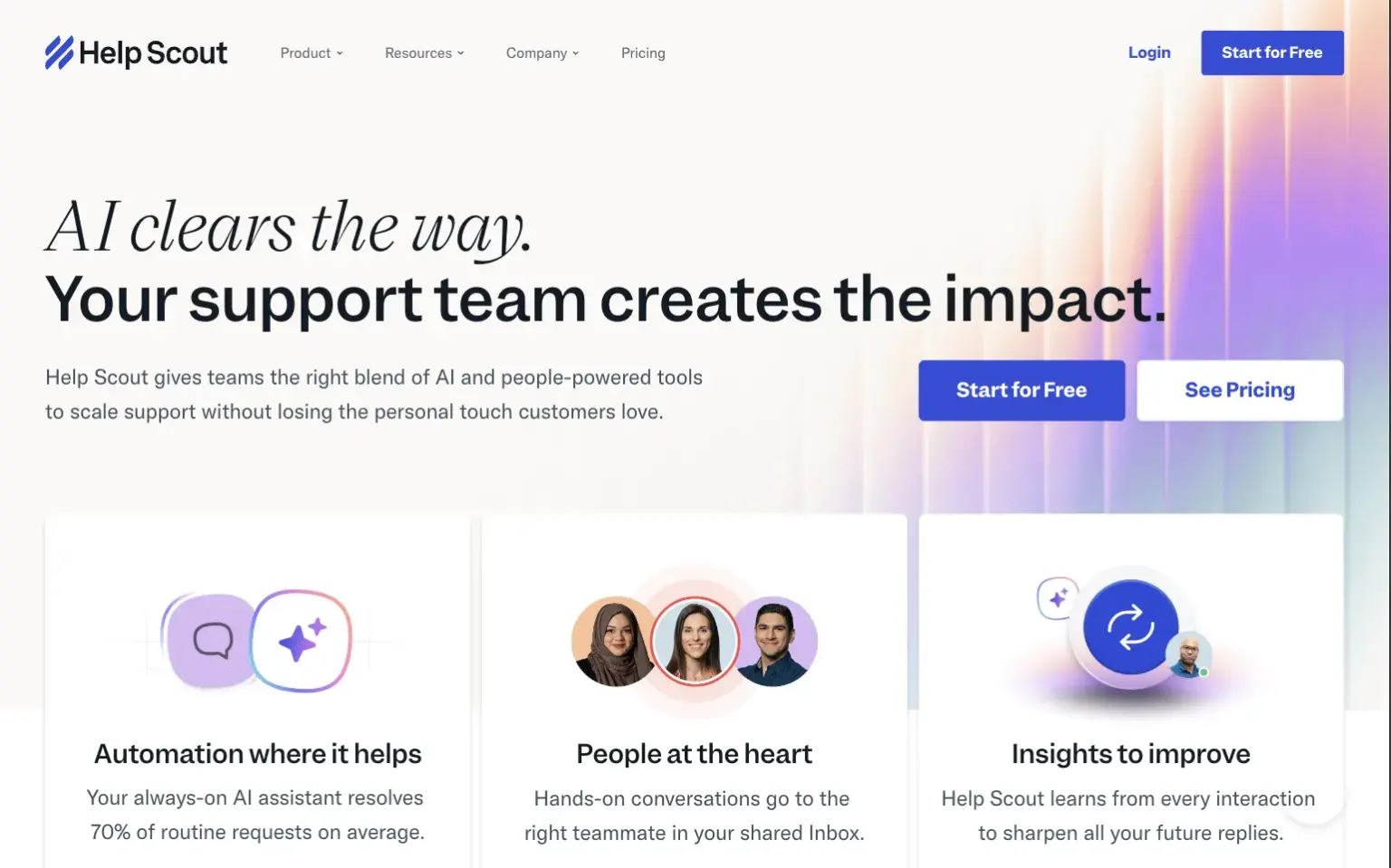
Help Scout is built around the principle that customer support should feel human. Rather than a traditional ticketing interface, it uses a shared inbox model that feels closer to a collaborative email workspace. This makes it one of the fastest platforms for new agents to get comfortable with, and it consistently rates highly for agent satisfaction.
The free plan supports up to five users, which is more generous than most competitors. Pricing scales predictably across tiers without the dramatic jumps seen in platforms like HubSpot. For teams that want a straightforward, well-designed platform without enterprise-level complexity, Help Scout is one of the more consistently satisfying tools to work with.
Best For: Teams that prioritize simplicity, clean design, and a human approach to support over feature breadth.
All notable features of Help Scout
- Shared mailbox for collaborative team email management
- Beacon live chat widget for on-site customer support
- Docs knowledge base builder with clean editor interface
- CSAT survey automation for post-conversation feedback
- Workflow automation for routing, tagging, and follow-ups
- Collision detection to prevent duplicate responses
- Internal notes for private team collaboration within conversations
- Email snoozing for deferred follow-ups
- Conversation tagging and custom views
- Customer profiles with full conversation history
- In-app messaging for proactive customer outreach (Plus and Pro)
- AI-powered suggested replies for faster agent responses
- AI conversation summaries for quick context review
- Automatic tagging based on conversation content
- Custom fields for structured customer data collection
- Satisfaction ratings linked to individual agent performance
- Team performance reporting with response time and volume metrics
- Multiple mailboxes for different teams or brands
- 100+ integrations including Salesforce, HubSpot, Shopify, and Slack
- Zapier and Make integrations for custom automation
- REST API for custom development and workflows
- Role-based permissions for agent and admin access
- Mobile app for iOS and Android
- GDPR compliance and data protection tools
- Free plan for up to 5 users
Pricing
Help Scout offers a free plan for small teams and three paid tiers. All plans are billed annually per user.
Free: Up to 5 users. Includes 1 mailbox, live chat, and knowledge base.
Standard: $20/user/month billed annually. Includes 3 mailboxes and core automation.
Plus: $40/user/month billed annually. Adds in-app messaging, advanced AI features, and custom fields.
Pro: $65/user/month billed annually. Enterprise-level features, priority support, and advanced security.
One Thing to Note: Lacks some advanced features that larger teams may need, such as community forums and enterprise-grade customization.
FAQ
Fluent Support is the strongest WordPress-native alternative. It offers a complete helpdesk feature set with transparent flat-rate pricing, no per-resolution fees, and a setup time under five minutes. For teams prioritising budget, JS Help Desk is a solid free starting point with 35+ paid add-ons for expansion.
Yes, several. Zoho Desk starts at $7 per agent per month with a free plan for up to three agents. Freshdesk has a free plan and paid tiers from $18 per agent per month. For WordPress users, Fluent Support at $103 per year for a single site represents significant savings compared to Intercom’s combined seat and per-resolution pricing.
The primary driver is unpredictable pricing. Intercom’s Fin AI charges $0.99 per resolved conversation on top of seat fees, pushing monthly bills three to four times higher than the advertised base price. Teams also cite a complex interface, slow customer support response times, and recurring technical issues.
Yes, if your business runs on WordPress. Plugins like Fluent Support, SupportCandy, and JS Help Desk offer a self-hosted alternative with no monthly per-seat fees. They handle ticketing, email piping, automation, and reporting without any cloud dependency.
Start with pricing predictability. Look for flat-rate plans rather than usage-based billing. Then evaluate ease of setup, the channels your team actually uses, integration requirements, and the quality of the vendor’s own customer support. A support platform that creates its own support problems is counterproductive.
Wrapping Up
Intercom is a capable platform, but it is not the right fit for every team. The combination of unpredictable per-resolution pricing, a steep learning curve, and recurring reliability concerns has pushed many teams to look for something more stable and cost-efficient.
If you are on WordPress, Fluent Support gives you the most complete alternative without the cloud dependency or billing surprises. If you need a cloud-based solution, Freshdesk and Help Scout cover most teams well without enterprise-level complexity.
The right alternative is the one that matches your actual support workflow, fits a budget you can predict, and gives your team a platform they can rely on every single day.
Start off with a powerful ticketing system that delivers smooth collaboration right out of the box.
Related Articles
26 Best Ticketing System Software in 2026
The best ticketing system software in 2026 includes…Fluent Support 2.4.5: Remote Portal, New Workflow Triggers and more
Fluent Support 2.4.5 lets you run the customer…


Add your first comment to this post