
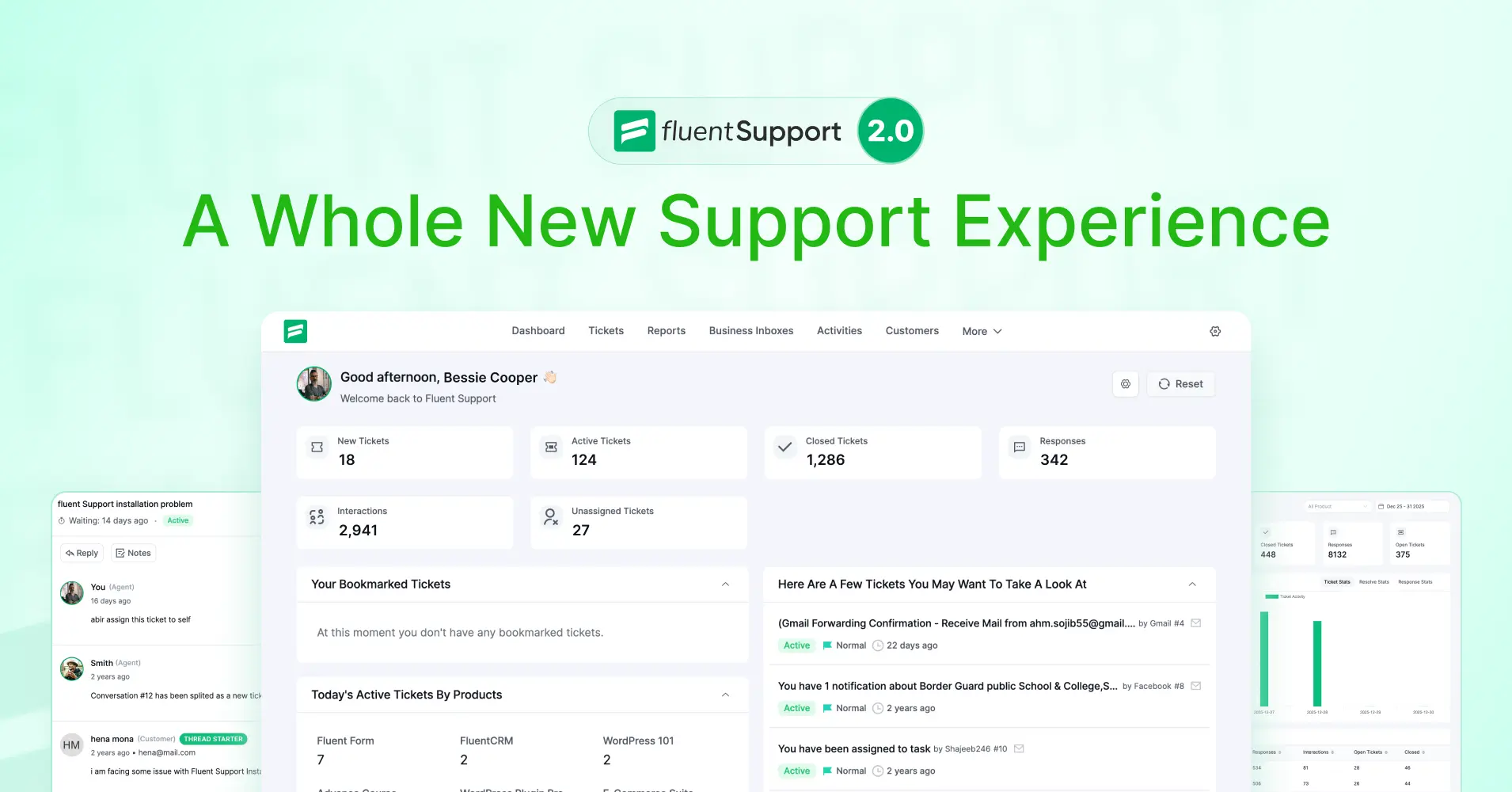
Fluent Support 2.0: A Complete Redesign for Modern Support Teams

By Shahjahan Jewel
February 5, 2026
Last Modified: February 6, 2026


Hey Folks, Fluent Support 2.0 is here!
This isn’t just another update; it’s a complete transformation of Fluent Support. We’ve redesigned the entire interface from the ground up, rebuilt the foundation with modern PHP standards, and packed in dozens of enhancements that make managing customer support smoother, faster, and more intuitive than ever.
If you’ve been using Fluent Support, you’re going to love what we’ve built. And if you’re new here, this is the perfect time to jump in.
So, let’s dive into everything new in Fluent Support 2.0!
A Brand-New Interface Built for Modern Teams
The biggest change you’ll notice is the complete admin interface redesign. We didn’t just move things around; we rethought how every screen should work to give you a cleaner, faster, and more productive experience. We went through a modern UX design approach, not just a fancy UI upgrade.
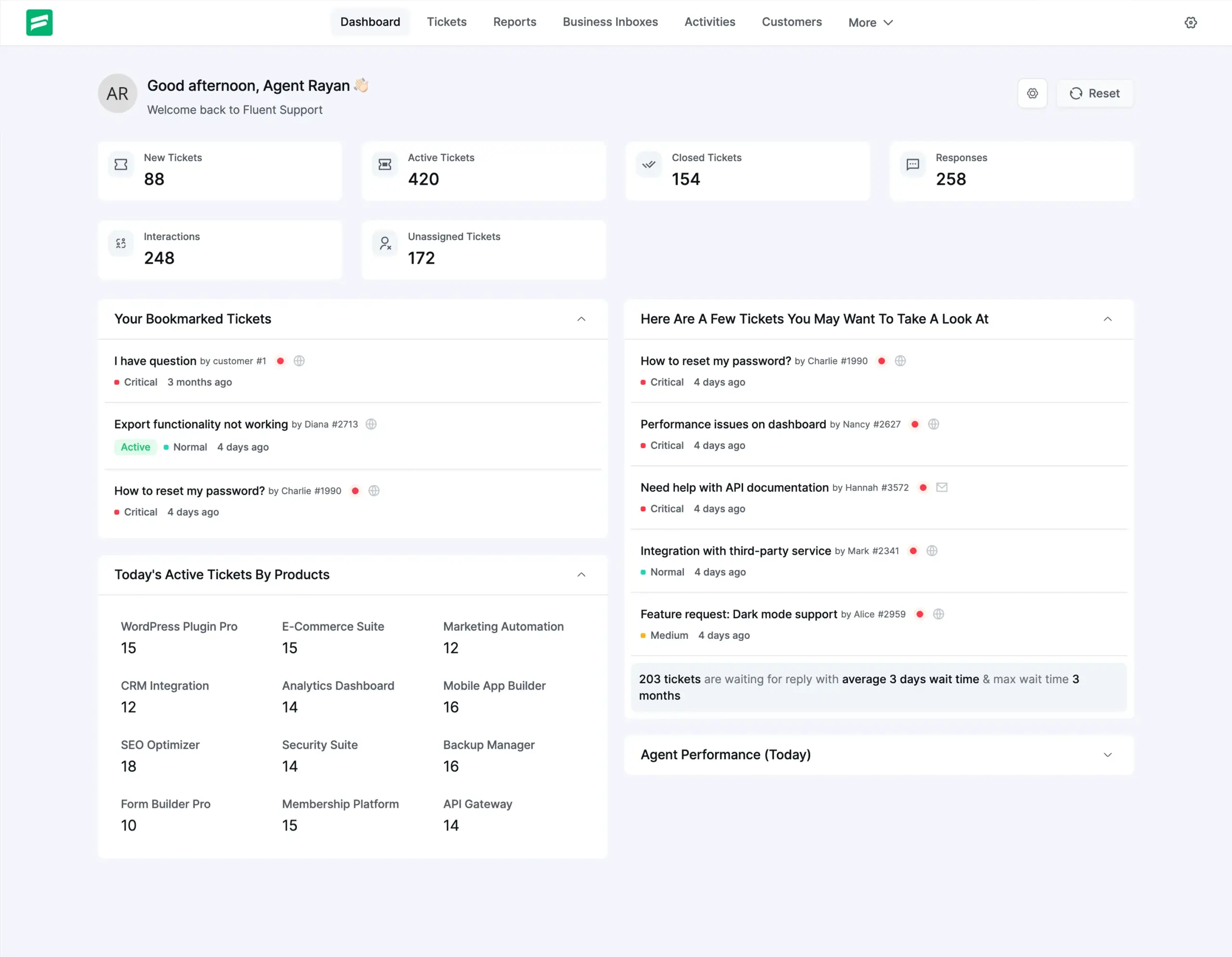
Redesigned Dashboard
Your dashboard now features improved widgets and statistics that give you a clear overview of your support operations at a glance. Everything is organized better, loads faster, and looks great. You can explore the changes in-depth for getting started with the new UI.
Smarter Ticket Management
Managing tickets is the core of what you do, and we’ve made it significantly better in version 2.0.
Tickets with More Control
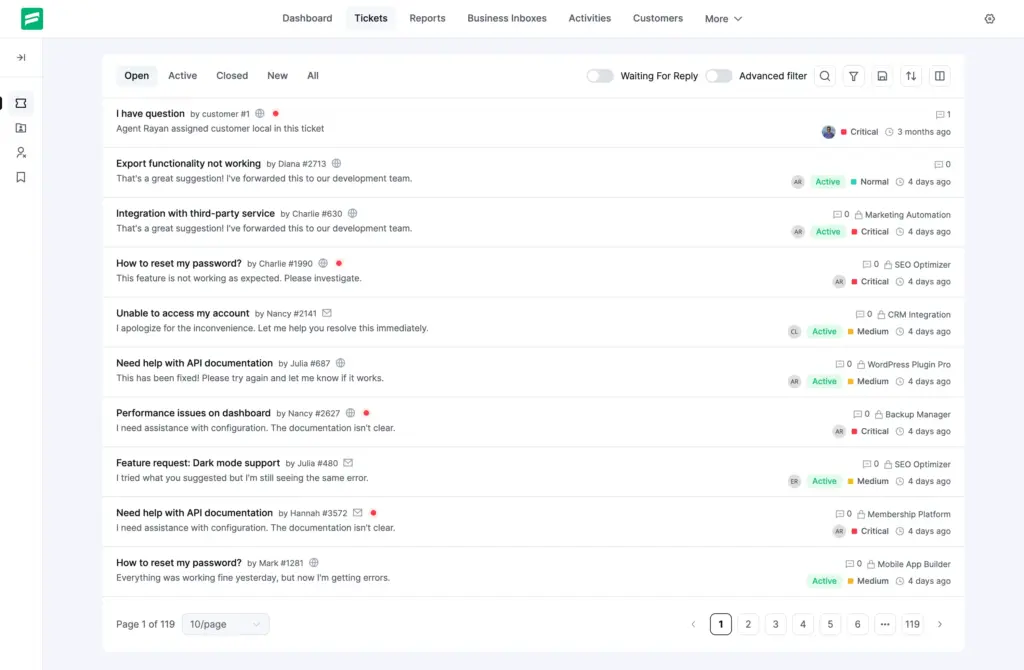
Your ticket table is far more intuitive. From the ground up, we made it more obvious for you. We’ve listened to your feedback and studied lots of behavioral patterns from our own support team, and we made this fully redesigned ticket table.
It’s now a card-based UI, so your information scan is faster now. You can switch between compact view and relaxed view as per your requirements.
Now you can see the top filters are not taking up any space, but you’re not losing anything. It’s still as powerful as the previous version, but it’s now more organized in the most logical way possible.
All the indicators are fully distinguished, and you can see tooltips for all of them. This gives new users a quick, faster onboarding experience. And the dot indicator shows you new tickets for easy identification.
Our main target was to design it in a way so that our regular users don’t struggle to find anything, and at the same time, give more focus on tickets instead of things that you use not so regularly.
Ticket Reply UX Improved
The ticket reply section is not just modernized. If you go through the whole UI, you’ll notice a few very subtle but strong improvements. The reply thread itself is now cleaner and gives you full comfort with more space.
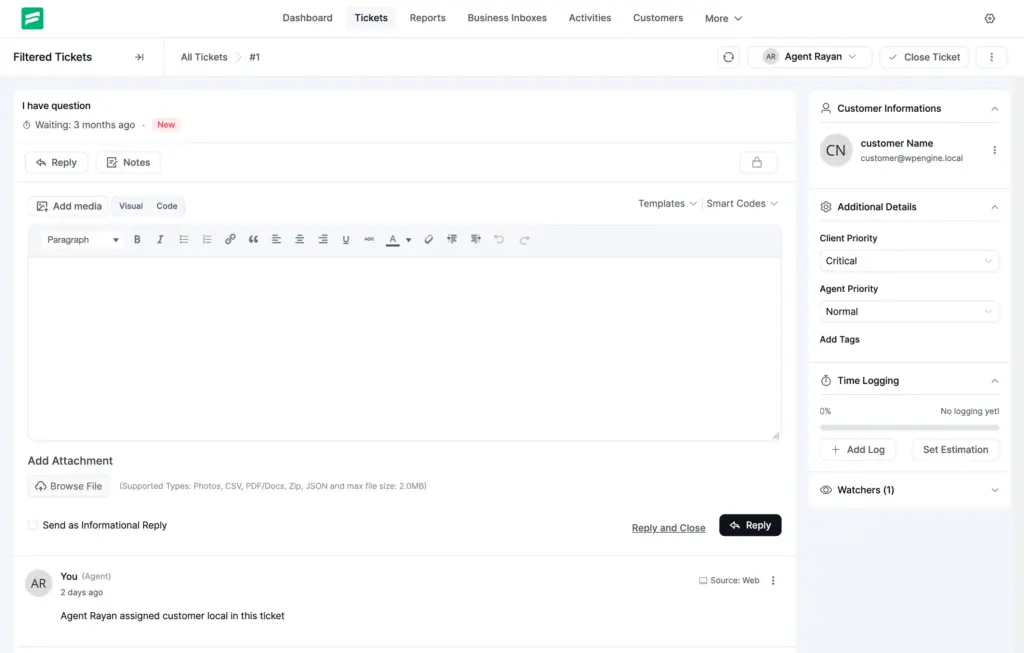
The collapsible widgets on the right are now organized with easy navigation, so you can at a glance find what you’re looking for. Purchase data, course progress, customer info, or time tracking of tickets, everything right in front of your screen.
Keyboard Shortcuts
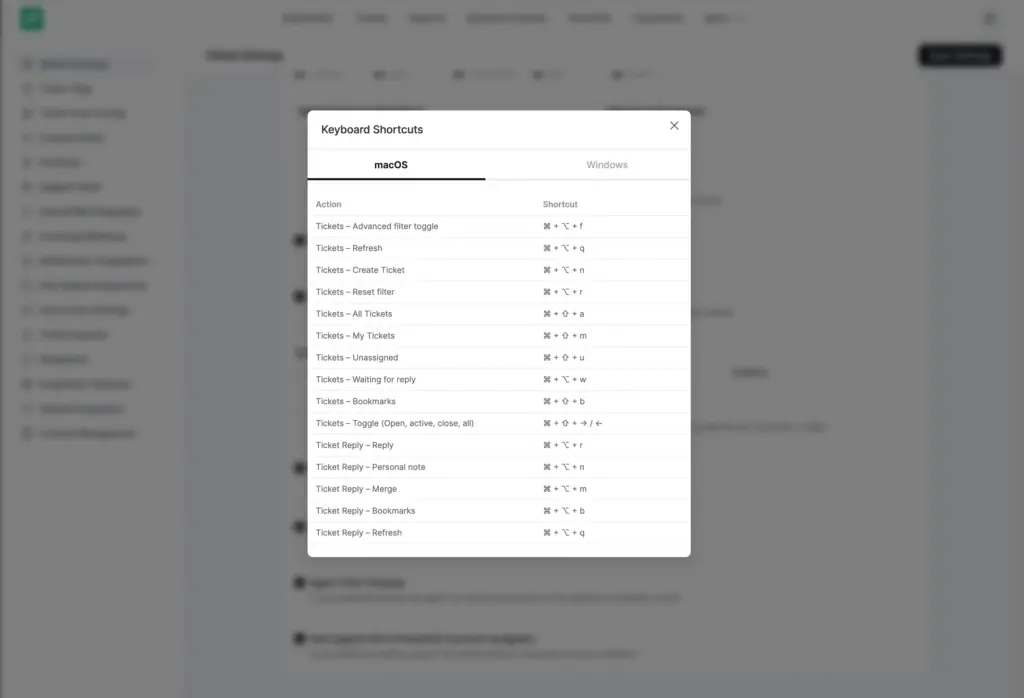
For power users, we have better keyboard shortcuts. You can enable this from Plugin Settings → Global Settings → Enable Keyboard Shortcuts, then click “Keyboard Shortcuts” to view all available commands. Navigate faster and keep your hands on the keyboard.
Drag & Drop Image Upload
Attaching images to tickets is now as simple as dragging and dropping them into the ticket. No more clicking through upload dialogs, just drag, drop, and done.
Reports That Actually Help You Make Decisions
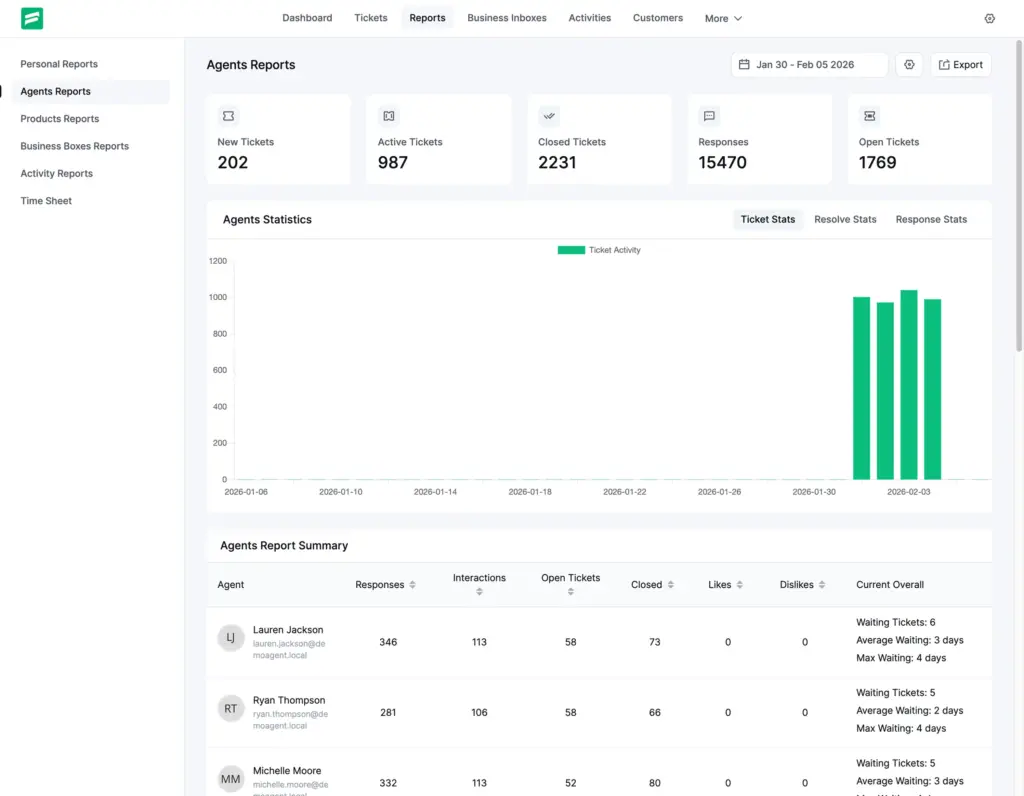
We’ve given the Reports module a complete redesign with a new vertical sidebar layout that’s easier to navigate and understand.
Enhanced Chart.js Integration
Visual reporting is now more powerful and clearer with better chart visuals. Track trends, spot patterns, and make data-driven decisions with confidence, for both the full team and for personal and agent-specific reports.
Renewed Reports
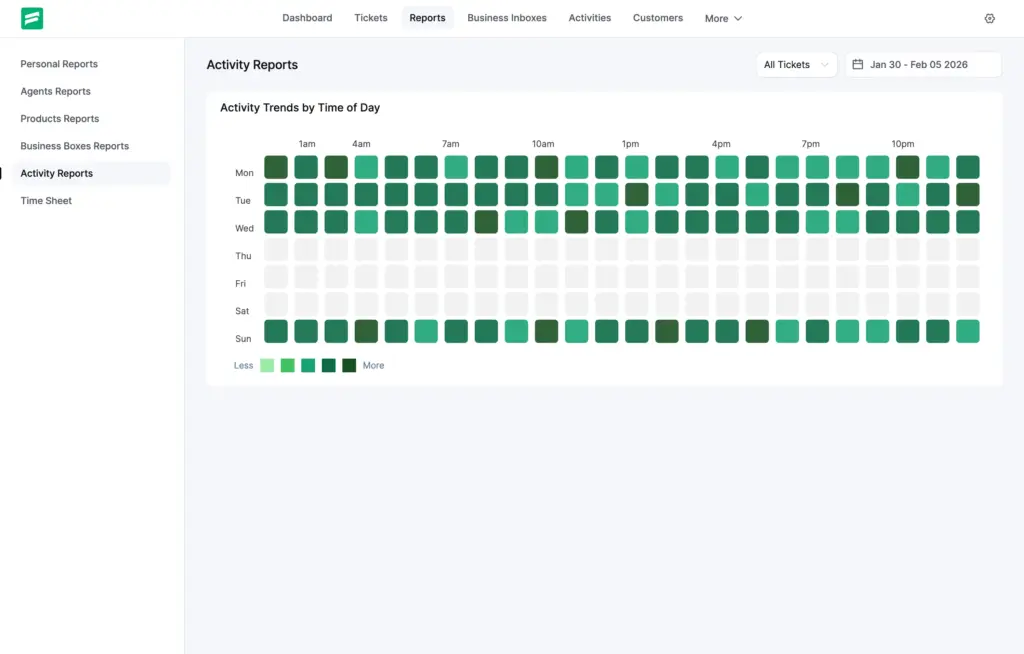
We’ve redesigned the activity time reports and business box overview stats to give you deeper insights into your team’s performance. The activity heatmap visualization has also been improved to show you exactly when your team gets more tickets.
Better Workflow Automation
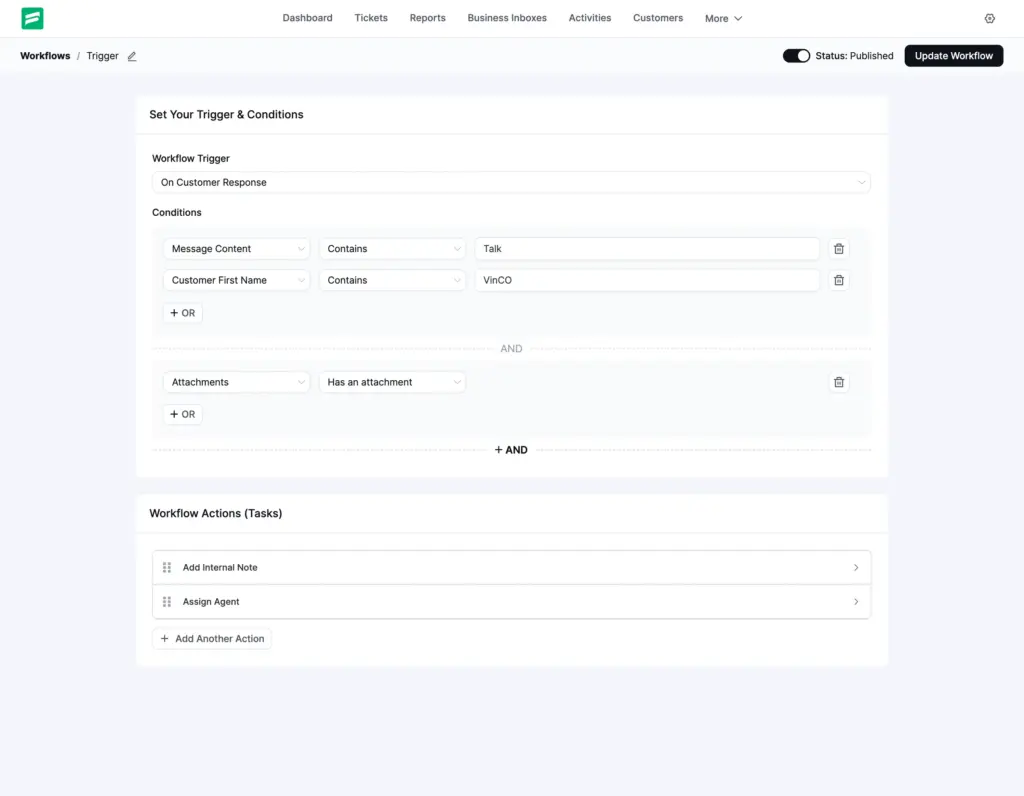
With the new UI, the workflow feels much more organized. As our customers build lots of complex workflows, we didn’t change the UI too much, just to make sure you don’t get lost. But overall, it gives you better and faster usability.
Customers’ Info and Business Inbox Redesigned
The customer module now features a redesigned interface with a minimal, easy-to-read table. View customer information, ticket history, and activity logs in a cleaner, more organized layout.
We’ve also redesigned the business box list to display data more clearly and in a more organized way, making it easier to manage multiple business contexts.
Global Settings, Cleaner and More Organized
Over time, we’ve provided lots of features, and in the old UI, everything was just piled up. So we broke everything down and reconstructed it in a more modern way while keeping everything familiar for you.
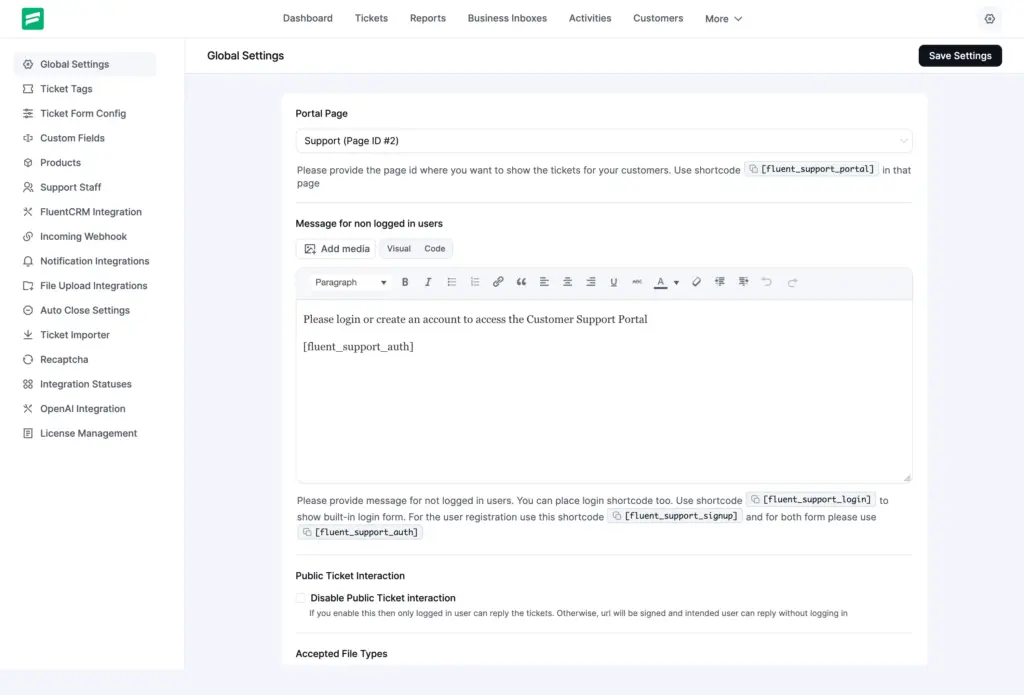
You’ll get a refreshed, modern layout. We’ve improved the organization of settings sections, making it easier to find what you need and configure Fluent Support exactly how you want it.
A responsive hamburger menu has been added for the main menu, Settings, and Reports pages, giving you better navigation on all devices.
Full RTL Language Support
We’ve added improved RTL (Right-to-Left) language support across the entire interface of Fluent Support 2.0. If you’re working in Arabic, Hebrew, or any other RTL language, Fluent Support now fully supports your workflow with smoother transitions.
Technical Upgrades Under the Hood
While the interface changes are exciting, we’ve also invested heavily in making Fluent Support more robust, secure, and future-proof.
PHP 8.4 Compatibility
We’ve updated the core PHP framework and resolved all PHP 8.4 compatibility issues. Fluent Support is now ready for the latest PHP standards, ensuring better performance and security.
Upgraded Options API
The Options API has been modernized, giving developers and advanced users better tools to extend and customize Fluent Support.
Code Optimization and Security
We’ve worked on code optimization and cleanup with improved component structure. We’ve improved input sanitization and validation for better security, and now Fluent Support has a better-organized codebase for easier maintenance and future development.
Improvements and Fixes We’ve Made
Beyond the major features, we’ve polished dozens of smaller details to make your experience smoother.
Improved Responsiveness Across the Board
- Frontend Support Portal responsiveness has been enhanced with better theme compatibility
- Admin panel responsiveness has been significantly improved, with a strong focus on mobile usability.
- Enhanced product display responsiveness within dashboard components
- Fixed ticket title edit popover responsiveness on all screen sizes
Wrapping Up
Fluent Support 2.0.0 represents months of work from our entire team. We’ve listened to your feedback, studied how you use the platform, and built something we’re genuinely proud of.
This release is about more than just new features; it’s about creating a support platform that feels modern, works everywhere, is future-proof, and helps you deliver better customer experiences with less effort.
Important Note: Since we’ve updated the core framework and made extensive changes, we recommend testing thoroughly in a staging environment before updating your production site.
As always, your feedback is what drives Fluent Support forward. Every feature request, bug report, and suggestion helps us build something better. Keep them coming, we’re listening! And in the meantime, there are lots of interesting feature updates cooking up this year. So, stay tuned.
Test out Fluent Support 2.0 today and experience the future of WordPress support management.
Happy supporting!
Try the modern eCommerce sytem built for Performance and paired with the Fluent Suite, out-of-the-box.
Related Articles
10 Startups Leading The Way In Customer Service
Here are 10 genuine startups that are leading…HTTP Error 431: What It Means and How to Fix It
HTTP Error 431 means the server rejected a…






Leave a Reply