

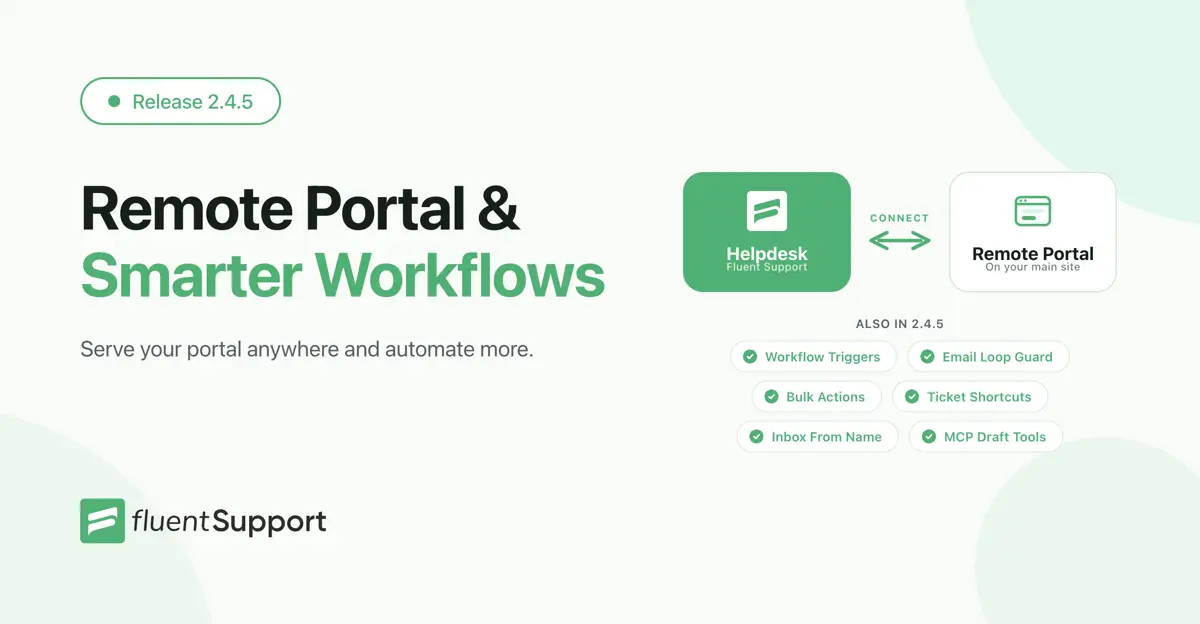
Fluent Support 2.4.5: Remote Portal, New Workflow Triggers and more

By Shahjahan Jewel
October 9, 2026
Last Modified: October 9, 2026


Hey Folks. Fluent Support 2.4.5 has landed! This update lets you run the customer portal on your main site while your helpdesk lives somewhere else. It also brings four new workflow triggers and email piping that knows an out-of-office reply from a real customer message.
On top of that, your agents get bulk actions, keyboard shortcuts, a reply collision check and a lot of everyday polish. Let’s walk through it.
Remote Portal: Your Customer Portal on Your Main Site (Pro)
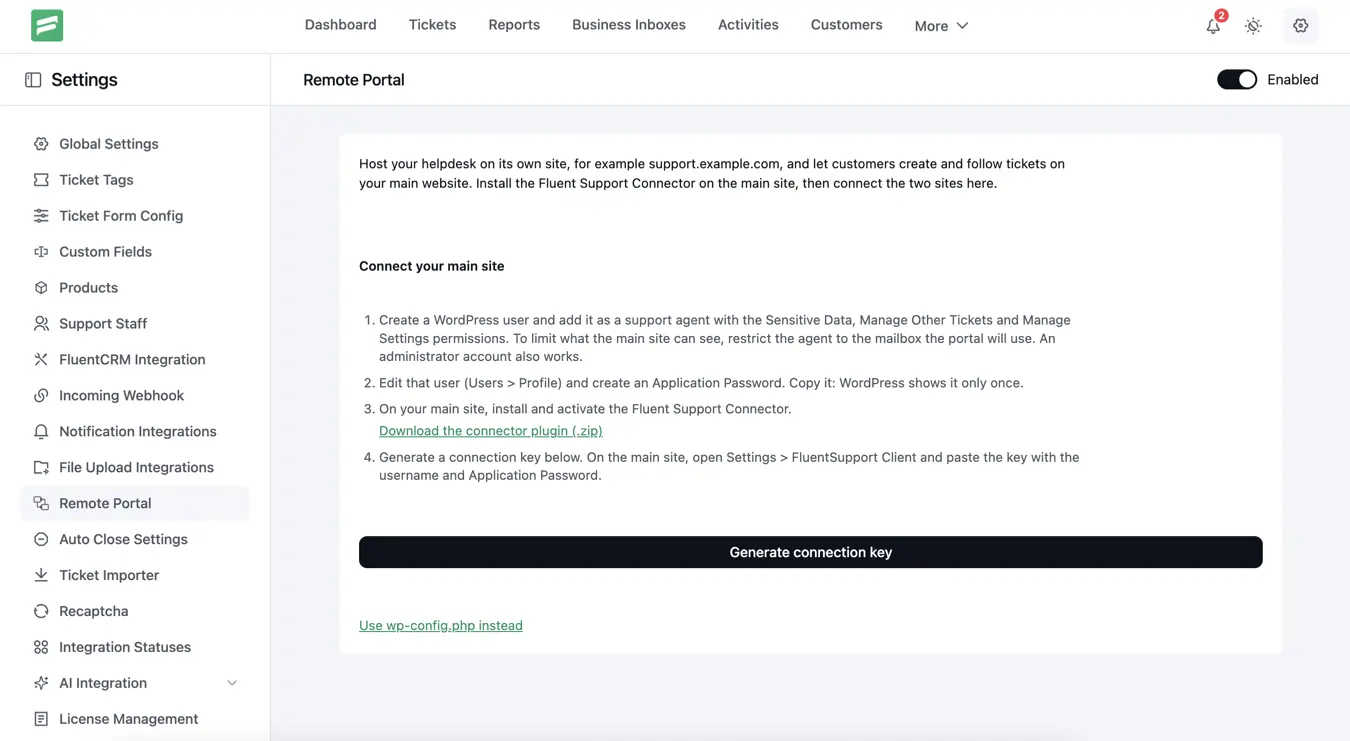
Many teams keep their helpdesk on a separate WordPress site. It keeps support data apart and keeps the main site fast. The catch was that customers had to leave your main site to open a ticket.
Remote Portal fixes that. Your helpdesk stays where it is, and customers use the customer portal right on your main site. They create tickets, reply and upload files there. Everything lands in your helpdesk under the right customer.
How It Works
Install the Fluent Support Connector plugin on your main site. You’ll find the download link in the setup steps. Then follow three steps:
- Open Fluent Support → Settings → Remote Portal on your helpdesk and generate a one-time connection key.
- Paste the key into the connector, along with a support user’s username and Application Password.
- Save the connection. Your customers can now use the portal on your main site.
Each key works once and expires after 30 minutes. Customers only ever see their own tickets. Your customer widgets, such as WooCommerce and EDD orders, still show in the ticket sidebar on the helpdesk. Prefer configuration files? You can also set up the connection with constants in wp-config.php.
New Workflow Triggers and Conditions (Pro)
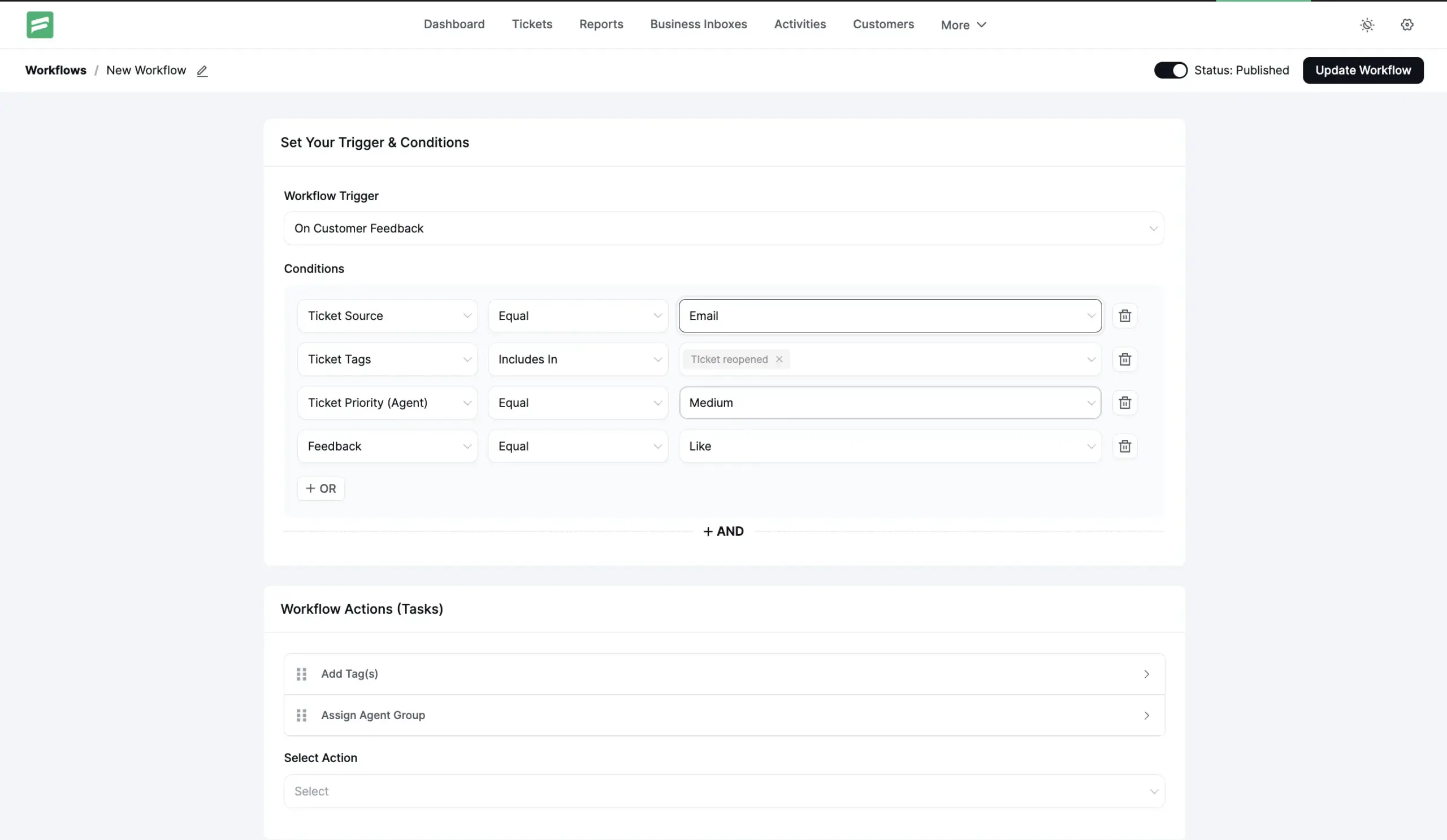
Workflows can now react to more of what happens on a ticket. We added four new triggers:
- On Ticket Reopened: follow up when a customer comes back to a closed ticket.
- On Agent Response: tag, move or notify after an agent replies.
- On Agent Assigned: run actions the moment a ticket gets an owner.
- On Customer Feedback: act when a customer likes or dislikes a reply.
New conditions let you target these workflows precisely. Filter by Ticket Tags, Ticket Source, Agent Priority and Feedback (like or dislike). For example, you can flag every disliked reply on a high-priority ticket for a team lead to review.
A built-in loop guard stops a workflow from triggering itself over and over. The workflow list also shows a Last Run time, so you can see at a glance which automations are active.
Email Piping That Ignores Auto-Replies and Bounces (Pro)
Out-of-office replies and bounced emails used to open new tickets or show up as customer replies. Now email piping recognizes automated mail. Fluent Support logs it on the ticket as an internal note, so your queue stays clean.
Threading got smarter too. Fluent Support now matches replies by signed email references instead of the subject line alone. Agent replies thread under the customer’s original email in Gmail and Outlook. A fresh email that happens to share an old ticket’s subject now opens a new ticket, as it should.
Outgoing emails also carry auto-generated headers. Your customers’ autoresponders won’t reply to them, which stops mail loops before they start.
Improvements for Support Agents
This release also brings a long list of improvements to the daily work of answering tickets.
Working the Ticket List
New bulk actions. Select several tickets and change their priority or product, reopen them, or remove tags in one go. The bulk bar also got a cleaner design.
Keyboard shortcuts. Jump to the next or previous ticket with ⌘ ⌥ ↓ and ⌘ ⌥ ↑, and close a ticket with ⌘ ⌥ X. On Windows and Linux, use Ctrl + Alt instead.
Filter by source. The advanced filter now includes ticket source, such as web, email or agent outreach.
Ticket Stats widget. A new sidebar widget shows the channel, first response time, reply count and time to resolve for the open ticket.
Replying With Confidence
Reply collision check. Did the customer or another agent reply while you were typing? Fluent Support now holds your reply and warns you. Choose Show new replies to catch up, or Send anyway.
Unsent replies stay put. A reply you started no longer follows you to the next ticket. Fluent Support asks before you leave a ticket with unsent text, images or attachments.
Inbox From name. Each inbox can now send agent replies under the inbox name, the replying agent’s name, or a custom template. Try something like {{agent.first_name}} from {{business.name}}.
Agent signatures via smartcode. The agent signature now appears wherever your email template places {{agent.signature}}. You control exactly where it goes, and it shows up once.
Agent-initiated tickets. When an agent starts a ticket for a customer, the email now reads like a message from that agent.
Customer Portal
Waiting for your reply. Tickets where the last reply came from your team now show a clear badge, so customers know it’s their turn.
Signup and FluentAuth. Portal signup now follows the WordPress “Anyone can register” setting. When FluentAuth is active, the portal uses its login, signup and password reset forms.
Performance, MCP and Developers
Faster admin. The dashboard, agent list and ticket view load faster. The settings sidebar now collapses, and we translated many more admin and portal strings.
More MCP tools. AI agents connected through MCP can now edit, delete and publish draft replies and send bulk replies. A duplicate-reply guard stops them from posting the same reply twice.
Site time in the API. All REST API dates now use your site’s time zone. If an integration reads Fluent Support dates, check that it expects site time.
New feedback hook. Developers can now listen for customer ratings on agent replies:
add_action('fluent_support/agent_feedback_received', function ($rating, $conversation, $ticket, $customer) {
    // $rating is 'like' or 'dislike'
}, 10, 4);
Bug Fixes and Stability
Approved drafts. Fluent Support now sends an approved draft as its author, not as the agent who approved it.
Importer timings. Importers now calculate reply count, first response time and close time correctly.
Activity log retention. Setting retention to 0 no longer deletes every log during cleanup.
Auto-close (Pro). Tickets that auto-close without a response now send the close email and run your “ticket closed” workflows.
Cloud storage (Pro). Dropbox and Google Drive uploads keep working after a token refresh.
Security. We continued our ongoing audits and hardened several areas of the plugin.
Closing Thoughts
Fluent Support 2.4.5 brings your customer portal closer to your customers and gives your workflows more events to react to. It also keeps automated mail out of your queue. The smaller changes add up too: fewer blind replies, faster bulk work and cleaner emails.
Update to 2.4.5 today and let us know what you think. Happy supporting!
Full Changelog
Fluent Support (Free)
- Added: Bulk actions to change priority or product, reopen tickets and remove tags
- Added: Ticket view shortcuts for next/previous ticket and close, and a Ticket Stats sidebar widget
- Added: Advanced filter by ticket source, and a “Waiting for your reply” badge in the Customer Portal
- Added: Inbox From name can be the inbox name, the replying agent or a custom template
- Added: MCP tools to edit, delete and publish draft replies, bulk reply, and a duplicate-reply guard
- Added:
fluent_support/agent_feedback_receivedaction when a customer rates a reply - Improved: An agent reply is held for review when the customer wrote again while it was being typed
- Improved: Agent signatures now come from the {{agent.signature}} smartcode in email templates
- Improved: Customer Portal signup follows the WordPress “Anyone can register” setting and uses FluentAuth forms when available
- Improved: Agent-initiated tickets read like an email from the agent
- Improved: Faster dashboard, agent list and ticket view; all API dates in site time
- Improved: Collapsible settings sidebar and translation coverage across the admin and portal
- Fixed: Approved drafts are sent as their author, not the approver
- Fixed: Importers calculate reply, first response and close times correctly
- Fixed: Activity log cleanup deleted every log when retention was set to 0
- Fixed: Security through ongoing audits and hardening
Fluent Support Pro
- Added: Remote Portal — serve the Customer Portal on your main site, connected with a one-time key
- Added: Workflow triggers On Ticket Reopened, On Agent Response, On Agent Assigned and On Customer Feedback, plus Ticket Tags, Ticket Source, Agent Priority and Feedback conditions
- Added: Email piping handles auto-replies, bounces and automated mail with a loop guard, and threads replies by signed email references
- Fixed: Auto-close without a response skipped close emails and workflows
- Fixed: Dropbox and Google Drive uploads failing after a token refresh
Related Articles
Fluent Support 2.4.7: Ticket Filters, 5x Faster Tickets and Smart Customer Search
Fluent Support 2.4.7 brings a Ticket Filters sidebar…Customer Success Best Practices for Small Teams
In this blog, we’ve discussed customer success in…



Add your first comment to this post