


Fluent Support 2.5.1: FluentCommunity Tickets, Logged Calls and One-URL MCP

By Shahjahan Jewel
November 20, 2026
Last Modified: November 20, 2026


Fluent Support 2.5.1 is here! This update brings your community and your help desk closer together. You can now turn a FluentCommunity post or comment into a support ticket in two clicks.
You can also start a ticket with an internal note that the customer can’t see until you reply. AI apps connect to Fluent Support over MCP with one URL. PDF and Markdown attachments open in a preview, and reports explain their numbers. Let’s walk through what’s new.
Create Support Tickets From FluentCommunity Posts
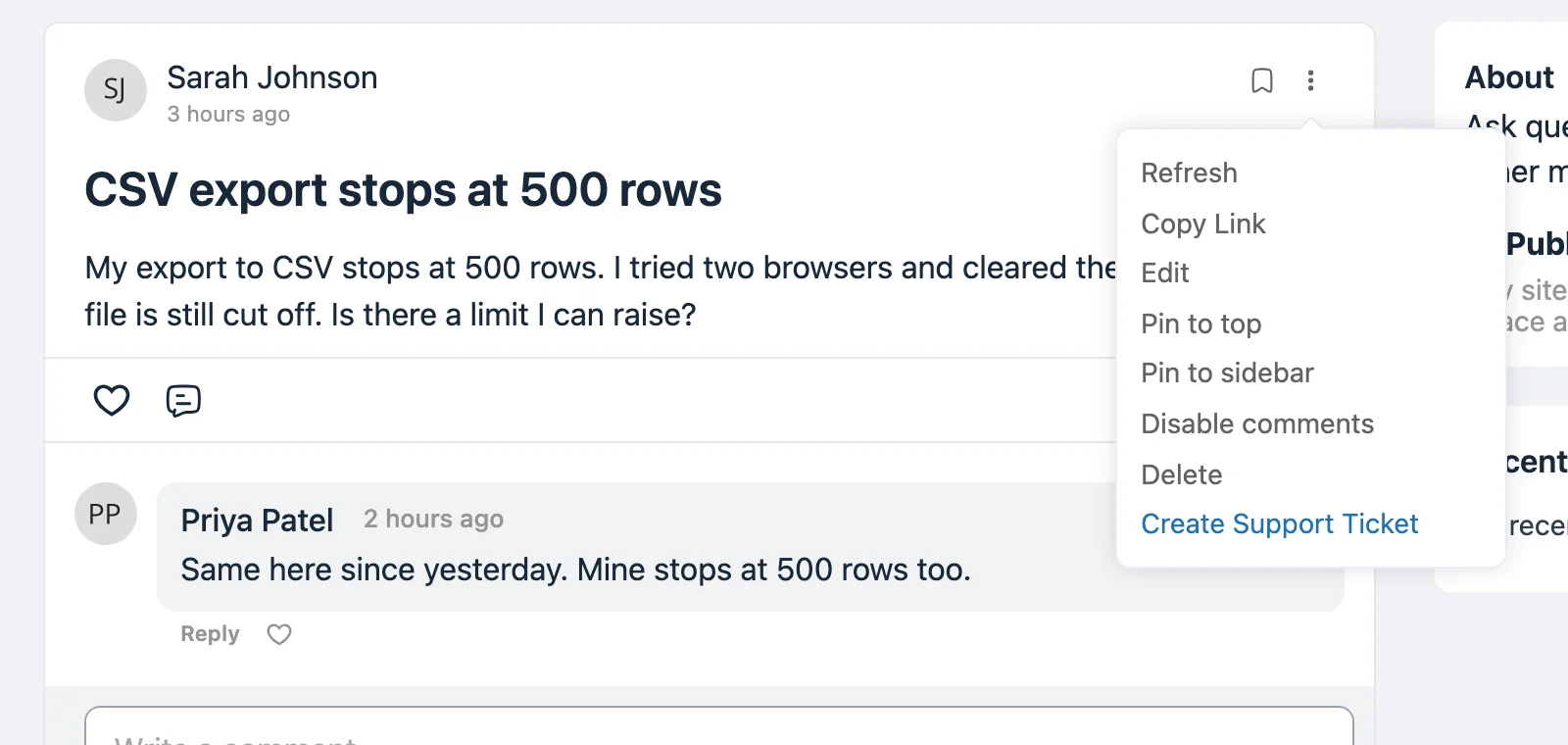
Members often ask for help in your community instead of opening a ticket. Until now, someone had to copy that question into Fluent Support by hand.
Now every post and comment menu in FluentCommunity has a Create Support Ticket item. Click it, confirm, and Fluent Support creates a ticket for the author. The ticket keeps the post content and links back to the original post.
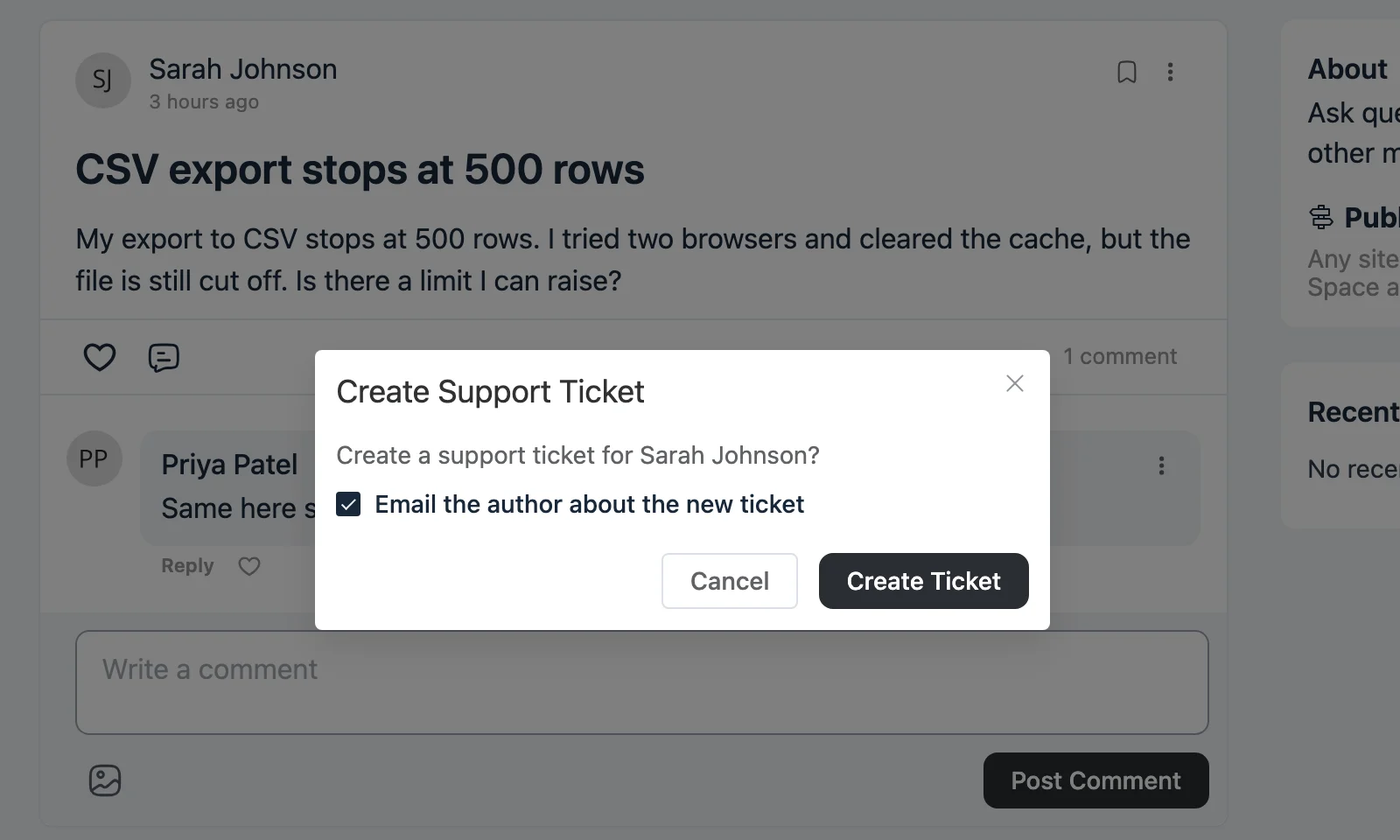
- Choose whether to email the author about the new ticket.
- A post or comment gets one ticket. Open the menu again and it shows View Ticket instead.
- The menu item only shows to community moderators who are also support agents.
Turn It On
The feature ships off. Go to Settings > Global Settings and check Create Support Tickets from FluentCommunity. The option appears while FluentCommunity is active.
Log Calls and Visits as Tickets
Some requests never arrive by email. A customer calls, or stops by your desk. You still want that request in your queue, with a record of what they said.
When you create a ticket, check Save as an internal note. The ticket starts with your note instead of a customer message. The customer doesn’t see it in the portal and gets no email. It stays that way until the first reply.
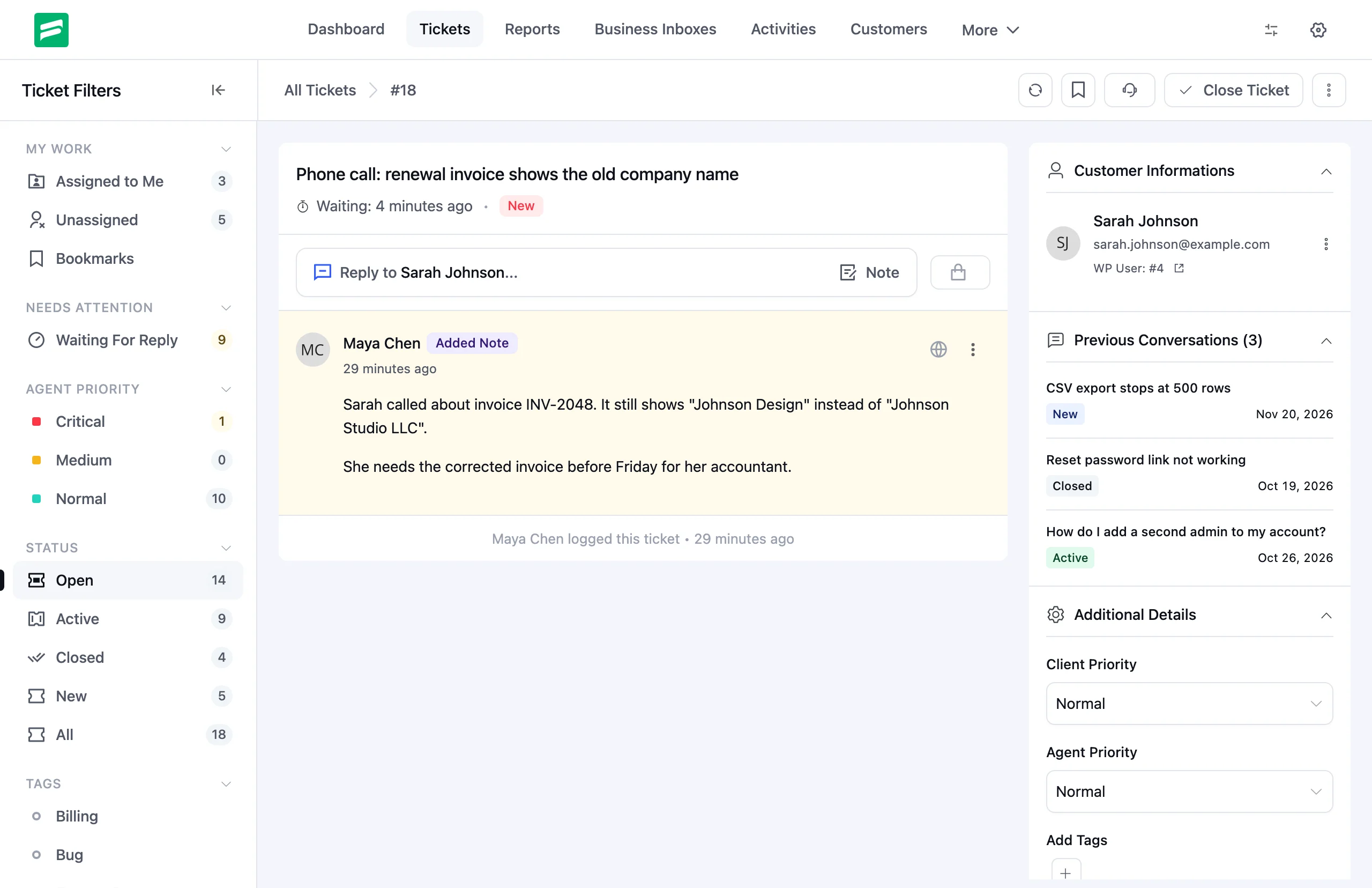
The thread opens with your note, and the activity line shows who logged the ticket. Reply when you’re ready, and the customer sees the ticket from then on.
Preview PDF and Markdown Attachments
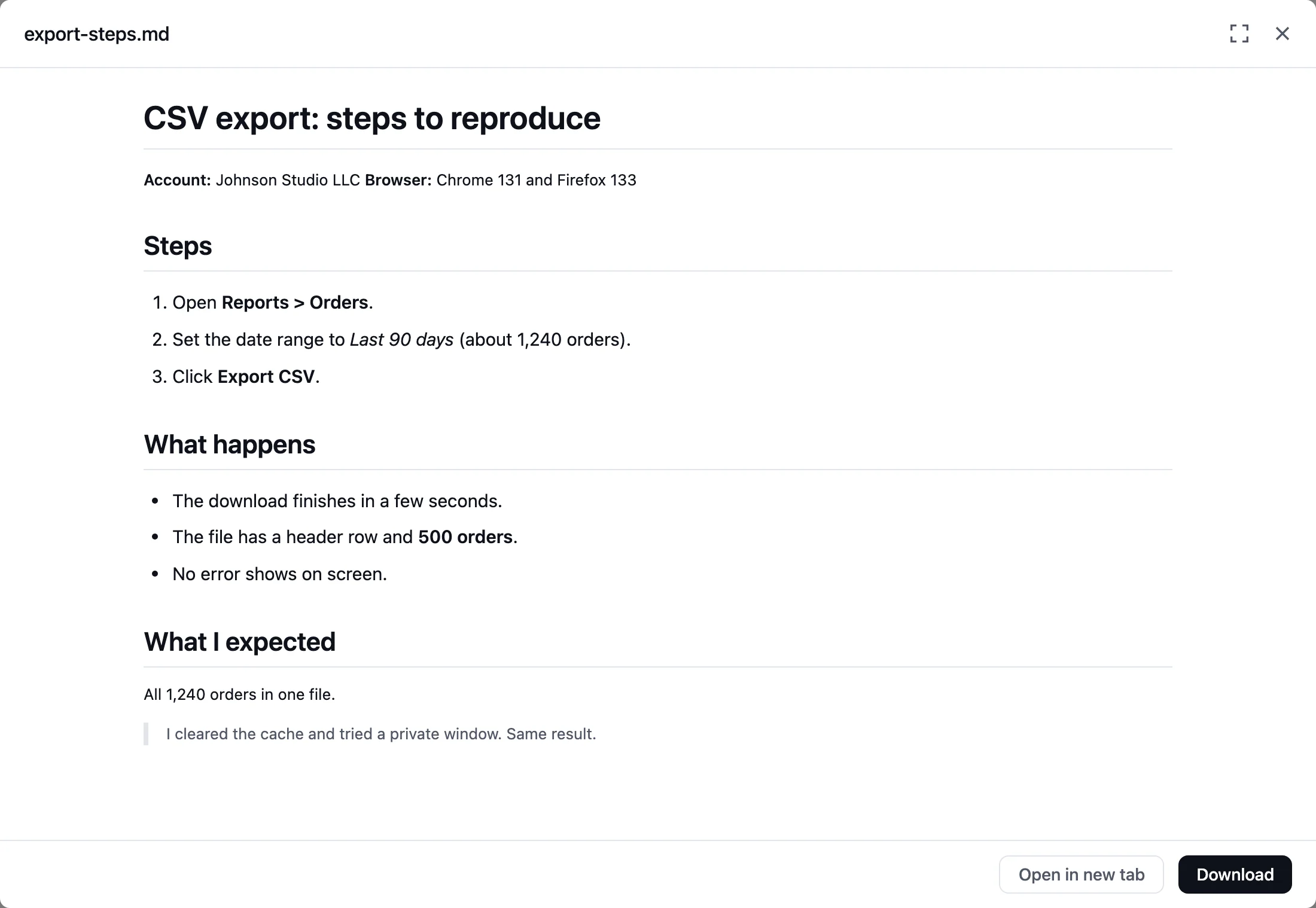
Customers send logs, steps and invoices as files. Before, you had to download each one to read it.
Now PDF and Markdown attachments open in a preview dialog right in the ticket. Markdown shows as formatted text, with headings, lists and quotes. Need the file? Use Open in new tab or Download from the same dialog.
Clearer Reports
A number is only useful when you know what it counts. Report cards and columns now have metric tooltips. Hover the info icon to see what a number includes and whether the date range changes it.
Agent Performance also gets an Average first response card (Pro). It shows how fast your team answers new tickets.
The Live/Snapshot selector now explains itself (Pro). Live shows current numbers. A snapshot is a saved copy of the report, so you can see how things looked earlier.
Connect AI Apps With One URL
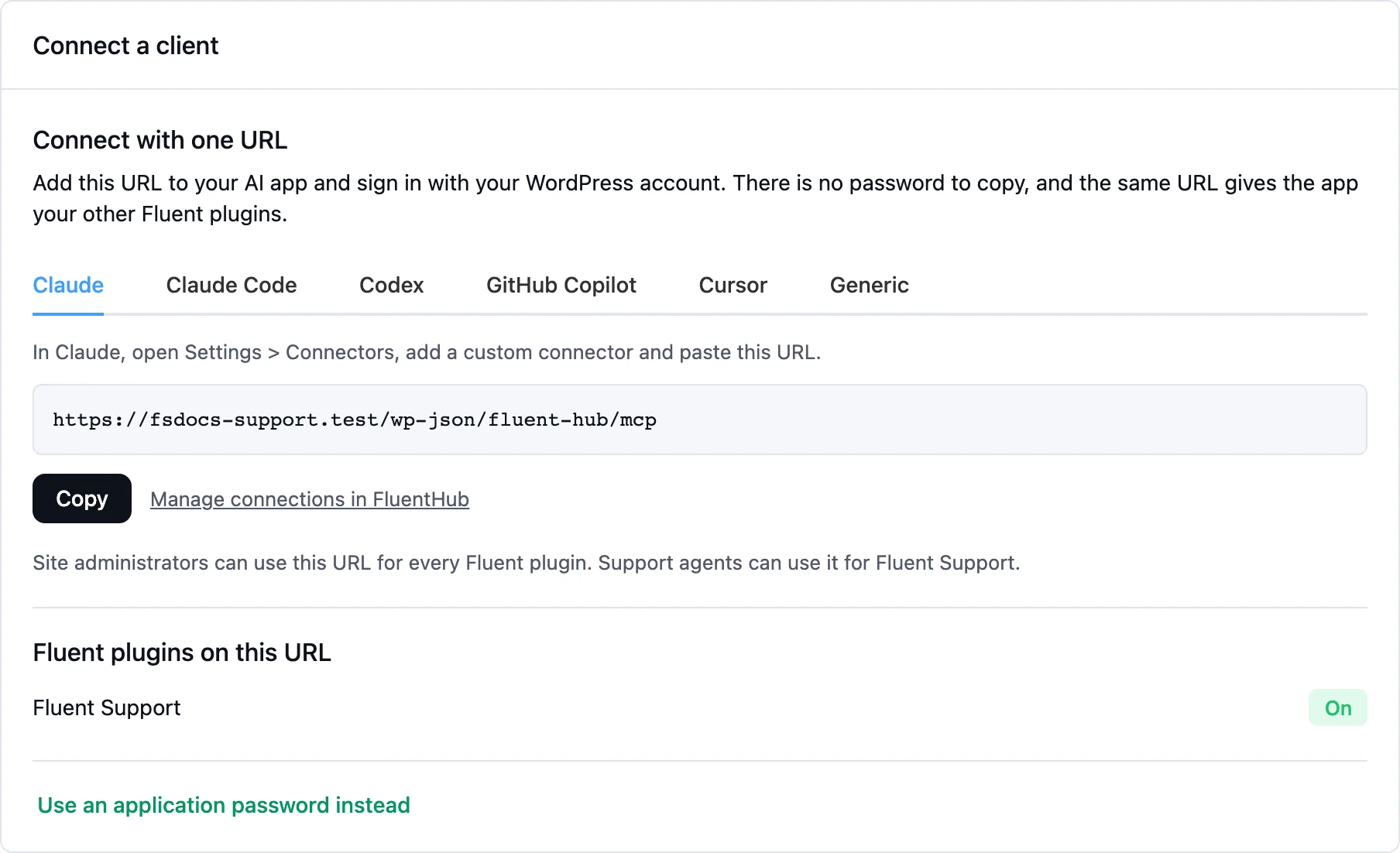
If you use FluentHub, connecting an AI app to Fluent Support is now simpler. The MCP for AI Agents screen shows one URL for your site.
Add it to your AI app and sign in with your WordPress account. There is no password to copy. Each app gets its own setup steps, and the same URL also reaches your other Fluent plugins.
A Cleaner Ticket List
We redesigned the ticket list toolbar, filters and bulk action bar. Controls line up, fields share one height, and the bulk bar puts Reply, Assign, Tags and Close in one place.
More Improvements
One composer for Reply and Notes. Reply and Notes now share one editor. Start typing a reply, switch to a note, and your text stays.
Bug Fixes and Stability
Agent Performance counts. We fixed waiting time, open tickets and first response counts.
Imported ticket times. Help Scout, Freshdesk and Zendesk imports now store dates in your site’s time zone.
Blocked customers. The FluentCRM and Fluent Forms ticket actions now respect blocked customers.
Pro integrations. We fixed issues with ticket tags, email piping, chat integrations and FluentCommunity.
Security. This release includes more hardening from our ongoing audits.
Closing Thoughts
Fluent Support 2.5.1 meets your customers where they ask for help. Community posts become tickets, phone calls get a record, and attachments open in place.
Update today and let us know what you think. Happy supporting!
Full Changelog
Fluent Support (Free)
- Added: Create support tickets from FluentCommunity posts and comments
- Added: Log a ticket that starts with an internal note, hidden from the customer until the first reply
- Added: PDF and Markdown attachment preview
- Added: Metric tooltips and average first response in Reports
- Added: One-URL MCP connect with FluentHub
- Improved: Reply and Notes share one composer, so your text stays when you switch
- Improved: Redesigned ticket list toolbar, filters and bulk action bar
- Fixed: Agent Performance counts and imported ticket times
- Fixed: FluentCRM and Fluent Forms ticket actions now respect blocked customers
- Security: Hardening through ongoing audits
Fluent Support Pro
- Improved: Clearer Live/Snapshot selector in Reports
- Fixed: Several Pro integration issues (ticket tags, email piping, chat, FluentCommunity)
Related Articles






Add your first comment to this post