

Fluent Support 2.5.0: Scheduled Replies, System Admin Tools, and a New Workflow Editor

By Shahjahan Jewel
November 2, 2026
Last Modified: November 2, 2026


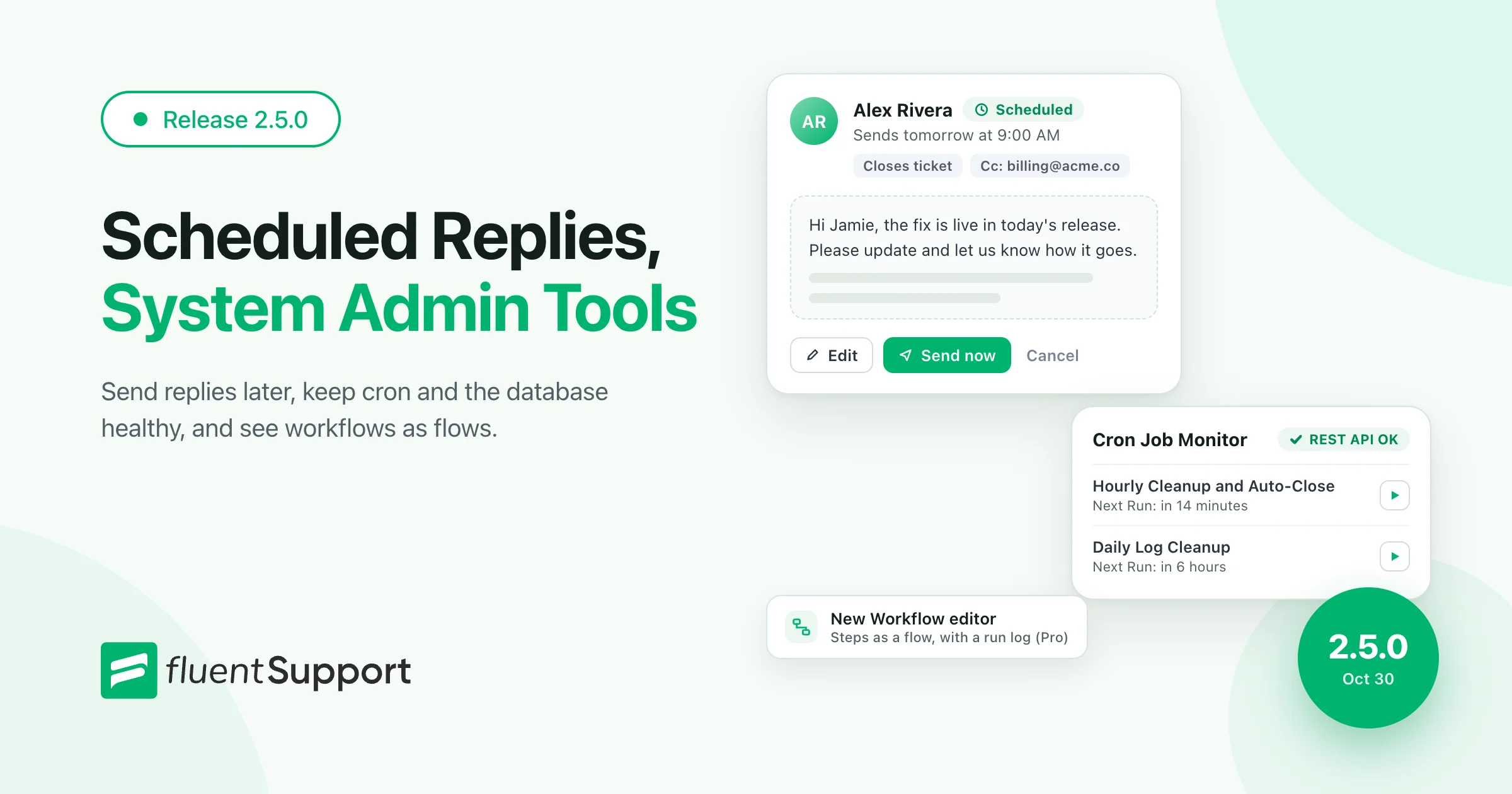
Hey Folks. Fluent Support 2.5.0 has landed! This release lets your agents schedule replies for later. It also gives site admins a new System Admin Tools area and redesigns the Workflow editor as a clear flow of steps.
This release also lets site admins remove sensitive data from customer messages and adds Text/Markdown attachments. We fixed report charts and ticket migrations too. Let’s walk through it.
Scheduled Replies (Pro)
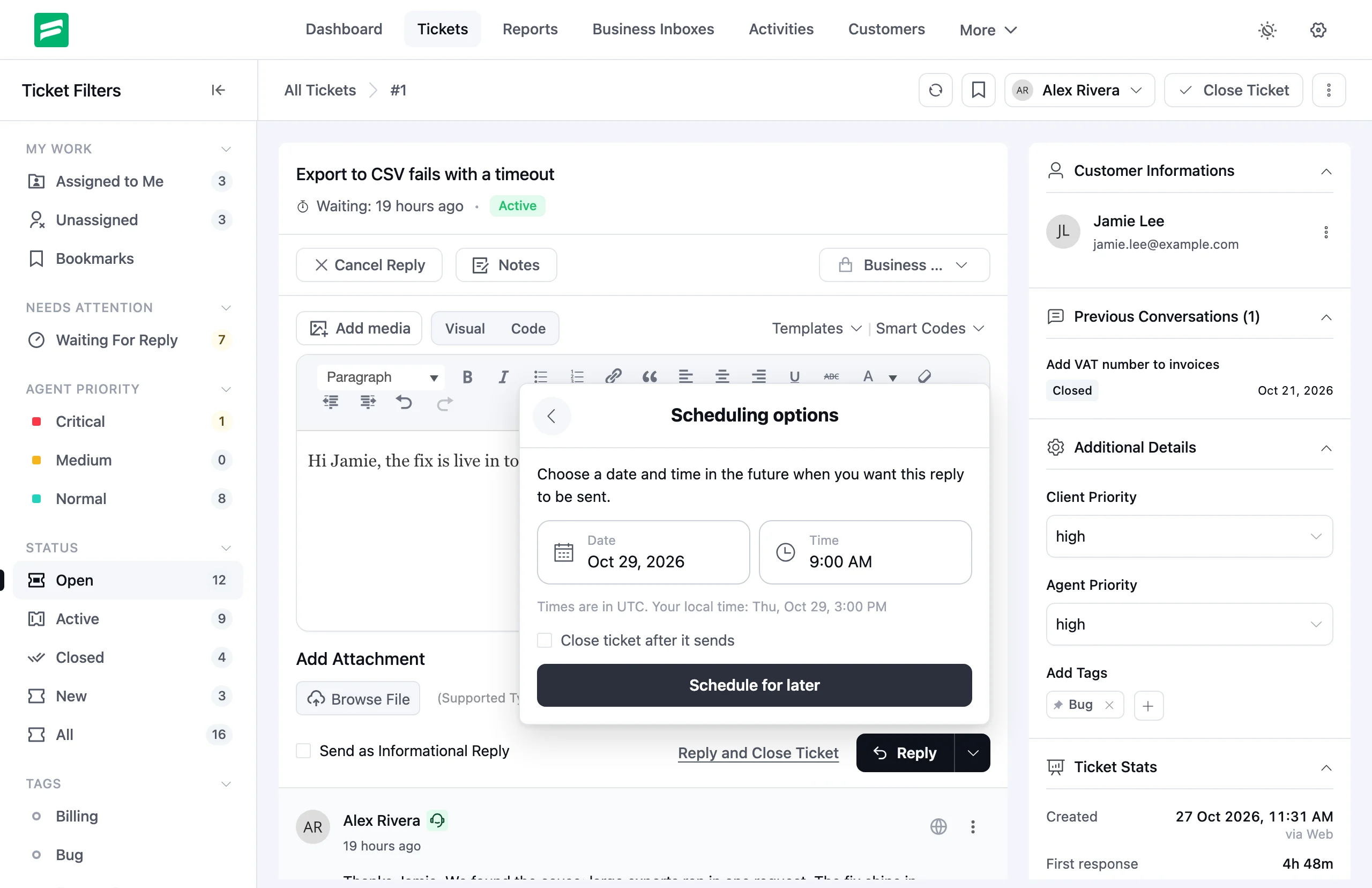
Not every reply should go out the moment you write it. Your customer may be asleep, or you may want to follow up after a release goes live. With Scheduled Replies, you write the reply now and pick when it sends.
Click the arrow next to Reply and choose Schedule reply. Pick a date and time, then click Schedule for later. Attachments and Cc work the same way as a normal reply.
Managing a Scheduled Reply
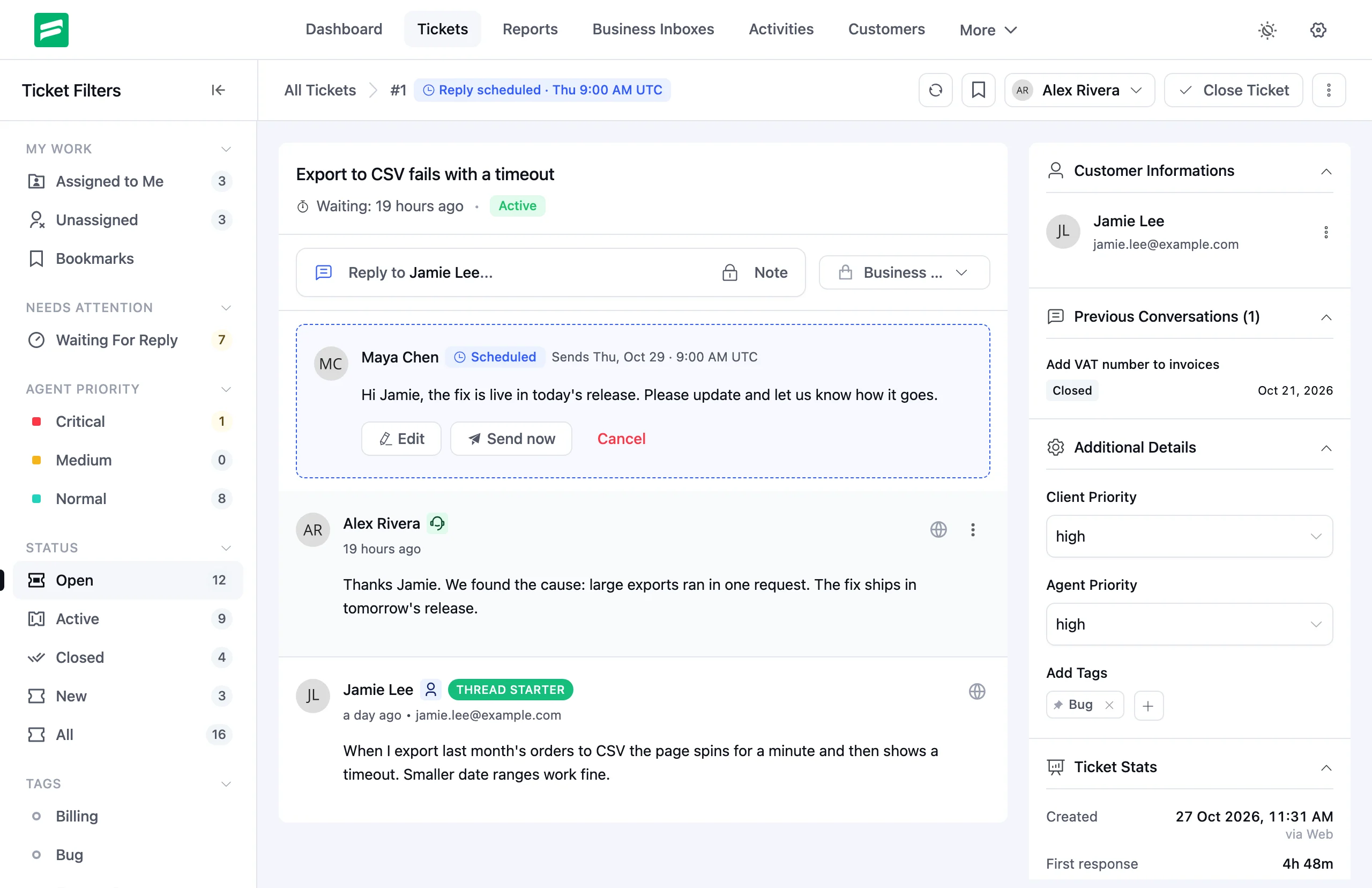
The pending reply shows as a card in the ticket thread. A badge also marks the ticket in the ticket list and the ticket header, so your team knows a reply is on its way. From the card, you can:
- Edit the text, files or send time
- Send now if you no longer want to wait
- Cancel it and get the text back in the editor
Things change while a reply waits. If the customer writes again or someone closes the ticket, Fluent Support pauses the scheduled reply. You check it, then resume or edit it. A stale answer never goes out by surprise.
System Admin Tools
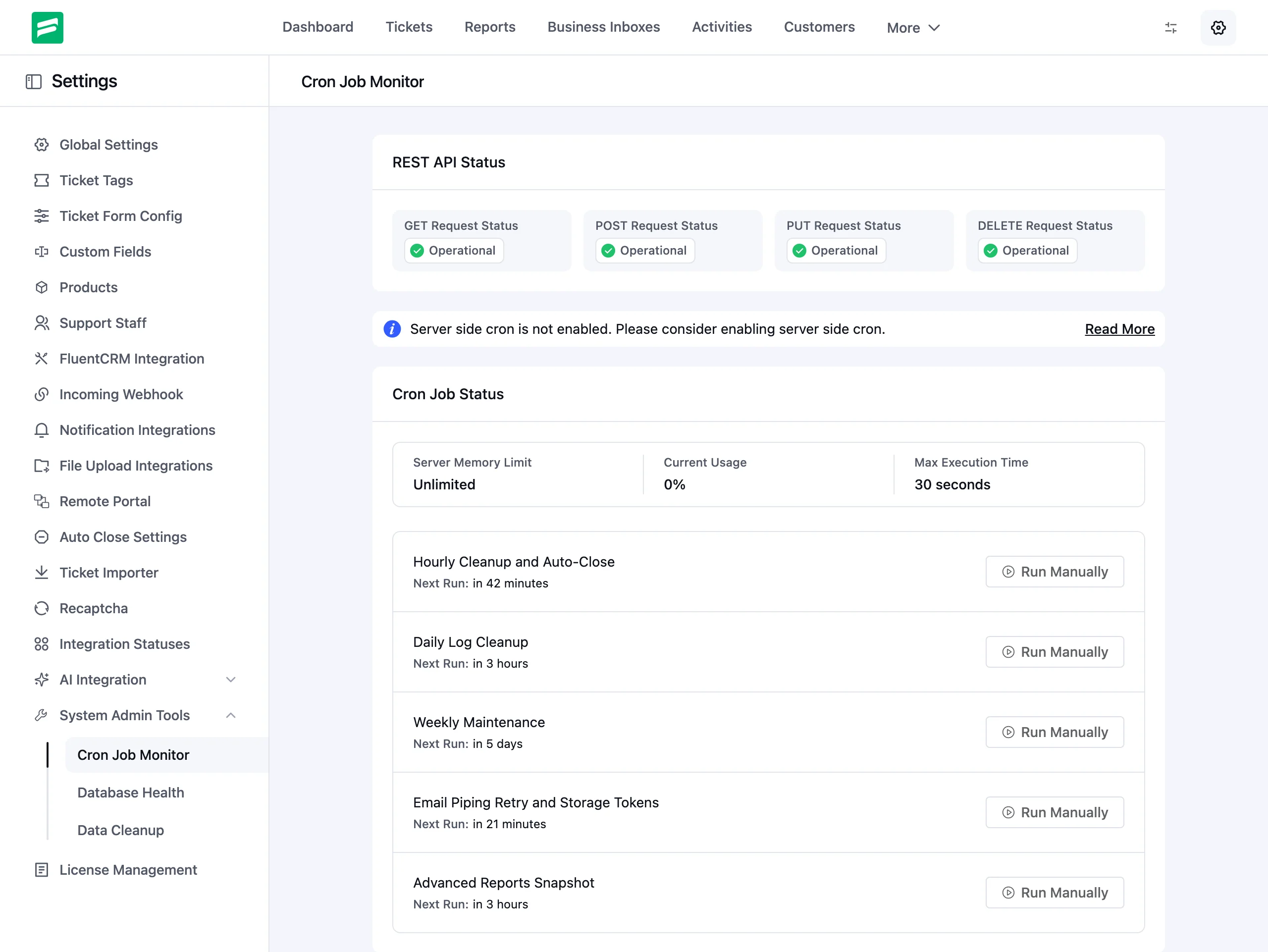
When background tasks stop or a table goes missing, tickets can quietly fall behind. System Admin Tools puts the health of your helpdesk on three pages under Settings. Site administrators can spot a problem and fix it without a developer.
Cron Job Monitor
See every Fluent Support background task, when it runs next, and whether it is overdue. Run any task manually with one click. The page also checks your REST API and server limits, such as memory and execution time.
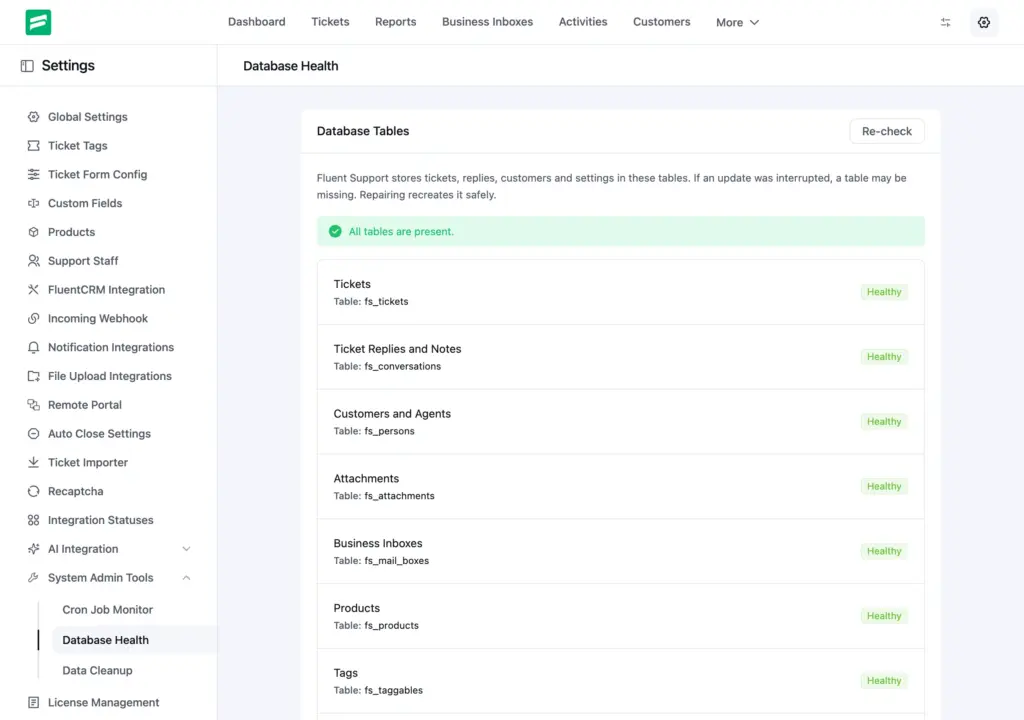
Database Health
Fluent Support checks that all of its database tables exist. If one is missing, click Repair Now to create it again.
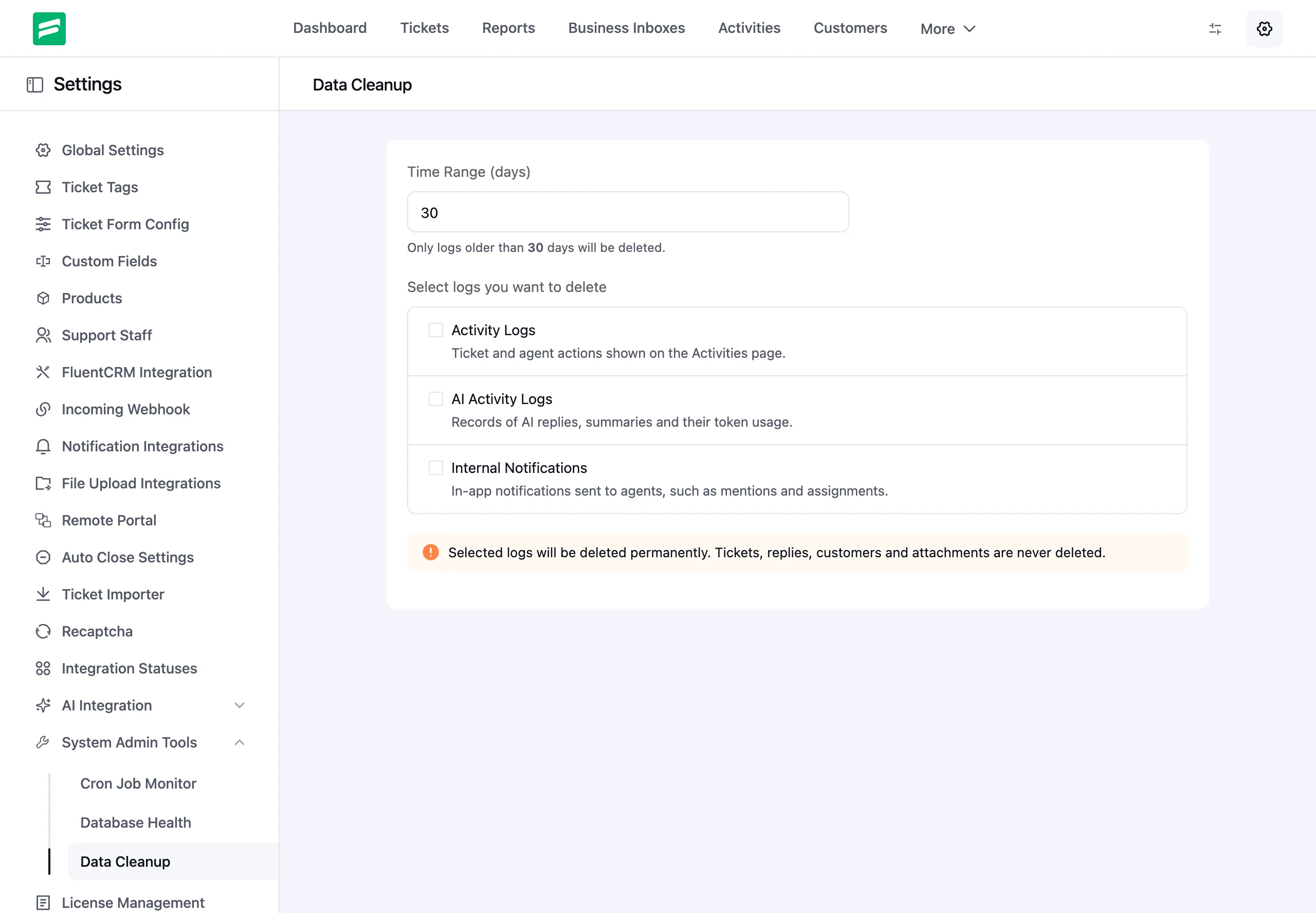
Data Cleanup
Logs grow over time. Choose the log types you want to clear, such as activity logs, AI activity logs or internal notifications. Set how many days to keep, then preview the counts before you delete anything. Cleanup always keeps at least the last 7 days.
A New Workflow Editor (Pro)
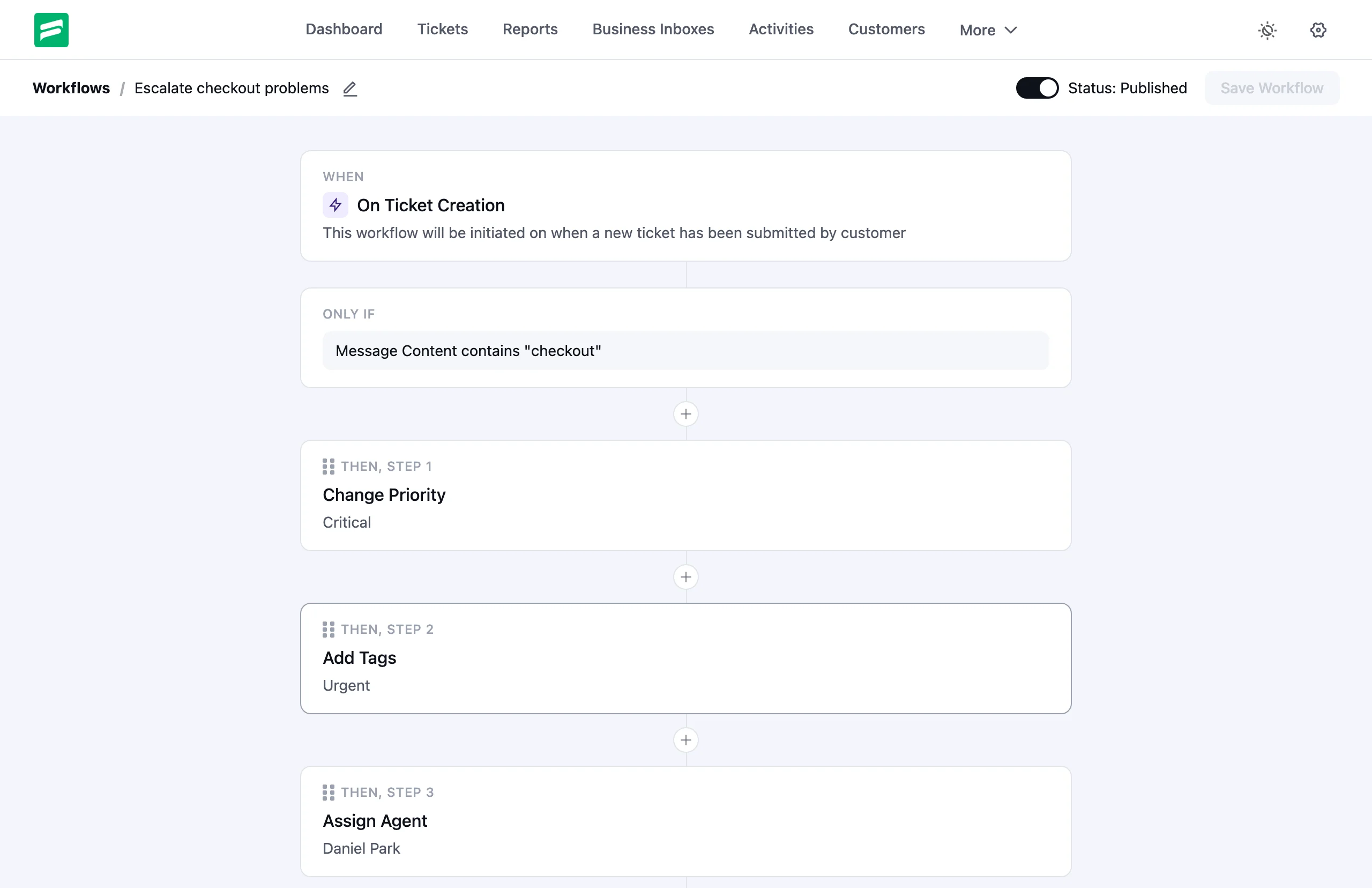
Workflows now read like a sentence. The editor shows each workflow as a flow of step cards: When something happens, Only if your conditions match, Then run these actions. Drag a step to reorder it, or add a new action anywhere in the flow.
You can also see what your workflows did. Each run now appears in the Activity Log, with a link to the workflow and the ticket. A failed action shows in red. The editor lists recent runs too, so you can check a new workflow right after you save it.
We also fixed several workflow conditions and actions. For example, Not bookmarked by now matches the right tickets. Assign Agent respects “skip if already assigned”. A failing action no longer stops the rest of the workflow.
Remove Sensitive Data From Customer Messages
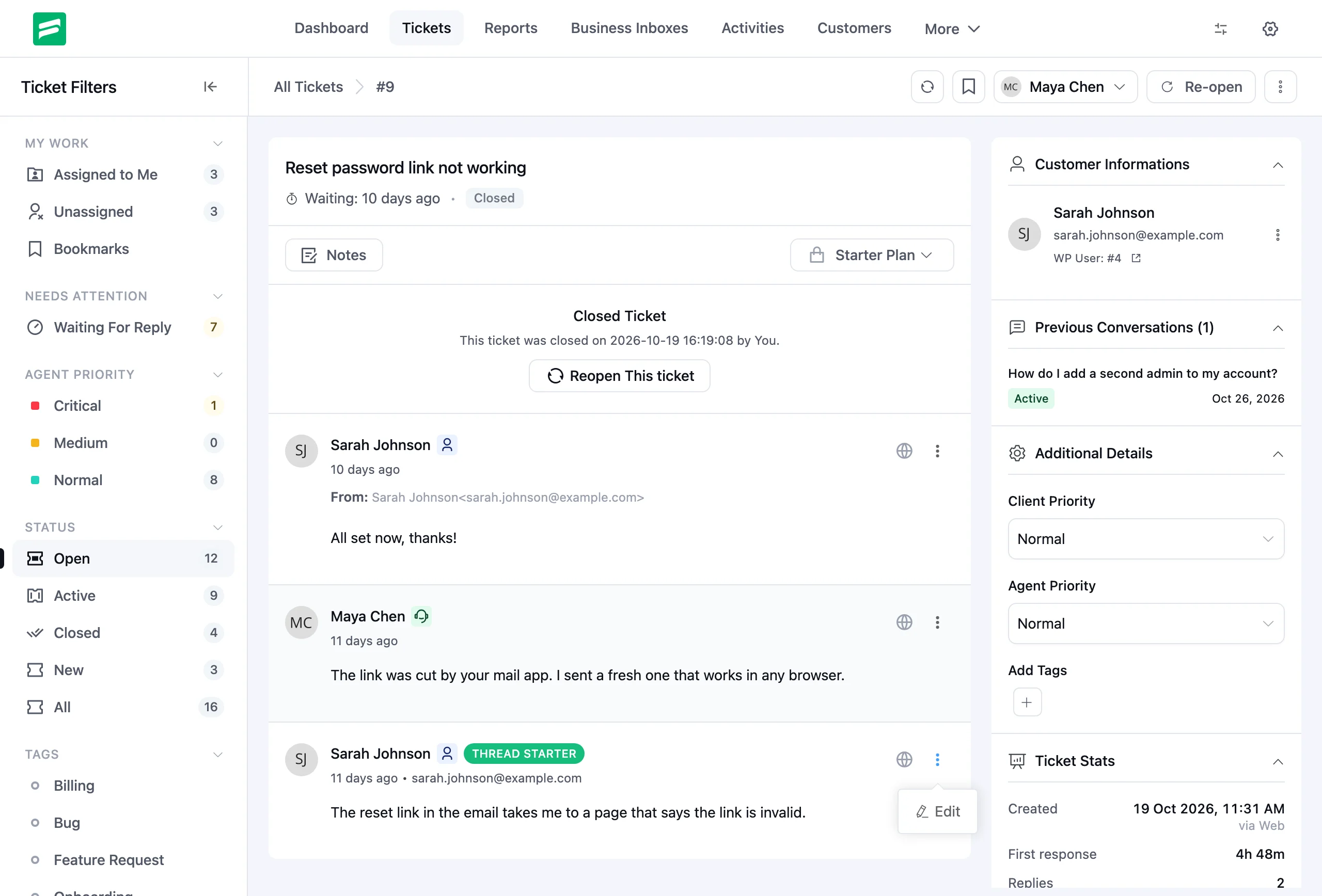
Customers sometimes send passwords or card numbers in a ticket. Until now, nobody could remove them. Now a site administrator can edit a customer message and delete the sensitive part.
Click Edit on a customer reply, or on the opening message of the ticket. Other agents cannot edit customer messages, whatever their ticket permissions. Each edit adds an activity line to the ticket without the removed text.
Text and Markdown Attachments
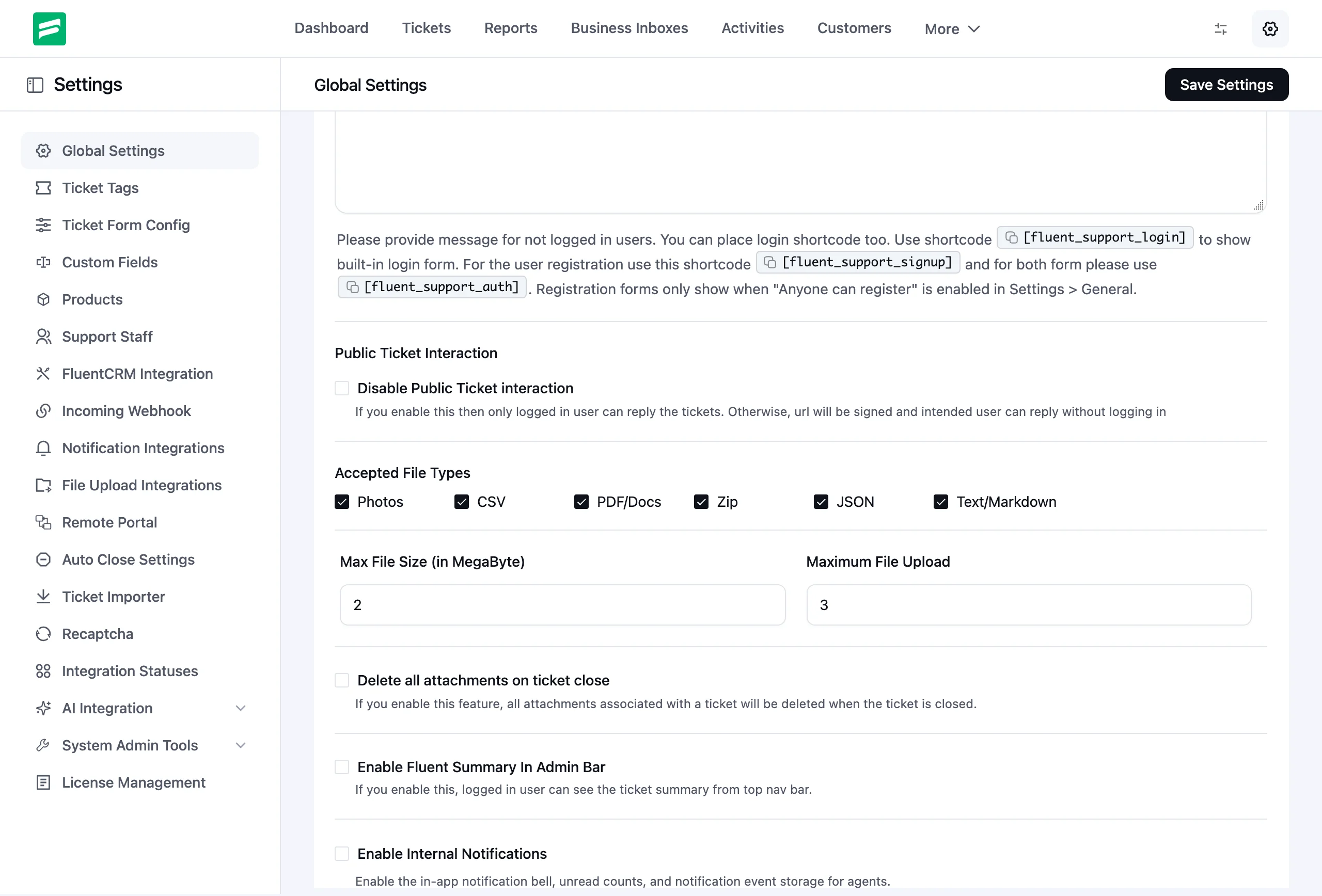
Customers and agents can now attach .txt and .md files to tickets. Tick Text/Markdown under Accepted File Types in Global Settings to allow them.
Improvements and Security
Email replies keep the ticket status (Pro). A customer’s email reply now leaves the ticket status as it is, the same as a Customer Portal reply. A new ticket stays New until an agent answers.
Security hardening. We keep auditing Fluent Support, and this release includes another round of hardening across the plugin.
Bug Fixes
Report charts. Charts no longer drop the last day of your date range, and we corrected several report counts.
Ticket migrations. Help Scout, Freshdesk and Zendesk migrations imported afternoon times 12 hours early. Imported tickets now keep their real times.
Timesheets (Pro). Timesheet filters now work, and timesheets follow agent mailbox restrictions.
Bulk replies. A bulk reply now keeps its formatting and links.
Attachment-only email replies (Pro). Fluent Support rejected an emailed reply that held only an attachment. It now accepts it.
UI and Dark Mode. We fixed several layout and color issues, including in Dark Mode.
Closing Thoughts
Fluent Support 2.5.0 helps your team reply at the right time, keeps your helpdesk healthy, protects customer data and makes workflows easier to build and check.
Update Fluent Support and Fluent Support Pro together to get everything in this release. As always, we’d love to hear what you think.
Happy supporting!
Full Changelog
Fluent Support (Free)
- Added: System Admin Tools — Cron Job Monitor, Database Health and Data Cleanup
- Added: Site admins can edit customer messages to remove sensitive data
- Added: Text/Markdown (.txt, .md) attachments
- Fixed: Report charts dropped the last day, and some counts were off
- Fixed: Help Scout, Freshdesk and Zendesk migrations shifted afternoon times by 12 hours
- Fixed: Bulk replies lost formatting and links
- Fixed: UI and Dark Mode issues
- Fixed: Security through ongoing audits and hardening.
Fluent Support Pro
- Added: Scheduled Replies (Pro) — send later, then edit, send now or cancel
- Added: Workflow editor shows each workflow as a flow of steps, with a run log (Pro)
- Improved: Email replies keep the ticket status, like portal replies (Pro)
- Fixed: Timesheet filters and mailbox restrictions (Pro)
- Fixed: Several workflow conditions and actions (Pro)
- Fixed: Emailed replies with only an attachment were rejected (Pro)
Related Articles
Fluent Support 2.4.7: Ticket Filters, 5x Faster Tickets and Smart Customer Search
Fluent Support 2.4.7 brings a Ticket Filters sidebar…Customer Success Best Practices for Small Teams
In this blog, we’ve discussed customer success in…





Add your first comment to this post