
Help Desk vs Desktop Support [Explained]

By Uttam Kumar Dash
February 27, 2026
Last Modified: February 27, 2026


If you’ve spent time browsing IT job boards or tried to build out a support team, you’ve probably noticed that “help desk” and “desktop support” get used almost interchangeably. Sometimes they appear in the same job listing. That confusion is understandable.
The roles share common ground, and in smaller organizations, one person often handles both. But they are distinct functions with different scopes, different work environments, and different career trajectories.
Whether you’re a job seeker trying to understand which path fits you best, or a business owner deciding how to structure IT support, the distinction matters.
In this blog, we will break down what each role actually does, where they differ, how they relate within a support structure, and when each makes sense for your organization or career.
TL;DR
- Help desk support is the first point of contact for IT issues, typically remote, ticket-based, and focused on quick resolution
- Desktop support is hands-on technical assistance for hardware, software, and device-level problems
- Help desk handles Tier 1 issues; desktop support handles Tier 2 and above
- In small companies, one person often covers both; larger organizations split them into distinct roles
- Desktop support tends to offer slightly higher compensation and a clearer path into systems or network administration
- Businesses benefit from both working together: help desk for volume, desktop support for complexity
What Is Desktop Support?
Desktop support is technical assistance focused on the devices people use for their work: computers, laptops, printers, and related peripherals. Unlike help desk, desktop support is typically hands-on. When a problem cannot be solved remotely, a desktop support technician comes to the user.
The scope extends beyond fixing broken machines. Technicians handle OS-level issues, software installations, hardware upgrades, workstation setup, and network connectivity at the device level. In some organizations, the role also covers phones, projectors, and other physical infrastructure.
Desktop support sits at Tier 2 or Tier 3. It handles the more complex issues that the help desk could not resolve remotely. The work requires a stronger technical foundation, including familiarity with operating systems, hardware components, remote access tools, and basic network principles.
Desktop support professionals are well-rounded generalists. Their skill sets also serve as a foundation for more specialized IT careers in systems administration, network management, or cybersecurity.
What Is Help Desk Support?
Help desk support is the front line of IT assistance. When a user has a problem, a forgotten password, software that won’t open, or a VPN that refuses to connect, the help desk is where that request goes first.
The defining characteristic of help desk support is its remote, channel-based nature. Requests arrive through ticketing systems, email, phone, or chat. Agents triage, categorize, and resolve issues without needing physical presence. This makes help desk teams efficient at handling high volumes of similar, repeatable problems.
Help desk is classified as Tier 1 support. Agents at this level resolve common issues quickly and escalate anything that requires deeper investigation. Speed and communication matter as much as technical knowledge in this role.
The term also carries some definitional flexibility. It can refer to a physical support counter in an office, a phone line for customer assistance, or a help desk software platform that centralizes all support requests into tracked tickets.
Help Desk vs Desktop Support: Key Differences
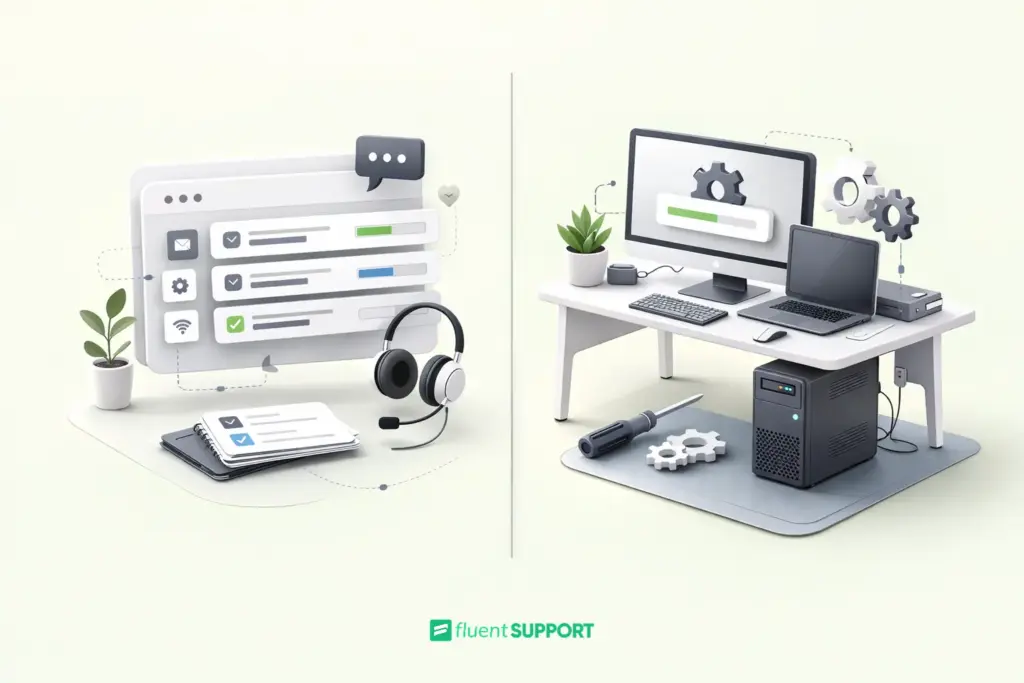
| Attribute | Help Desk | Desktop Support |
| Support tier | Tier 1 | Tier 2 / Tier 3 |
| Work location | Remote (phone, chat, tickets) | On-site / deskside |
| Primary focus | User productivity, quick fixes | Hardware, software, device-level issues |
| Escalation role | First point of contact | Receives escalations from help desk |
| Common tasks | Password resets, VPN issues, how-to guidance | Hardware repair, OS troubleshooting, workstation setup |
| Interaction style | High volume, short interactions | Lower volume, deeper technical engagement |
| Typical team size | Larger (handles volume) | Smaller (specialized) |
Responsibilities Compared
Help desk agents spend most of their day working through a ticket queue. A typical shift includes password resets, software error walkthroughs, VPN configurations, and access questions. Documentation is a consistent requirement: every resolved ticket must be logged so patterns can be identified over time.
Desktop support technicians tend to have more varied days. One morning might involve setting up a batch of new workstations. The afternoon could involve a laptop that won’t boot. Later, a new hire needs their machine connected to the network and printer. Physical presence is the norm.
Both roles require strong communication skills. Help desk needs it for managing frustrated users over phone or chat. Desktop support needs it for working alongside employees at their own workstations.
Regardless of the role, clear and calm communication separates good technicians from great ones. A solid grasp of customer service communication principles applies directly to both functions.
Work Environment and Escalation Structure
In most IT organizations, help desk and desktop support exist within the same support ticket escalation structure, just at different tiers.
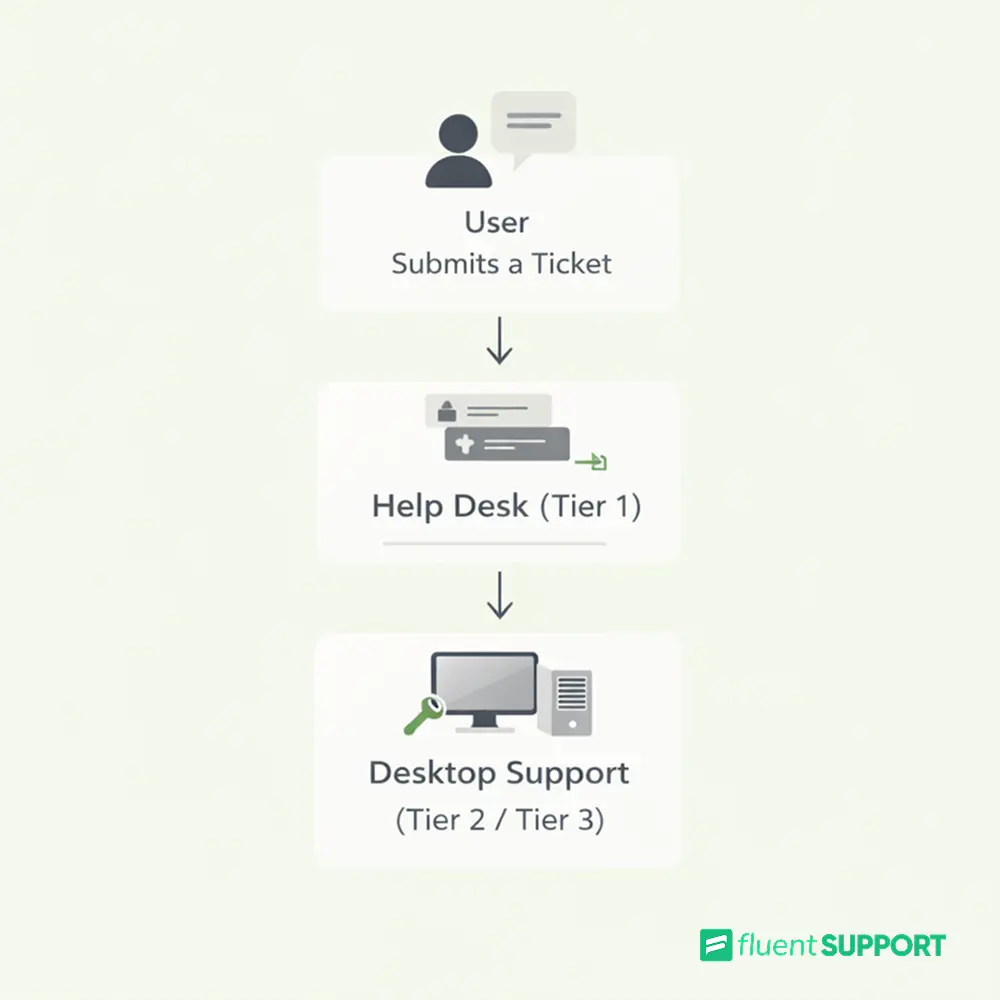
The help desk sits at the entry point. A user submits a ticket or calls in. A help desk agent picks it up. If the issue is resolvable remotely, it gets closed at Tier 1. If the issue requires physical intervention or deeper technical work, it escalates to desktop support.
This structure keeps things efficient. Help desk absorbs high-frequency, low-complexity volume so desktop support technicians can focus on problems that genuinely need their expertise.
In small organizations, this line blurs or disappears entirely. One person might handle Tier 1 calls in the morning and fix a broken laptop in the afternoon. As organizations grow, the tiers separate. Not because the work changes, but because the volume demands specialization.
Which Role Is Better for Your Career?
This depends entirely on what you want from IT work. Neither role is inherently superior to the other.
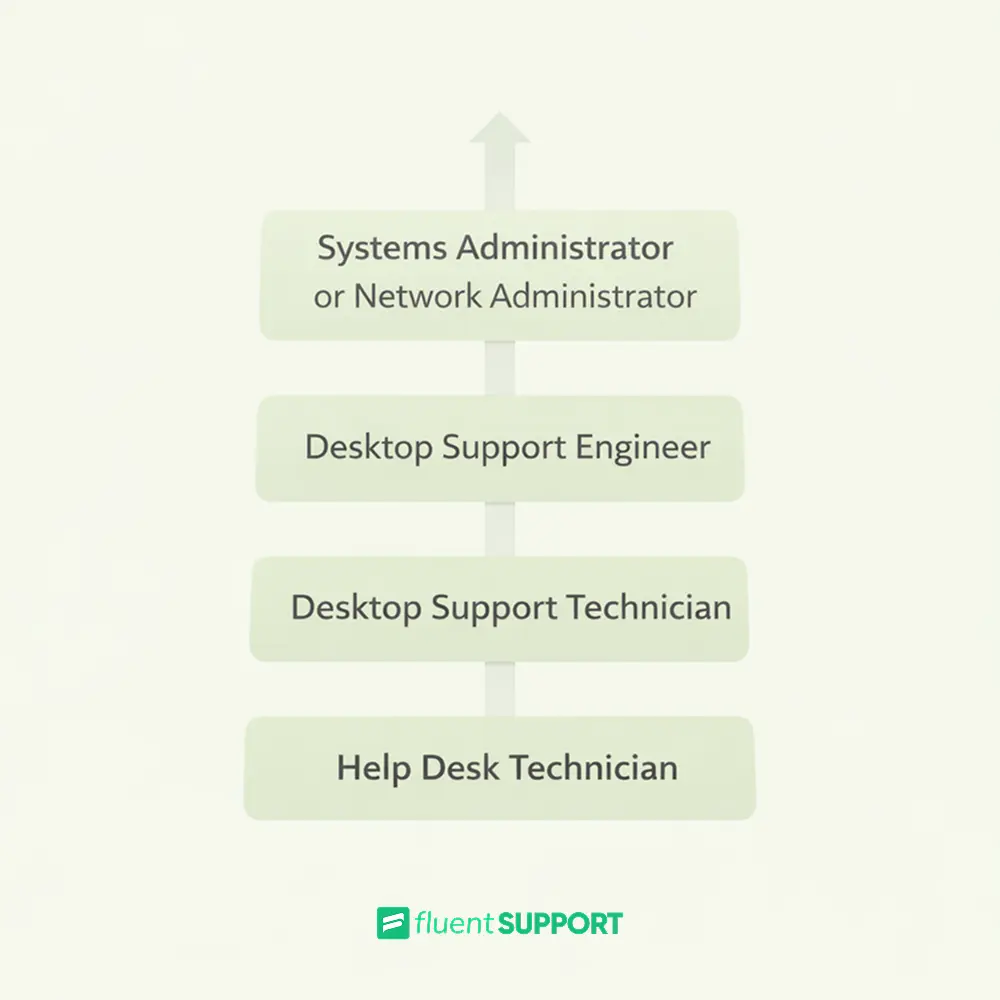
Help desk is an excellent entry point. It builds communication skills, ticketing experience, and broad familiarity with common IT problems. If you’re new to the field, it’s one of the most accessible paths in. Entry-level help desk roles typically average around $47,000 per year.
Desktop support tends to carry slightly higher compensation. Technicians earn between $47,000 and $56,000 on average, with desktop support engineers closer to $56,000. Those who develop specializations in networking, security, or systems administration can move into roles that average well above $80,000.
A common and effective path is to start in the helpdesk, move into desktop support, then specialize further. Certifications like CompTIA A+, the Microsoft Azure Administrator Associate, or the Cisco CCT Data Center accelerate that progression at each stage.
When Should a Business Choose Help Desk vs Desktop Support?
For most businesses, the honest answer is: you need both, structured by volume and complexity.
If your team is small and IT needs are light, one person covering both functions is probably sufficient. Once your team grows past 50 to 100 users, the volume of Tier 1 requests alone becomes a full-time responsibility. That’s when a clear structural separation starts to make operational sense.
Use a help desk for: managing inbound ticket volume, supporting remote staff, handling software questions, and onboarding new users. A well-configured help desk ticketing system helps you spot recurring issues before they become systemic problems.
Use desktop support for: physical office environments, hardware-heavy workflows, and any situation where remote resolution consistently falls short.
For distributed or hybrid teams, a mix of remote help desk coverage and periodic on-site desktop support often works well. The structure should reflect your actual support volume and the technical complexity of what your users encounter.
Wrapping Up
Help desk and desktop support are not competing approaches. They are complementary layers in a well-structured IT environment. Help desk handles speed and volume at the first point of contact. Desktop support handles depth and complexity where remote fixes are not enough.
For job seekers, understanding the distinction helps target the right roles and plan a realistic career path. For businesses, it forms the foundation of a support structure built to scale.
The difference becomes clear when you map it to tiers. Help desk resolves problems fast and remotely. Desktop support resolves problems thoroughly and in person. Together, they cover the full spectrum of what users need.
Start off with a powerful ticketing system that delivers smooth collaboration right out of the box.
Frequently Asked Questions
1. Is help desk harder than desktop support?
Help desk is fast-paced and communication-heavy. Desktop support is more technical and hands-on. The difficulty depends on your strengths.
2. Can desktop support be remote?
Some issues can be handled remotely. Hardware and physical setup usually require on-site work.
3. Do you need certifications for these roles?
Not always required, but certifications like CompTIA A+ improve job prospects and career growth.
4. Is help desk the same as IT support?
No. Help desk is Tier 1 support. IT support is a broader term that includes multiple technical roles.
Related Articles
Is “AI Brain Fry” Burning Out Your Support Team?
AI brain fry is a new form of…10 Startups Leading The Way In Customer Service
Here are 10 genuine startups that are leading…




Leave a Reply