

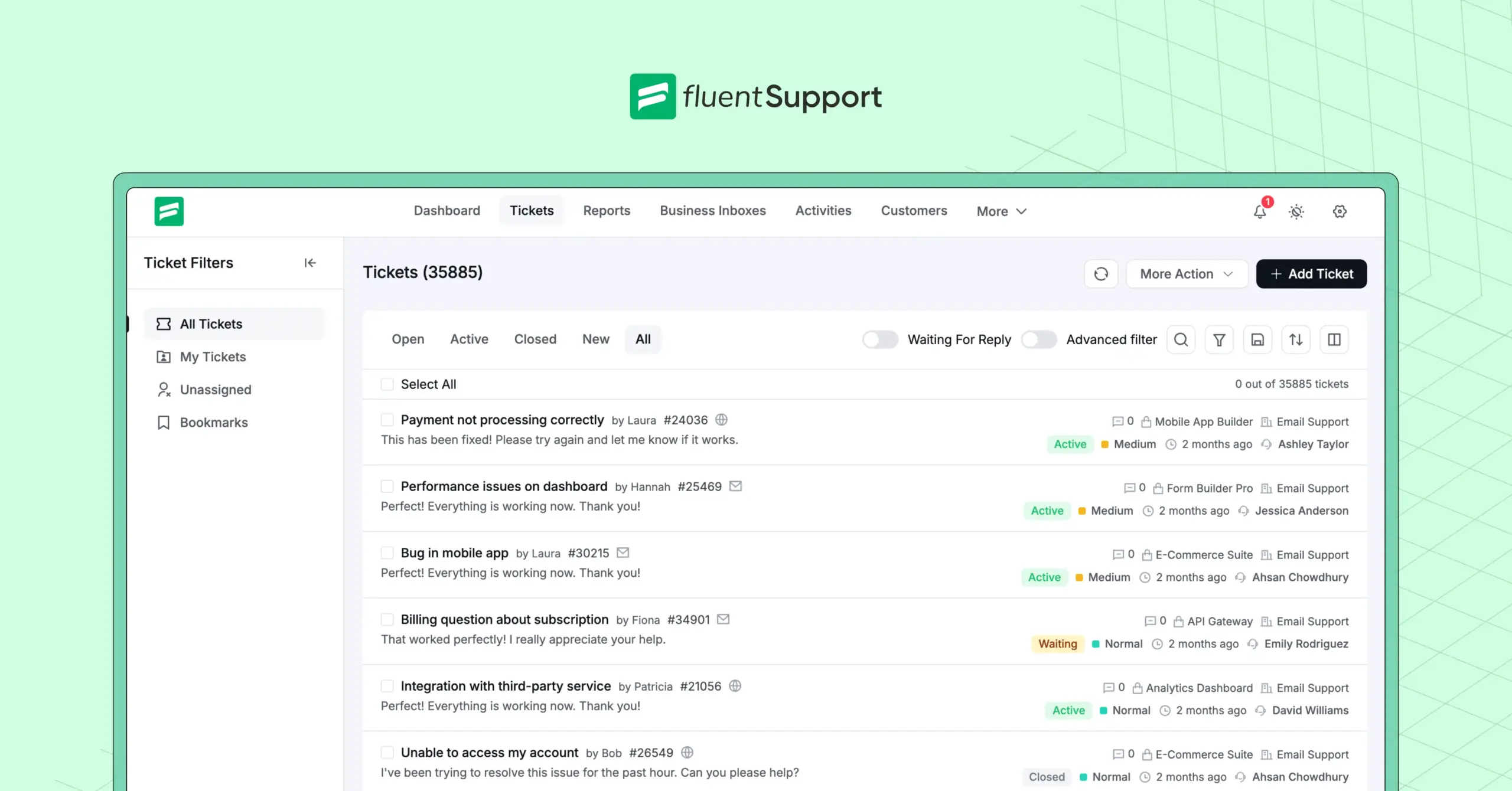
What is Helpdesk Ticketing System and How Does It Work?

By Md. Sajid Sadman
May 15, 2026
Last Modified: May 15, 2026


Customer support breaks in predictable ways. Requests scatter across inboxes, chats, and forms with no central record of what came in, who owns it, or what was resolved. Teams work harder and the same problems return.
The issue is rarely effort. It is the absence of a system.
A helpdesk ticketing system brings that structure. It captures every request, creates a trackable record, and moves it through a defined workflow until resolution. This guide explains what it is and how it works, step by step.
TL;DR
A helpdesk ticketing system is software that converts every customer message into a structured, trackable record called a ticket. Each ticket holds the customer’s details, the full conversation, the priority level, and the agent responsible. The system ensures nothing gets lost and no request relies on memory.
A ticket starts the moment a customer sends a message from any channel. The system captures it, creates a ticket, categorizes and prioritizes it, and routes it to the right agent. The agent works from full context, resolves the issue, and the ticket closes. All of this follows the same path every time.
Behind the scenes, agents collaborate through internal notes and escalations without the customer seeing any of it. If the customer replies after closure, the ticket reopens automatically. Every closed ticket also feeds your reporting dashboard, revealing patterns, bottlenecks, and training gaps.
Support teams that operate without one typically struggle with missed requests, uneven workloads, and no visibility into what is actually happening inside their queue. A ticketing system brings structure, accountability, and consistency to every interaction.
What is a helpdesk ticketing system?
A helpdesk ticketing system is software that converts customer support requests into organized, trackable records so every issue gets logged, assigned, and resolved without falling through the cracks.
Here is what a helpdesk ticketing system does at its core:
Without this structure, support teams typically rely on shared inboxes, spreadsheets, and memory. That approach works for small volumes.
Once ticket volume grows, it breaks. Requests slip. Context disappears. Agents duplicate effort. Customers repeat themselves.
A ticketing system closes all of those gaps.
It is also worth clarifying one thing teams often mix up.
A helpdesk ticketing system is not the same as a help desk management system, though the two are related. The ticketing system is the core workflow engine. The management system is the broader operational layer that includes staffing, policies, and performance goals built around it.
How does a helpdesk ticketing system work?
A helpdesk ticketing system works by moving every customer request through a fixed, step-by-step workflow from submission to resolution. The steps below reflect how this plays out in real support environments.
Note: To make each step easy to visualize, we’ll use screenshots from Fluent Support as practical examples along the way.
1. The customer submits a request
Every ticket begins the same way: a customer reaches out for help. The channel does not matter: email, live chat, support forms, social messages, or your support portal.
The moment they send that message, the ticketing system captures it automatically.
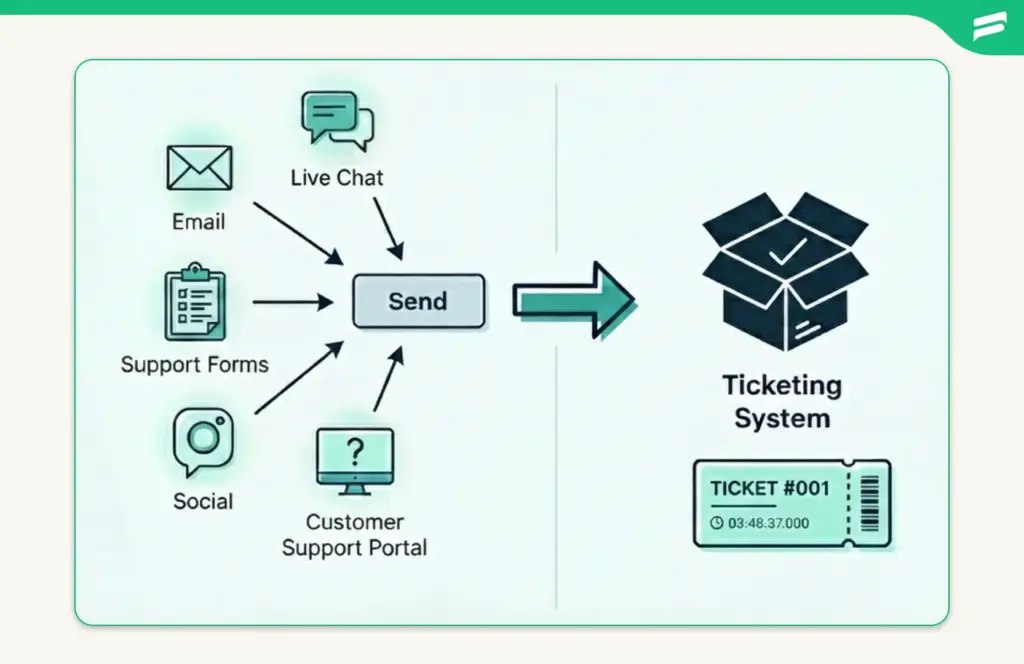
Instead of letting it sit in an inbox or get buried under other conversations, the system funnels the request into a structured workflow. This removes the risk of missed emails, forgotten chats, or delayed replies. The customer’s message instantly becomes the starting point of a trackable support journey.
2. The system creates a ticket
Once the message is captured, the helpdesk automatically converts it into a support ticket. This ticket becomes the official record of the customer’s request.
At this stage, the system assigns essential details such as:
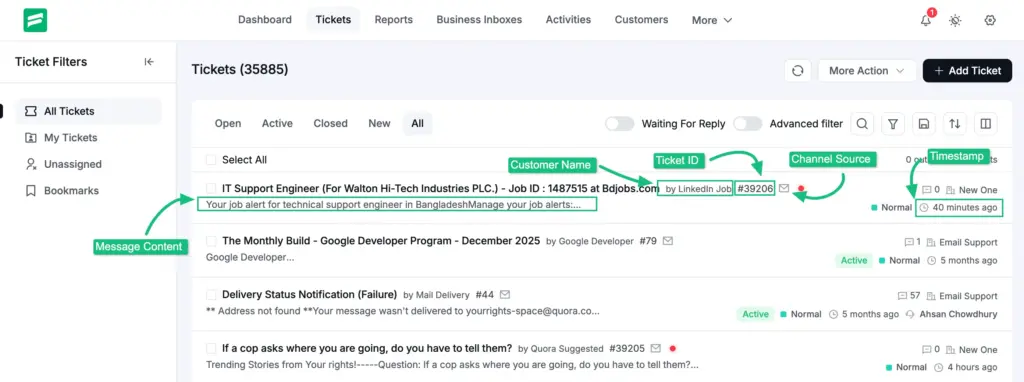
This is where unstructured communication becomes structured. Instead of a loose message floating around, you now have a clearly defined ticket that can be tracked, managed, and resolved without losing context.
3. The ticket gets categorized and prioritized
Once the system creates the ticket, the next step is sorting. Every request needs to land in the right bucket so the team instantly knows what it is about and how urgent it is.
This usually includes:
- Category: Billing, technical issue, login problem, feature request
- Priority: High, medium, or low
- Tags: Quick identifiers that add context like “refund,” “bug,” or “VIP customer”
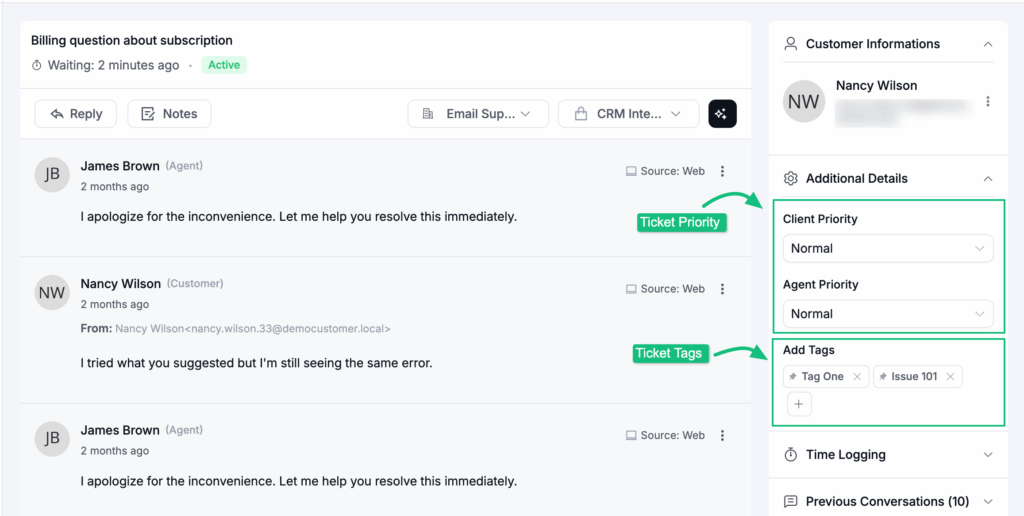
Categorization helps the system stay organized. Prioritization helps your team work smarter. When dozens of tickets arrive at once, this simple structure ensures the most critical issues rise to the top instead of waiting behind routine requests.
If you want a deeper look at using tags to classify and route tickets more accurately, this detailed guide is worth checking out
4. The ticket is assigned to the right agent or team
Once a ticket is categorized, the system decides who should handle it. This is where the assignment comes in. Each request needs a clear owner so nothing waits in limbo.
Assignments can happen in two ways:
Automatically: Based on rules like category, keywords, customer type, workload, or department (with workflow automation option).
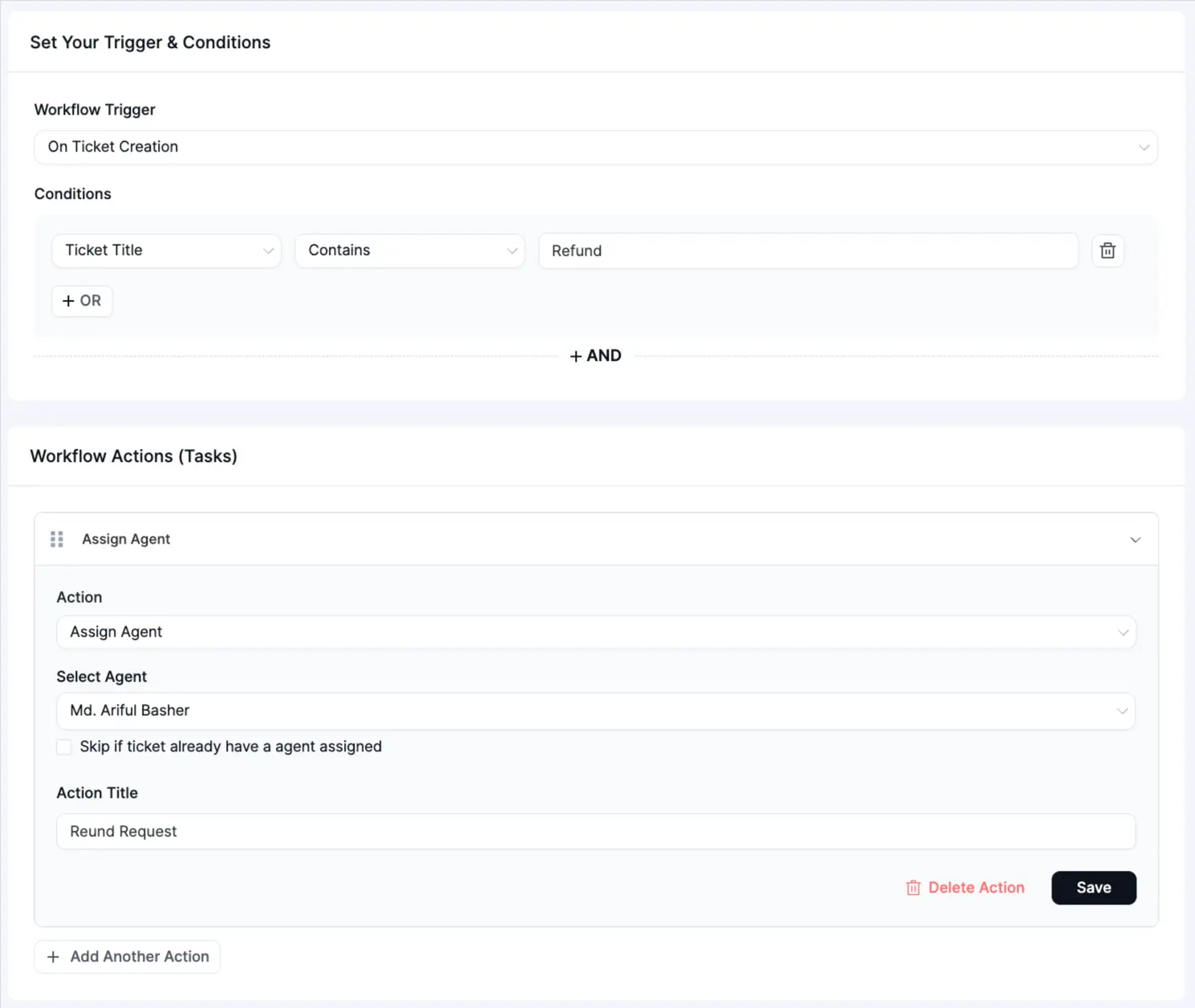
Just a heads up: If you want to see how robust, real-world automation is structured, check out Fluent Support’s workflow automation system. It shows the powerful logic required to scale support effortlessly.
Manually: When an agent or manager chooses the best person for the issue
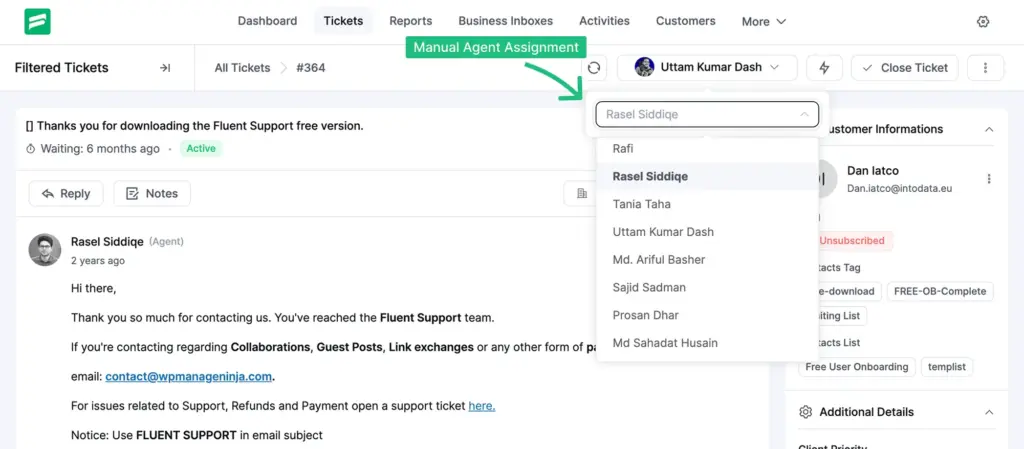
The goal is simple. Every ticket should land on the desk of the person most qualified to solve it. That means technical bugs go to tech experts, billing questions go to finance-related agents, and VIP customers go to priority teams.
Clear ownership keeps work moving. It also prevents two agents from replying to the same customer or, worse, nobody replying at all.
5. The agent works on the ticket with full context
Once the ticket is assigned, the agent opens it and sees everything they need in one place. No digging through old emails. No asking teammates for missing details.
A complete ticket view includes:
This context is what makes the workflow smooth. The agent instantly understands the issue, what has already been said, and what needs to happen next. It removes guesswork and prevents customers from repeating themselves.
With everything in front of them, the agent can:
This step is the “action stage” of the ticketing system. It is where problems are actually solved, backed by full visibility and zero confusion.
Step 6: SLA Timers Run in the Background
While the agent works, the system is tracking time. A Service Level Agreement (SLA) defines how long the team has to respond and resolve each ticket. The ticketing system enforces these commitments automatically.
The SLA timer starts when the ticket is created. If a first response deadline is approaching, the system sends an alert to the assigned agent. If the ticket passes the deadline without action, escalation rules can route it to a senior agent or notify a manager.
This keeps support quality consistent even under high volume. Teams do not need to manually monitor deadlines. The system flags what needs attention before it becomes a breach. Over time, SLA data also shows which ticket types consistently run close to deadline, pointing to workflow gaps worth addressing.
7. The ticket is resolved and closed
Once the agent provides the final solution, the ticket moves into the resolution stage. This is where the system wraps up the conversation and records the outcome.
The agent updates the ticket with:
After that, the ticket is officially closed. But the workflow doesn’t end there.
The helpdesk ticketing system even send an automatic follow-up asking the customer for feedback so your team can measure satisfaction and improve over time.
The closed ticket then becomes part of your support history. It stays searchable and auditable and helps guide better decisions in the future. And if a ticket is a duplicate or not needed long-term, agents can delete it to keep the workspace clean and organized.
Want a system that makes ticket handling this smooth? Fluent Support brings structure and clarity to every request so your team always knows exactly what to do next. See how it works.
What Happens Behind the Scenes During the Workflow
The workflow steps above describe the visible path of a ticket. Several important processes run alongside that path without the customer seeing any of it.
Team Collaboration Through Internal Notes and Escalations
Not every ticket gets solved by one agent. Some issues need a second opinion, a billing check, or developer input. The ticketing system supports this through internal notes and ticket escalation features that keep collaboration invisible to the customer.
An agent can leave a private note asking a teammate for help, tag another agent to review the issue, or escalate the ticket with full context intact. The customer receives a clean, unified reply while the collaboration happens entirely behind the scenes.
This matters because it keeps the customer experience consistent. The customer does not need to know three people were involved in solving their problem. They see one smooth conversation and a resolution.
Reporting That Turns Closed Tickets Into Useful Data
Every resolved ticket contributes to the team’s operational picture. The reporting layer of a ticketing system aggregates this data into metrics that managers can act on.
Typical reporting covers:
Teams use this data to identify where the workflow slows down, which agents need support, and which issue types keep recurring.
Recurring issues often point to product gaps, unclear documentation, or a process that needs fixing upstream. The ticketing system surfaces these patterns automatically.
Without it, this kind of visibility requires manual effort most teams cannot sustain. If your team is building or scaling a support operation, reporting is what turns day-to-day ticket handling into a continuous improvement process.
Signs Your Team Needs a Helpdesk Ticketing System
A shared inbox works fine when the volume is low and the team is small. The decision to move to a proper ticketing system usually becomes obvious once one or more of these starts happening regularly.
Customer requests go unanswered for days because they landed in a tab nobody checked. Agents respond to the same issue twice because there was no clear ownership. A new agent joins and spends their first week asking where to find past conversations. Managers cannot answer basic questions about response times or ticket backlog size because the data does not exist in any structured form.
These are workflow problems, not people problems. A ticketing system built for your team’s environment resolves all of them by giving every request a defined path and giving every team member full visibility into that path.Just a heads up: If your team runs on WordPress, Fluent Support is a helpdesk ticketing plugin that brings all of this into your existing setup without requiring a separate platform. It handles ticket creation, routing, SLA tracking, automation, and reporting inside WordPress. You can explore how it works here.
Wrapping Up
Support teams do not lose customers because they lack good intentions. They lose them because requests go missing, context disappears between conversations, and there is no reliable way to know what is actually happening inside the queue.
A helpdesk ticketing system fixes the structural side of that problem. It gives every request a trackable path, every agent full context, and every manager the visibility to make decisions based on real data rather than gut feel. Whether you are running a small business support team or scaling an enterprise operation, the fundamentals of the workflow stay the same.
The system does not make support automatic. It makes support consistent, and consistency is what customers actually remember.
Start off with a powerful ticketing system that delivers smooth collaboration right out of the box.
Frequently Asked Questions
A helpdesk ticketing system is software that turns customer support messages into organized records called tickets. Each ticket tracks the customer’s issue, the conversation history, who is responsible, and what actions have been taken. The system ensures every request follows a structured path from submission to resolution.
A ticketing system is the core engine that captures, tracks, and routes support requests. A helpdesk is the broader support operation that includes the people, processes, and tools built around that engine. Most modern helpdesk software combines both, offering the ticketing workflow alongside team management, reporting, and automation features in a single platform.
Tickets are assigned automatically based on rules the team configures in advance, such as the issue category, the customer’s plan tier, the agent’s workload, or the department responsible. Manual assignment is also available when a team lead wants to direct a specific ticket to a particular agent. Most teams use a combination of both depending on the ticket type.
An SLA, or Service Level Agreement, is a commitment that defines how quickly a team must respond to and resolve a ticket. The ticketing system enforces this by running a timer from the moment the ticket is created. If a deadline is approaching, the system sends an alert. If it is missed, escalation rules activate automatically. You can read a full breakdown of how SLAs work in support ticketing here.
No. Helpdesk ticketing systems are used by customer support teams, HR departments, finance teams, and any other group that handles structured service requests at volume. The workflow is the same regardless of industry. The ticket categories and routing rules change based on the team’s specific needs. A longer breakdown of this is covered in this guide on helpdesk software for non-IT teams.
A closed ticket becomes part of the permanent support record. It remains searchable and auditable. If the customer sends a follow-up message, the ticket reopens automatically and continues as the same conversation thread. Closed tickets also feed the reporting dashboard, where the data contributes to performance metrics and trend analysis over time.
Yes. Small teams often benefit most because a ticketing system removes the organizational overhead that falls on individuals when there is no formal process. Even a two-person support team can track requests accurately, avoid missed messages, and build a support history with a basic ticketing setup. This guide covers the best ticketing options for small businesses if you want to compare tools.
Related Articles
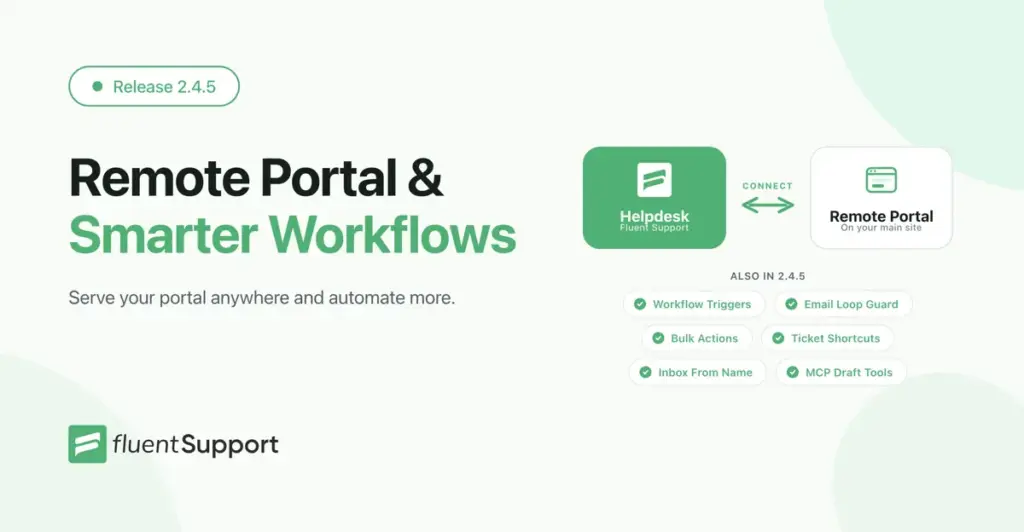
Fluent Support 2.4.5: Remote Portal, New Workflow Triggers and more
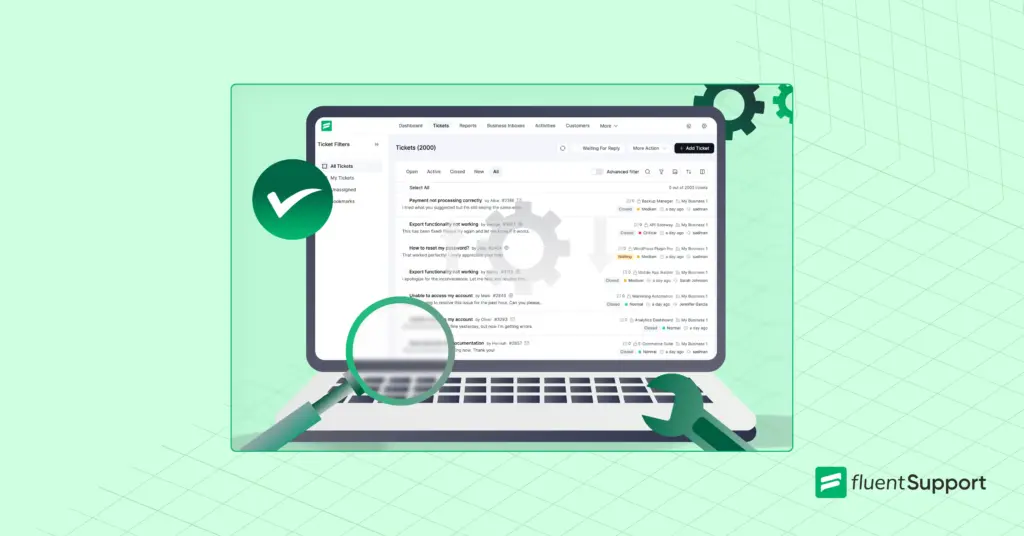
Fluent Support 2.4.5 lets you run the customer…How to Setup a Support Ticket System in WordPress?
Learn how to set up a support ticket…



Add your first comment to this post