

Difference Between a Shared Inbox and a Ticketing System

By Md. Sajid Sadman
April 28, 2026
Last Modified: June 22, 2026


Most support teams do not break under pressure. They break because there was never a system holding things together in the first place.
A shared inbox gets teams started. It is familiar, requires no setup, and works well at low volume. But it was built for communication, not for resolution. The moment ticket volume climbs or a second agent joins the queue, the gaps become impossible to ignore.
Missed messages. Duplicate replies. No visibility into what was handled and what was not. These are not signs of a bad team. They are signs of the wrong tool.This guide breaks down exactly how a shared inbox and a ticketing system differ structurally, where each one belongs, and the clearest signals that it is time to move on.
TL;DR
What is the core difference between a shared inbox and a ticketing system?
A shared inbox is an email tool built for communication. A ticketing system is a purpose-built platform engineered for resolution. One stores messages. The other manages them through a structured workflow from the moment they arrive until the moment they are closed.
Which one gives teams better accountability?
A ticketing system does. A shared inbox has no ownership model. Any agent can see the email, but none is formally responsible for it until someone manually claims it. A ticketing system assigns every request to a specific agent or team at arrival, so accountability is built in, not improvised.
When should a team switch from a shared inbox to a ticketing system?
When customers are following up on unanswered emails, agents are sending duplicate replies, or managers have no way to measure performance, the shared inbox has already reached its structural limit. Volume is not the only trigger. A team of three agents can outgrow a shared inbox just as quickly as a team of thirty.
What does the switch actually fix?
Structure, visibility, and consistency. A ticketing system gives every request a trackable path, a clear owner, a full conversation history, and a measurable resolution time. It makes the entire support operation predictable, regardless of who is on shift or how many requests come in.
What is a shared inbox?
A shared inbox is a single email account accessed by multiple team members simultaneously, with no built-in ownership, tracking, or workflow structure.
Teams typically use shared inboxes for low-volume communication, early-stage support, or internal coordination. The address looks like [email protected] and sits inside Google Groups, Outlook Shared Mailbox, or a similar email platform. Setup takes minutes and requires no specialised tools.
The structural problem is the absence of accountability. There is no automatic ticket assignment, no collision prevention, and no audit trail. Two agents can reply to the same thread with conflicting answers. A message can sit unread because everyone assumes someone else will handle it. Accountability relies entirely on team discipline and manual coordination.
For a very small team with predictable, low volume, this is manageable. For any team that is growing, it becomes a liability faster than most teams expect.
Pros of a Shared Inbox
- Familiar interface. No training required.
- Fast to set up. A shared address can be created and shared in minutes.
- Low cost. Often included in existing email subscriptions.
Cons of a Shared Inbox
Customers repeat themselves. Without conversation history, every new agent starts from scratch.
No ownership model. Messages can be seen by everyone and acted on by no one.
Agent collision. Multiple agents reply to the same customer with different answers.
Zero reporting. Response times, resolution rates, and workload are invisible.
No scalability. Volume or headcount increases create more confusion, not more capacity.
What is a ticketing system?
A ticketing system is a purpose-built platform that converts every incoming customer message into a structured, trackable record called a ticket, with a unique ID, an assigned owner, a status, and a full conversation history.
Understanding how a helpdesk ticketing system works makes the contrast with a shared inbox immediately visible. Every request enters a defined workflow. It is routed, prioritised, assigned to one agent, and tracked from open to closed. Nothing depends on memory or manual coordination.
The system logs every action. Status changes, internal notes, agent replies, and escalations are all recorded on the ticket. Managers can see what is open, what is overdue, and who is handling what, in real time, without asking.
The result is consistent support regardless of team size, volume, or shift composition. Customers do not repeat themselves. Agents do not duplicate work. Managers do not operate blind.
Pros of a Ticketing System
- Clear ownership. Every ticket is assigned to one agent from arrival.
- Full conversation history. Agents see everything before they reply.
- Built-in reporting. Response times, resolution rates, and agent performance are tracked automatically.
- Scalable by design. Routing rules and automation handle volume increases without adding overhead.
- Collision detection. Two agents cannot unknowingly work on the same ticket.
- SLA tracking. Response time commitments are monitored and flagged automatically.
Cons of a Ticketing System
Cost. Most dedicated ticketing tools are paid, though affordable options exist for small teams.
Longer setup. Configuration, routing rules, and training take more time than a shared inbox.
Feels less personal at first. Automated acknowledgments and ticket numbers can feel transactional to customers.
You have seen why a structured ticketing system is non-negotiable for accountability and growth. Now you need a system that delivers on that promise.
Fluent Support is built to enforce this structure. It gives you the clear ownership, fast routing, and comprehensive history required to move beyond the limits of a shared inbox.
Shared inbox vs. ticketing system: the core differences
The fundamental difference between these two systems goes far beyond basic organization. It comes down to professionalism versus guesswork. One is designed purely for communication, and the other is engineered for structured resolution.
To choose the right solution, you must understand where the shared inbox inherently fails and where the ticketing system enforces necessary structure.
1. Workflow structure
Shared inbox: Workflow is nonexistent. Agents rely on memory or external messages to track who is working on what. This quickly leads to inconsistency.

Ticketing system: Workflow is enforced. Every ticket moves through defined stages. This makes the support process predictable for agents and customers alike.
2. Assignment & ownership
Shared inbox: Ownership is always fuzzy. Agents must manually claim an email, and the risk of two people replying to one thread is constant.
Ticketing system: Ownership is total. A ticket is instantly assigned to one agent or team. This removes all doubt about accountability.
3. Collaboration
Shared inbox: Collaboration is messy. Agents must forward emails or use external tools like Slack. This fragments the customer conversation history.
Ticketing system: Collaboration is seamless. Internal notes, mentions, and private discussions happen directly on the ticket. This keeps all context in one place.
4. Tracking & accountability
Shared inbox: Tracking is manual. There is no way for a manager to know if an email was accidentally missed or intentionally forgotten.
Ticketing system: Tracking is automatic. The system logs every status change and action. This ensures total accountability from the moment of submission.
5. Scalability
Shared inbox: It breaks at volume. If you add more agents to the same inbox, confusion and collision risk increase.
Ticketing system: It thrives on volume. It uses routing and automation to manage increased ticket load efficiently. This ensures service quality remains high.
6. Customer experience
Shared inbox: The customer often repeats their issue or gets delayed replies because of internal confusion and the need to manually look up answers.
Ticketing system: The customer gets fast, consistent replies because the agent has instant access to the full history and context.
7. Reporting & insights
Shared inbox: Reporting is nonexistent. Managers rely on guesswork or manual spreadsheets to measure response time or resolution rate.
Ticketing system: Reporting is data-driven. It automatically tracks key metrics. This gives managers clear signals on performance and pain points instantly.
8. Automation capabilities
Shared inbox: Automation is impossible. There are no rules for smart assignment, auto-tagging, or escalation management.
Ticketing system: Automation is integrated. It uses conditional logic to handle repetitive tasks. This lets agents focus on complex, meaningful conversations.
Just a heads up: You have seen that the shared inbox offers zero logic for smart assignment or auto-tagging. This is where the ticket system truly pays off.
If you want to see how robust, real-world automation is structured, check out Fluent Support’s workflow automation system. It shows the powerful logic required to scale support effortlessly.
Comparison table
After reviewing the core differences, the contrast becomes clear. A shared inbox is purely passive communication, while a ticketing system is an active engine for structured problem-solving.
This table summarizes the 8 core operational differences:
Aspect | Shared Inbox | Ticketing System |
Workflow | Non-existent; relies on agent memory. | Enforced stages; predictable process. |
Ownership | Undefined! Requires agents to claim issues. | Total! Instant assignment to one owner. |
Collision | High risk of duplicate replies and errors. | Collision detection prevents agent overlap. |
Context/History | Fragmented. Requires external search or customer request. | Centralized. Full conversation history on the ticket. |
Scalability | Breaks at high volume; struggles with new hires. | Thrives on volume; uses automation for load management. |
Accountability | Manual. No audit log for missed items. | Automatic. Logs every status change and action. |
Reporting | Non-existent! Requires manual spreadsheet updates. | Automatic! Tracks all key performance metrics instantly. |
Automation | Impossible. No logic for route or auto-tag features. | Integrated. Uses conditional logic for assignment and replies. |
When should your team switch from a shared inbox to a ticketing system?
A shared inbox works… until it really doesn’t. Most teams don’t wake up one day and decide to “upgrade their support tools.” They switch because the cracks become impossible to ignore.
Here are the clearest signs your shared inbox has reached its limit:
1. You keep missing customer messages
If customers say, “Hey, just following up on my previous email…” you already know the answer. Shared inboxes hide emails inside threads, promotions filters, or someone else’s unread pile. When even one message slips past you, the customer feels ignored, and trust takes a hit.
2. Multiple agents reply to the same customer
Two agents jump onto the same email. Two different answers go out. And the customer wonders if your team actually talks to each other. This is one of the earliest (and most embarrassing) signs that your shared inbox can’t handle the load.
3. You have no idea who’s working on what
Someone says, “I’ll take this.” Then they go to lunch. Or leave early. Or forget. Without assignments, your team relies on memory instead of a system. That works with five emails a day, not fifty.
4. You spend more time organizing than replying
If your team burns minutes or hours, creating folders, tagging emails, starring messages, forwarding threads, or manually tracking follow-ups… You’re doing work the system should be doing for you.
5. High-priority issues don’t get prioritized
A shared inbox treats every message the same. A refund request and a critical bug alert sit side by side. Unless someone manually flags them, urgent issues wait far longer than they should.
6. Your support volume is growing faster than your workflow
More customers equals more messages. More messages equal more chaos. More chaos equals slower replies and stressed agents. A growing business cannot scale on shared inbox guesswork.
7. You need reporting, but your inbox gives you… nothing
With a shared inbox, you have no way to answer basic questions: How fast is your team responding? Who handles the most tickets? What issues happen most often? Where are your bottlenecks? “No data” means “no improvement.”
8. New agents take forever to get up to speed
When every piece of customer history is buried in email threads, onboarding becomes detective work. A ticketing system gives new agents instant context. A shared inbox gives them a headache.
9. You’re ready to look professional
If your team wants: consistent replies, clear processes, faster resolution times, predictable outcomes, and fewer mistakes… a shared inbox can’t deliver those at scale. A ticketing system doesn’t just organize. It elevates.
The rule is simple: If your shared inbox causes stress, confusion, or missed replies, you’ve already outgrown it. A ticketing system isn’t just an upgrade. It’s the moment your support becomes organized, reliable, and ready to scale.
Wrapping up
The shared inbox is not a bad tool. It is a starting point. The problem is when teams stay on it long after their volume, headcount, and customer expectations have moved past what it can structurally support.
Switching to a ticketing system is a structural decision, not a technology one. It is the point where a team stops managing messages and starts managing resolution. If any of the signals covered here sound familiar, the switch is already overdue. A free helpdesk option is a practical starting point. You do not need to go enterprise on day one. You just need structure.
The inbox holds messages. The system resolves them.
FAQ
A shared inbox is an email tool for communication. A ticketing system is a purpose-built platform for resolution. The difference is structural: a shared inbox has no ownership model, no workflow, and no tracking. A ticketing system has all three built in.
In practice, a shared inbox lets multiple agents access the same email account. A ticketing system converts every message into a managed ticket with a unique ID, an assigned owner, a status, and a full conversation history. One stores messages. The other tracks them from arrival to resolution.
For growing teams, yes. A ticketing system provides ownership, accountability, reporting, and scalability that a shared inbox structurally cannot.
For very small teams with low, predictable volume, a shared inbox can work. As soon as more than one agent is handling the same queue, or volume becomes hard to track manually, a ticketing system produces better outcomes for both agents and customers.
The clearest signals are missed customer messages, duplicate agent replies, no visibility into performance, and customers repeating their issues on every contact.
Volume is not the only trigger. A small team can outgrow a shared inbox just as quickly as a large one if the incoming requests require tracking, escalation, or cross-agent collaboration. The switch should happen before the shared inbox starts causing customer-facing failures.
No. A shared inbox cannot replicate the ownership, reporting, SLA tracking, automation, or scalability a ticketing system provides.
A shared inbox is a communication tool. A ticketing system is a resolution engine. They are designed for different purposes. A shared inbox can handle communication at low volume. It cannot handle structured resolution at any volume.
Clear ticket ownership, full conversation history, automated routing, SLA tracking, built-in reporting, and collision detection. None of these exist in a shared inbox.
These are not just convenience features. They are what allow a support team to deliver consistent, measurable customer experiences as they grow. Teams that make the switch typically report fewer missed messages, faster resolution times, and better agent confidence almost immediately.
Email does not disappear. With email piping, incoming emails are automatically converted into helpdesk tickets. Customers keep emailing as normal.
The change is entirely on the agent side. Every email that arrives at your support address is turned into a structured ticket with an owner, a status, and a tracked response time. The customer experience is unchanged. The agent experience is significantly more organised.
A shared inbox is an email management tool. A helpdesk is a full support platform that includes ticketing, automation, reporting, a knowledge base, and agent management in one system.
A helpdesk ticketing system goes beyond just organising emails. It provides the complete infrastructure for running a support operation at scale, including self-service tools, SLA enforcement, and performance analytics.
Start off with a powerful ticketing system that delivers smooth collaboration right out of the box.
Related Articles
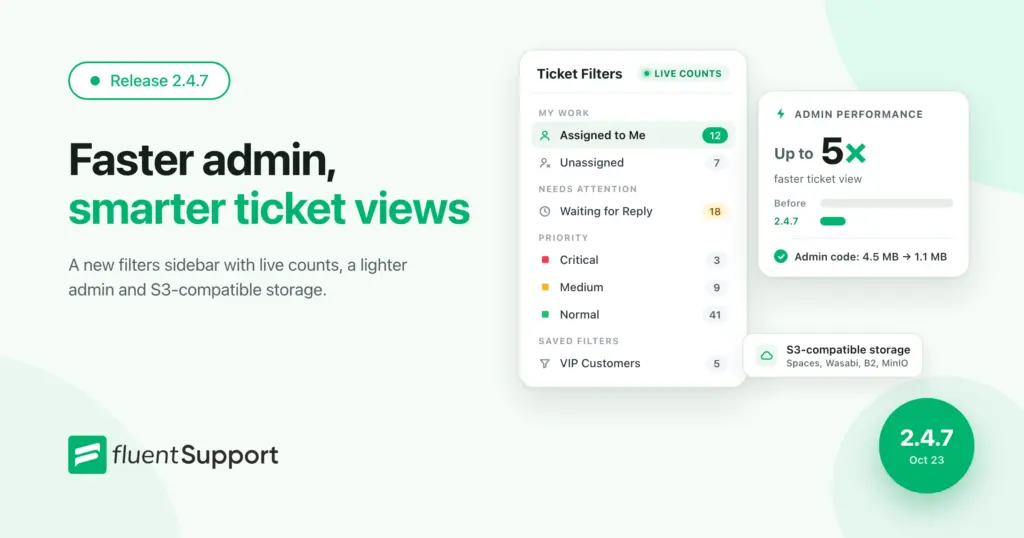
Fluent Support 2.4.7: Ticket Filters, 5x Faster Tickets and Smart Customer Search
Fluent Support 2.4.7 brings a Ticket Filters sidebar…Customer Success Best Practices for Small Teams
In this blog, we’ve discussed customer success in…


Add your first comment to this post