

Customer Service Training: Skills, Types, and How to Build a Program

By Md. Sajid Sadman
July 1, 2026
Last Modified: July 1, 2026


Your support team is the part of your business that customers actually talk to. When an agent handles a problem well, the customer remembers it. When an agent fumbles the same problem, the customer remembers that too and often tells other people.
Customer service training is how you make the good outcome the default instead of the exception. This guide breaks down what to train, the methods that work, a step-by-step way to build the program, and how to prove it improved your numbers.
Everything here is written for a real support operation, not a theory class.
Key Takeaways
- Customer service training teaches agents the skills, product knowledge, and tools they need to resolve customer issues and deliver a consistent experience.
- Train two skill types. Hard skills like product, tools, and policy decide whether an agent can solve the problem. Soft skills like empathy and listening decide how the customer feels about it.
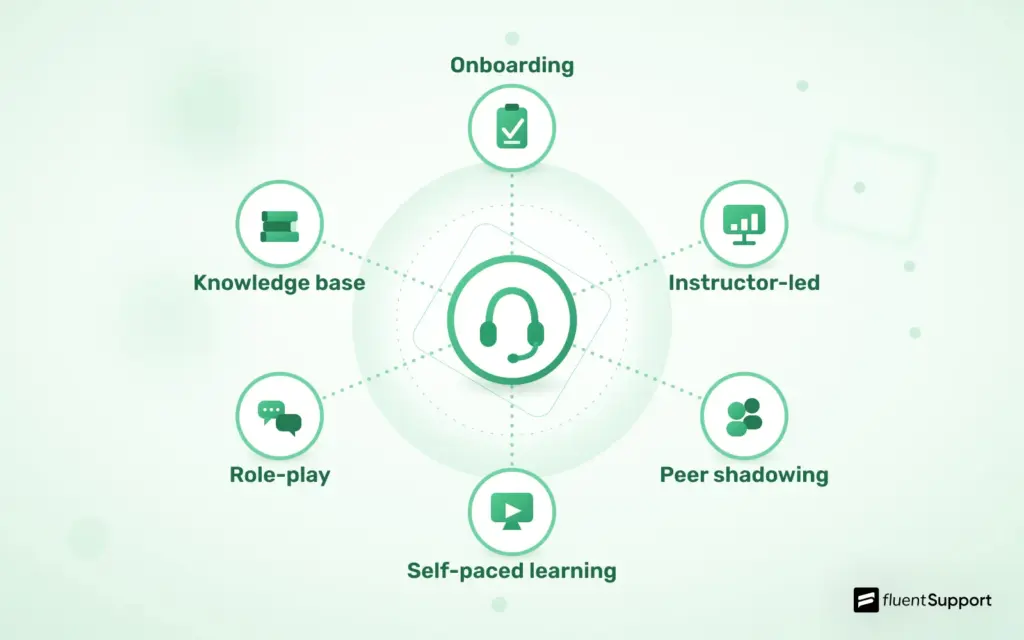
- The main training methods are onboarding, instructor-led sessions, peer shadowing, self-paced e-learning, role-play, and microlearning.
- Build the program as a sequence. Set goals, audit skill gaps, map a curriculum, build materials, train on your real helpdesk, run practice tickets, certify readiness, then review.
- Measure success with CSAT, first response time, resolution time, first contact resolution, and escalation rate, tracked before and after each program.
- Treat training as ongoing. Products change, customers raise new questions, and skills fade without refreshers.
What Is Customer Service Training?
Customer service training is the process of teaching support agents the skills, product knowledge, and tools they need to resolve customer issues and deliver a consistent experience. It is how a company turns a group of individuals into a team that handles problems the same reliable way.
A complete program covers three broad areas. Agents learn how your product works, how to communicate with customers, and how to operate the software that runs your support desk. It also teaches your service standards, so every agent understands what customer service should look like at your company.
What customer service training includes
- Product knowledge: Deep familiarity with your features, common issues, and known workarounds.
- Tools and software: How to work inside your helpdesk, CRM, and knowledge base at speed.
- Process and policy: The rules for refunds, escalations, response targets, and edge cases.
- Communication: Writing and speaking clearly, with empathy and plain language.
- Service standards: Your definition of good support, including tone and brand voice.
Who needs customer service training
Anyone in a customer-facing seat needs it. New hires need the full program, and tenured agents need refreshers as the product changes. Experienced hires from other companies need it too, since they do not yet know your product, your customers, or your standards. The same logic applies across most customer facing roles, from frontline agents to team leads.
This is the part many teams get wrong. They assume a skilled hire can skip training, then wonder why that hire gives confident answers that happen to be wrong for your business. Skill transfers between companies. Product and policy knowledge does not.
Why Customer Service Training Matters
Training is easy to treat as a cost you trim when budgets get tight. That thinking is backwards. The returns show up across four areas that all feed your bottom line: revenue and retention, hiring speed, service consistency, and agent turnover.
The sections below break down each one with the numbers behind it.
It protects revenue and retention
Customers decide whether to stay based on how you treat them. Salesforce found that 88% of customers say the experience a company provides matters as much as its products. A weak support interaction can undo the value of a strong product.
Retention is where the money sits. A Bain study published in Harvard Business Review found that a 5% increase in customer retention can raise profits by 25% to 95%. Trained agents resolve issues faster and leave customers more willing to renew, which is the engine behind real customer retention.
Picture the same billing error handled two ways. A trained agent fixes it in one reply and explains why it happened, so the customer feels safe. An untrained agent sends three vague messages and escalates, so the customer starts comparing competitors. Same bug, two very different outcomes for your revenue.
It speeds up new hires
New agents are slow and uncertain until they learn your systems. Industry research shows new support agents can take 60 to 90 days to reach full productivity. A structured program shortens that ramp and gets people contributing sooner.
Faster ramp has a direct cost benefit. Replacing a single agent can cost between 10,000 and 20,000 dollars once you count hiring and lost productivity. Training that helps people succeed early protects that investment.
It keeps service consistent
Customers should get the same quality of help from any agent on any day. Training is what creates that consistency, and it is the foundation of a strong customer service experience. Without it, service quality depends on who happens to pick up the ticket.
Consistency also builds trust. When a customer knows they will get a clear, competent answer every time they reach out, they stop second-guessing the relationship. That predictability is a quiet driver of loyalty.
It reduces burnout and turnover
Undertrained agents struggle, and agents who struggle tend to leave. Industry surveys report that stress is one of the top reasons support agents quit. Training reduces that stress by giving people the confidence to handle hard tickets without panic.
Confident agents also deliver better service, which lifts satisfaction scores. A well-trained team is calmer under pressure and more likely to stay, so you spend less time and money backfilling roles.
Hard Skills vs Soft Skills to Train
Strong training develops two kinds of skill, and a program that ignores either one produces weak agents. Hard skills decide whether an agent can solve the problem. Soft skills decide how the customer feels about it. Both belong in your customer service skills curriculum.
Hard skills
Product knowledge. Agents cannot help with something they do not understand. They need to know your features, the issues that come up most, and the workarounds for known bugs. Train this with hands-on use of the product, not slides about it. A good exercise is to have new agents complete the same setup a customer would, so they hit the same friction points your customers describe.
Tool proficiency. Agents spend the whole day inside your helpdesk, CRM, and knowledge base, so speed here decides how many tickets they handle well. Train them to use macros, tags, internal notes, and search fluently. Well-built canned responses sit in this category, since they save typing on common questions while keeping replies consistent.
Process and policy. Refunds, escalations, and response targets need clear rules, because agents who guess at policy create inconsistent and risky outcomes. Document your rules and quiz agents on real scenarios. Hand them five edge-case refund requests and check their decisions against your policy before they go live.
Writing. Support is mostly writing, and clear replies prevent confusion and cut repeat tickets. Train agents to lead with the answer, use plain words, and break longer replies into short paragraphs. A reply that buries the fix under a wall of setup text reads as unhelpful even when the fix is correct.
Data and metrics literacy. Agents work better when they understand the numbers they are measured on. Teach them what CSAT, first response time, and SLA targets mean, and show how their daily choices move those numbers. An agent who understands the scoreboard plays a smarter game.

Soft skills
Empathy. Customers want to feel understood before they feel helped. Train agents to name the customer’s feeling before moving to the fix. Something as simple as “That timing is awful, I am sorry the export failed during your demo” changes the tone of the entire ticket before any troubleshooting starts.
Active listening. Rushed agents answer the wrong question and create repeat contacts. Teach agents to read the full message, restate the problem in their own words, and confirm before solving. This one habit prevents a large share of back-and-forth.
Patience. Frustrated customers test composure, and a defensive reply makes things worse. Train agents to slow down, stay neutral, and avoid matching the customer’s heat. Role-play angry tickets in training so the first real one does not rattle them.
Clear communication. Jargon confuses customers and makes them feel small. Train agents to swap internal terms for plain language. “The page that lists your invoices” beats “the billing index view” every time, because the customer does not live inside your product the way your team does.
Problem-solving. Scripts cover the common cases, while real tickets often fall outside them. Teach a simple diagnostic habit: clarify the issue, isolate the cause, test a fix, then resolve. Curiosity and a willingness to dig are what separate good agents from great ones.
Emotional regulation. Agents handle complaints all day, and stress from one ticket can bleed into the next customer. Train them to reset between hard conversations with a short pause or a quick note to a teammate. Steady agents give steady service.
Types of Customer Service Training
There is no single right way to train a support team. Teams blend methods based on budget, size, and how they build a customer support team. Here are the main types, what each one does well, and when to reach for it.
How to Build a Customer Service Training Program
A good program is a sequence you can repeat for every hire and every refresher. These eight steps turn scattered training sessions into a system that produces consistent agents.
- Set clear goals.
Decide what success looks like before you build anything. Pick measurable targets like a lower first response time, a higher CSAT, or fewer escalations on technical tickets. Goals keep the program focused and give you a way to prove it worked later. - Audit your current skill gaps.
Look at your ticket data and find where agents actually struggle. Maybe billing tickets get escalated too often, or CSAT dips whenever an issue turns technical. Train the gaps you have, rather than working through a generic checklist that ignores your real weak spots. - Map the curriculum.
List every topic an agent must master, then arrange it in a logical order. Start with product basics, move to tools, then policy, then the soft skills that tie it together. A clear map stops you from dumping everything on a new hire during their first day. - Build your training materials.
Turn your best practices into guides, checklists, short videos, and quizzes, and use real examples from past tickets so the material feels grounded. Store everything in one place, like an internal knowledge base, so agents can return to it after onboarding ends. - Train on your real tools.
Agents learn faster when they practice inside the helpdesk ticketing system they will use every day, instead of watching a demo of it. Give them a sandbox or test tickets so they can click through the real workflow and make harmless mistakes. - Run practice tickets and role-play.
Before agents go live, have them handle sample tickets and rehearse hard conversations while you review their replies. Coach the gaps you see, and praise the habits you want repeated. Mistakes here cost nothing, while the same mistakes in front of customers cost trust. - Certify readiness.
Set a clear bar an agent must clear before handling live tickets alone, such as a passing quiz score, a set of approved practice replies, or a supervised shift with no major errors. Certification protects the customer and gives the new agent a confidence milestone to aim for. - Review and improve the program.
After each cycle, check your target metrics and ask agents what felt missing. Update the weak parts and run it again. A training program is a living document, not a one-time build you finish and forget.
A Sample 30-Day Onboarding Plan
Here is a simple structure you can adapt to your product. It moves a new agent from learning, to supervised work, to independent ownership over four weeks.
Week 1, foundations.
The agent learns product basics, company values, and your service standards. They use the product the way a customer would and read your most-viewed help articles. No live tickets yet, since the goal is understanding, not output.
Week 2, tools and process.
The agent learns the helpdesk, macros, tags, and escalation rules, then handles practice tickets while shadowing a senior agent. By the end of the week they can navigate the system without help and know where policy lives.
Week 3, supervised tickets.
The agent answers real low-complexity tickets while a mentor reviews every reply before it sends. Daily feedback corrects small habits before they harden. Volume stays low on purpose, so quality comes first.
Week 4, toward independence.
The agent handles a fuller ticket load with spot-checks instead of full review. The mentor steps back gradually, and by the end of the week the agent owns their queue. You now have a baseline to measure future training against.
Train Your Team on the Right Tools
A support team is only as good as the system behind it. A clean helpdesk shortens training because the workflow is obvious and the next action is always clear. A cluttered tool does the opposite, since agents spend their first weeks fighting the software instead of learning to help customers.
The right tool also makes training measurable. You can watch first response time, see where replies slow down, and pinpoint exactly where an agent needs coaching. That visibility is the heart of strong customer communication management, and it turns a one-time program into continuous improvement.
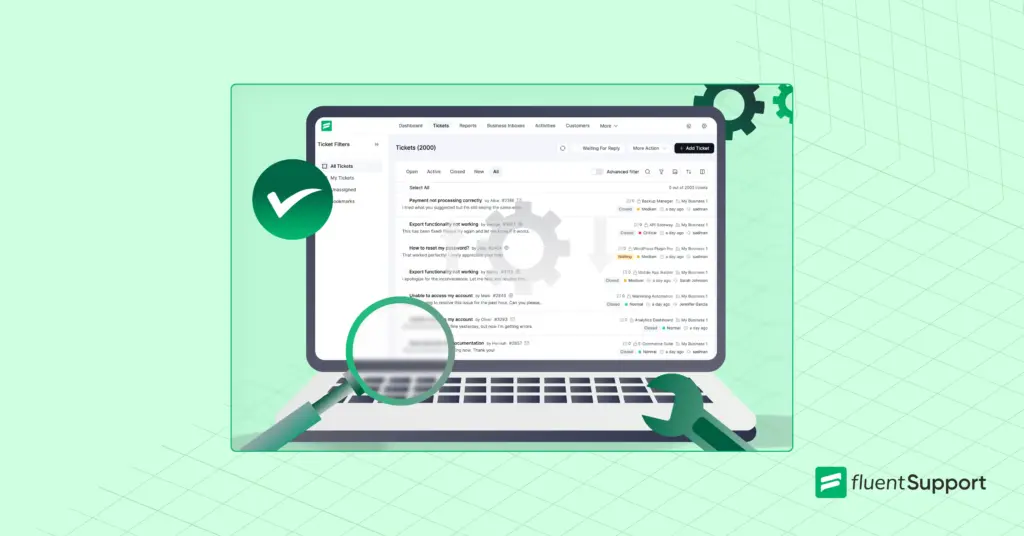
Just a heads up: almost half of onboarding is teaching the tool. Fluent Support cuts that down. It runs your whole support desk inside WordPress and keeps the interface clean. Your agents pick it up quickly, and you spend onboarding on the skills that move your numbers.
How to Measure Training Success
Training only counts if you can prove it moved the numbers. Track a focused set of metrics before and after each program, since customer satisfaction is the clearest read on whether the experience improved.
CSAT
The customer satisfaction score asks customers to rate a single interaction, usually right after it closes. It is the fastest signal that training changed how customers feel. A rising CSAT in the weeks after a program is strong evidence it worked.
First response time
This measures how long a customer waits for the first human reply. Trained agents triage faster and reply sooner, so this number tends to fall once a program lands. Watch it as a sign of growing confidence with the queue.
Resolution time
This tracks how long it takes to fully close an issue, and it drops as agents get better at diagnosing problems on the first read. Watch it alongside CSAT, so you reward accuracy and not just speed. Fast and wrong is worse than a little slower and right.
First contact resolution
This is the share of issues solved in a single reply, and it is one of the best signals of training quality. Higher numbers mean agents understand the product and ask the right questions up front. Low numbers point to a knowledge gap worth closing.
Escalation rate
This shows how often agents pass tickets up to seniors. A high rate after training points to a topic you still need to cover. A falling rate means agents are handling more on their own, which is exactly what training should produce.
Ramp time
Track how long new hires take to reach full productivity. If your program is improving, that window shrinks with each new cohort. It is the cleanest measure of onboarding quality over time.
Compare these numbers before and after each program. When satisfaction climbs and resolution time drops together, your good customer service is becoming the default instead of a lucky outcome.
Common Customer Service Training Mistakes
So you have built the program, run the sessions, and your agents are still fumbling tickets. What gives? Honestly, it is almost never about how hard you tried.
It comes down to a few sneaky habits that quietly drag the whole thing down, and the good news is every one of them is easy to fix once you spot it.
How to Keep Training Going
The best support teams treat training as ongoing rather than a phase that ends after onboarding. Products ship new features, customers raise new questions, and policies shift. A team that stops learning falls behind quietly, one outdated answer at a time.
Build small habits that keep skills sharp without heavy time cost. Short weekly lessons, regular ticket reviews, and a quick session whenever a feature launches all keep the team current. Frequent and small beats rare and exhausting.
Make feedback flow both ways. Frontline agents see new problems before managers do, so give them a clear channel to flag gaps in training and documentation. That loop keeps the program honest and grounded in what customers are actually asking today.
Start off with a powerful ticketing system that delivers smooth collaboration right out of the box.
Frequently Asked Questions
The goal is to give every agent the skills, product knowledge, and tools to solve customer problems well and consistently. Strong training leads to faster replies, more first-contact resolutions, and a steadier experience for customers.
Onboarding usually runs four to six weeks, and it runs longer for technical products. After onboarding, training continues with regular refreshers, so there is no true end date. The exact length depends on your product complexity and team size.
Cover hard skills like product knowledge, tool proficiency, and policy, plus soft skills like empathy, active listening, and clear communication. Hard skills let an agent solve the problem, while soft skills shape how the customer feels about the help they received.
The common types are onboarding, instructor-led sessions, peer shadowing, self-paced e-learning, role-play, and microlearning. Most teams blend several based on budget, team size, and how distributed the team is.
Track metrics like CSAT, first response time, resolution time, first contact resolution, and escalation rate before and after training. Improvement across these numbers shows the program is working rather than just keeping people busy.
Yes. Even a highly skilled hire does not know your specific product, customers, and service standards, and confident wrong answers are worse than honest uncertainty. Run every new agent through product and policy training, even a shortened version.
Onboarding happens once per hire, and refreshers should run on a regular cadence after that. Add short sessions whenever you ship a feature or change a policy, so the team is never working from outdated information.
Related Articles
26 Best Ticketing System Software in 2026
The best ticketing system software in 2026 includes…Fluent Support 2.4.5: Remote Portal, New Workflow Triggers and more
Fluent Support 2.4.5 lets you run the customer…


Add your first comment to this post